3. Click Input Video, and then select the input source from the Open dialog box.
Note: If your video files (e.g. MP4 file) cannot be found in the Open dialog box, select All Files (*.*) in the File of type box.
4. Click Output Video to select an output directory.
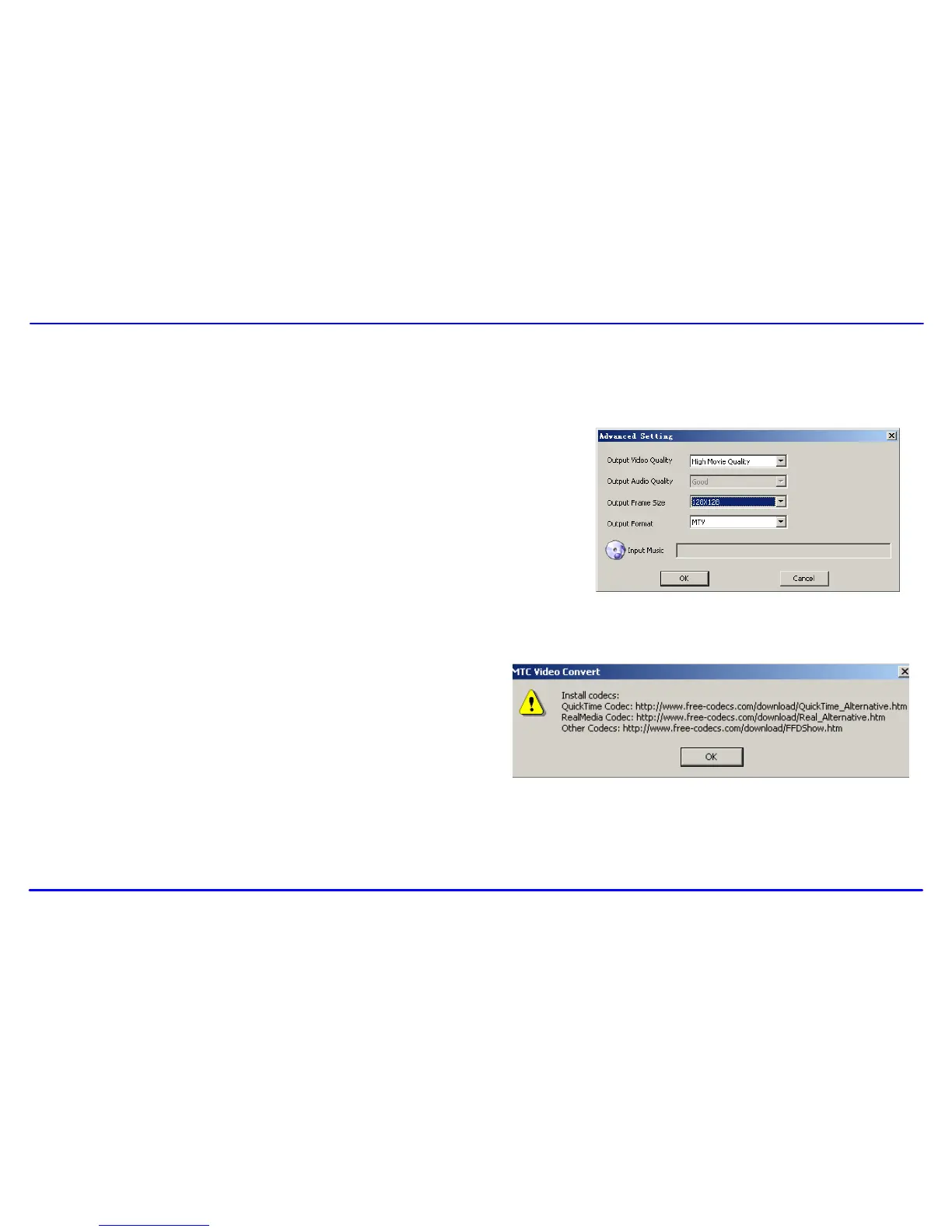
5. Click Advanced Settings. Select 128x128 in the Output Frame Size box and
select MTV in the Output Format box.
6. Click Start Conversion.
For detailed operations, click Help.
Note:
To make your video playable on the player, you must select 128x128 or less in the Output Frame Size box (Advanced Setting). Otherwise,
the message “Device Not Support” will appear on the screen when you play the video file.
You have to install relevant codec package before running “Video
Converter.exe”. If not, the system will prompt “Load Video Failed!”
when you attempt to convert the video files. Click “OK” and follow the
prompt to download and install codec from the web sites.



 To Next Page