3.8 Secure wafer-style process connections
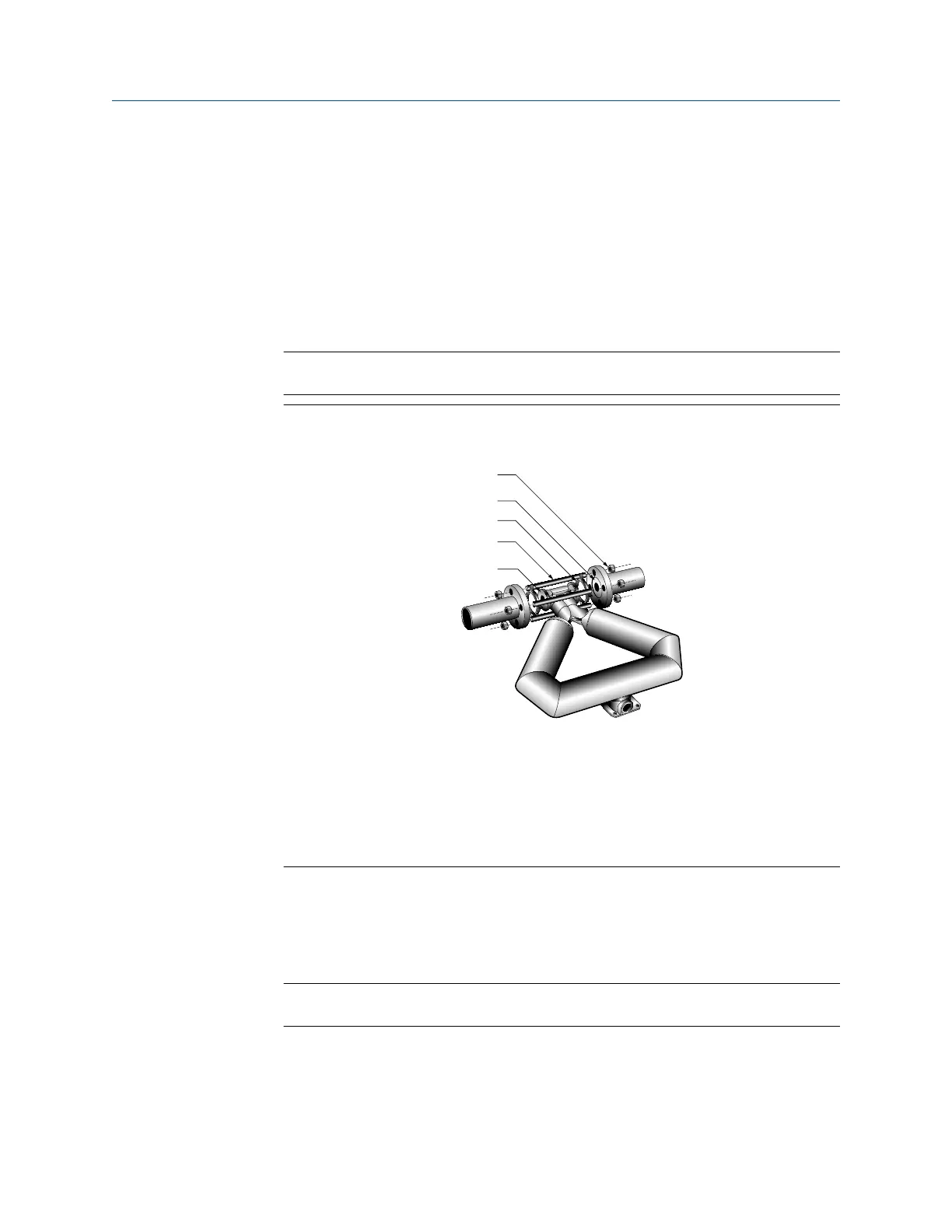
A wafer-style connection lets you clamp the sensor into the pipeline. A wafer installation
kit is shipped with a wafer-style sensor.
Procedure
1. Make sure that the bolts provided are rated for your process connection.
2. Slip the sensor alignment rings over each end of the sensor wafer, then insert the
sensor between the process connections in the pipeline.
Tip
Micro Motion recommends installing gaskets (user-supplied).
Figure 3-12: Wafer-style connection components
A. Flange nut
B. Gasket (user-supplied)
C. Alignment ring
D. Flange bolt
E. Sensor wafer
3. Insert the flange bolts through both process connections, and thread the flange
nuts onto the bolts.
4. With your fingers, tighten the flange nuts.
5. Rotate the sensor alignment rings in the direction that pushes the bolts outward.
Tip
Rotate both sensor aligment rings until the assembly is centered and tight.
Mounting Installation Manual
October 2021 20002158
26 Micro Motion ELITE



 To Next Page
 Loading...