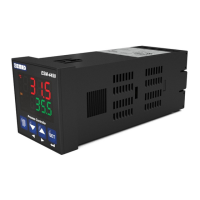
The PC interface kit comprises of a 9 pin D connector/FCC68(4 pin) connection lead with 2
meters of cable and the optional PC Software (Supplied on CD-ROM)
RS-232 non-isolated Serial interface
9600 Baud Rate
8 data bits, No Parity,1 Stop Bit
Maximum allowable cable length is 10 meters
Processor : 486 66MHZ
Operating Systems : Windows 95/98/XP, Windows NT, Windows 2000
Ram : 16 Mbyte
Monitor : 14’’ SVGA (640x480 resolution)
Fixed Disk Free Space : 5 Mbyte
Disk Drive : CD-ROM
Communication : An RS-232 communication port is needed to communicate with the
EAOM-6 unit
Insert the software CD into the CD-ROM drive on the PC. CD will autostart, then select E AOM-6
Install.exe from the menu.
Press the windows START button icon, then select EAOM-6 SW Þ EAOM-6 from the
program menu.
EAOM-6 unit communicates with the PC using RS-232 communications. The PC software allows
the EAOM-6 unit’s parameters and status information to be displayed on the PC screen. Operator
and Technician parameters can be viewed. Parameters are password protected.
There are four windows in EAOM-6 PC SW: Observation Window, Operator Parameters
Window,Technician Parameters Window and Adjustment Window.
4.3 PC Interface
4.3.1 Technical Specifications
4.3.2 Installation Instruction
4.3.2.1 Minimum System Requirements
4.3.3 Installing EAOM-6 Software
4.3.4 Using Of EAOM-6 Communication Software
4.3.5 Description
17



 To Next Page