V
L31/L3N
V
L23/L2N
V
L12/L1N
Hz
RPM
PROGPROG
RESETRESET TESTTEST
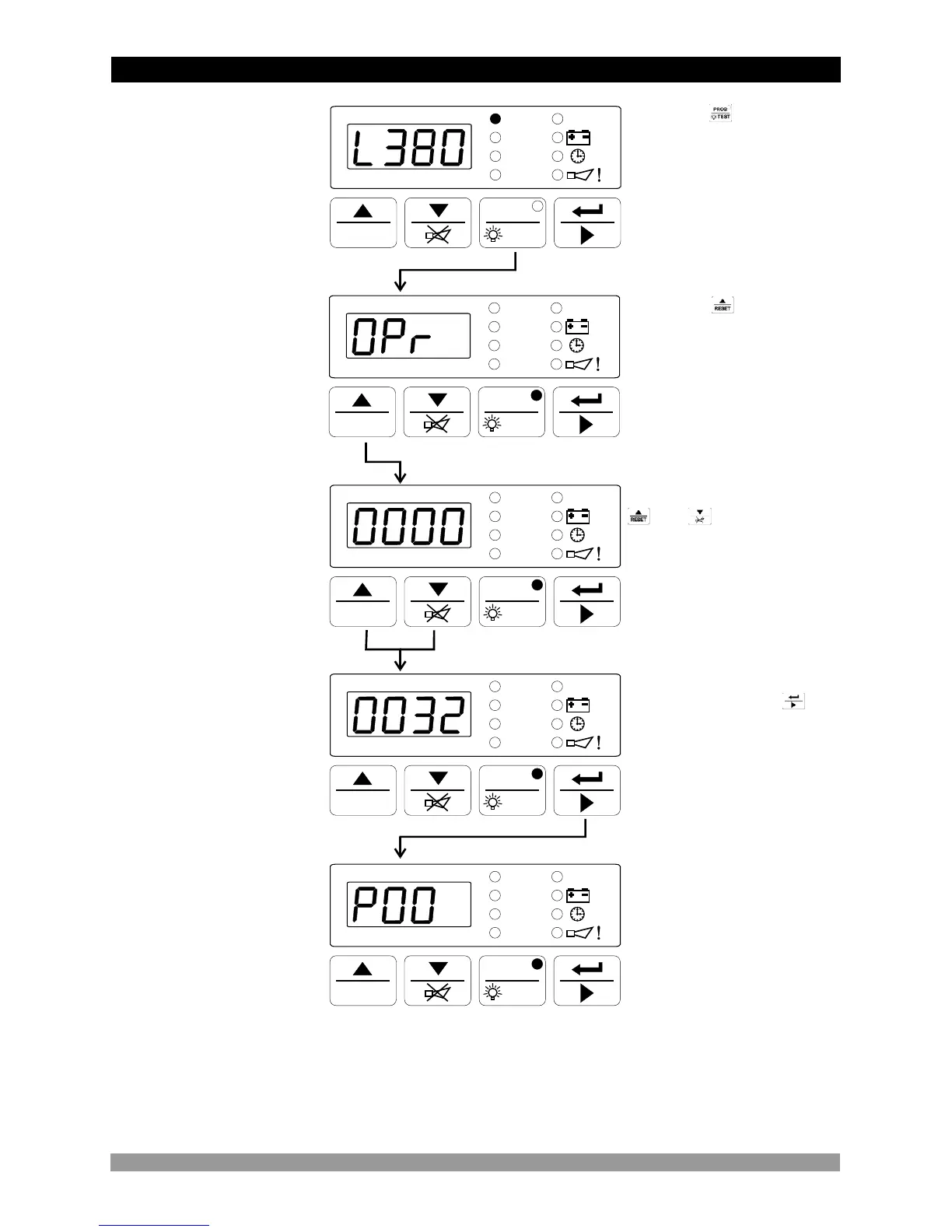
Operation Screen
When button is
pressed, all leds and digits
are energised, because
prog button is also used as
test button. Continue to
press the prog buton for 5
seconds, Operator Menu
Entering screen is shown
and prog led lights on.
V
L31/L3N
V
L23/L2N
V
L12/L1N
Hz
RPM
PROGPROG
RESETRESET TESTTEST
V
L31/L3N
V
L23/L2N
V
L12/L1N
Hz
RPM
PROGPROG
RESETRESET TESTTEST
When button is
pressed, operator
password entering screen
is shown.
V
L31/L3N
V
L23/L2N
V
L12/L1N
Hz
RPM
PROGPROG
RESETRESET TESTTEST
Operator Password
Entering Screen
Operator Password
Entering Screen
Change the password with
and buttons
After entering the
password, push the
button for confirming the
password and accessing to
the first parameters of
operator parameters.
V
L31/L3N
V
L23/L2N
V
L12/L1N
Hz
RPM
PROGPROG
RESETRESET TESTTEST
Operator Menu
Entering Screen
NOTE : If no operation is performed for 20 seconds, the device exits from the
programming mode and turns to the main operation screen.
5.2 Changing and Saving Operator Parameter Value
28
Alternator Voltage
Lower Limit
Parameter



 To Next Page