5
6 FRONT PANEL
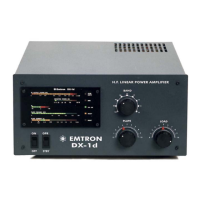
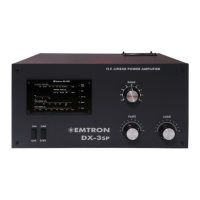
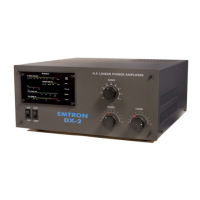
The following controls and indicators are present on the front panel:
6.1 Controls
BAND SWITCH
A nine position switch selects the desired frequency range. The 7 operating bands are indicated in metres. The last two switch positions
are not used in the U.S. version of DX-2. If a special licence is produced, the amplifier can be delivered with all 9 bands operational.
PLATE TUNE
Tunes the amplifier operating frequency. A chart of approximate starting settings is given in Table-1
LOAD TUNE
Tunes the amplifier output loading. A chart of approximate starting settings is given in Table-1
ON/OFF
Switches the AC power on and off. On initial switch on, the standby mode is enabled. Note also the appropriate switch down sequence,
given in Section 11.
OPR/STBY
Enables the amplifier once it has warmed up. In STANDBY mode, the screen voltage is removed and any RF power applied to the
input, is bypassed to the output. If this switch is changed to OPERATE before the READY light comes on, the FAULT light will turn
on. This is not a fault, but it is better to leave the switch in STBY position until the amplifier is ready to operate.
6.2 Displays
All the DX-2 indicators are concentrated in a single, solid state, "moving LEDs" display (See drawing). The following parameters are
displayed (top to bottom):
Output Power - Scale up to 2kW. Yellow LEDs, with red indicating power over 1.5kW.
Reflected Power - Scale up to 250W. The colour is green, yellow and red, indicating progressively higher reflected power and possibly
problems with your antenna.
Ig2 - Zero-centred display. The left (green) side has a full scale of about 25 mA of negative screen current. The right (red) side has a
full scale of about 50 mA of positive screen current. Above this value, the red LEDs will flash, warning you to increase the loading, or
reduce the drive. At about 60 mA, the protective current limiting will cut in.
Plate Voltage - Scale up to 3.3kV, green.
Plate Current - Scale up to 2.0A. Yellow, with a green zone indicating the standing current bias (when EBS is disabled only. NOTE:
the factory adjustment could be slightly different from the green zone indication). The area above 1.8A is red. It indicates excessive
plate current, due to high drive level and improper tuning (especially plate tuning - see "Tuning" chapter, Section 10.1).
ON Air - single LED, green. When pressing PTT, this LED turns on (while in OPERATE)
READY - single LED, yellow. Turns on at the end of warm-up period, when the mains power to DX-2 is switched on. It turns off for
about 2 minutes if the plate current protection is triggered. In this case, the FAULT light also turns on (if switch on OPR).
FAULT - single LED, red. Turns on in 3 situations:
when the over-temperature protection is triggered, the FAULT turns on until the tube cools to a safe level. During this time,
the operation of the amplifier is disabled, the screen voltage is off and any RF power applied to the input is bypassed directly to
the output.
when the over-current protection is triggered, FAULT turns on for 2 minutes, while READY turns off
at DX-2 power up, if the OPR/STBY switch on the front panel is left in OPR position. The FAULT light will go off when
the DX-2 is ready for operation, after warm-up.
SWR - single LED, red. A three second cut-off will happen if your antenna has a SWR worse than 2:1 (typical 2.6:1) at the operating
frequency. During the cut-off, the RF from the input is directly by-passed to the output.
OVER-DRIVE - single LED, yellow. Flashes when the input drive is exceeding the linear operation level. If even more drive is
applied, the overdrive protection will cut off (by-pass) the operation for about 2 seconds.


 To Next Page