Liquiline CM442R/CM444R/CM448R
Endress+Hauser 7
Determining the hardware
delivery status
You must be aware of the type of modules and the number of them supplied with the device you
have ordered to determine the delivery status of your Liquiline.
• Basic module
One basic module in all versions. Always occupies slots 0 and 1.
• Fieldbus module
Optional, and only one fieldbus module is possible.
• Input modules
– Must be clearly assigned to the number of optional inputs ordered.
– Examples:
2 current inputs = module 2AI
4 Memosens inputs = 2 inputs with basic module + module 2DS with 2 further inputs
• Current outputs and relays
Various module combinations can exist.
The following table will help you determine which modules your device has, depending on the type
and number of outputs.
Current outputs
Relays
0 2 4
2 - 1 x 2R 1 x 4R
4 1 x 2AO 1 x AOR 1 x 2AO + 1 x 4R
6 1 x 4AO 1 x 4AO + 1 x 2R 1 x 4AO + 1 x 4R
8 1 x 4AO + 1 x 2AO 1 x 4AO + 1 x 2AO + 1 x 2R 1 x 4AO + 1x 2AO + 1 x 4R
‣
Sum up the number of modules and sort them according to the specified sequence → 6.
This will give you the slot assignment for your device.
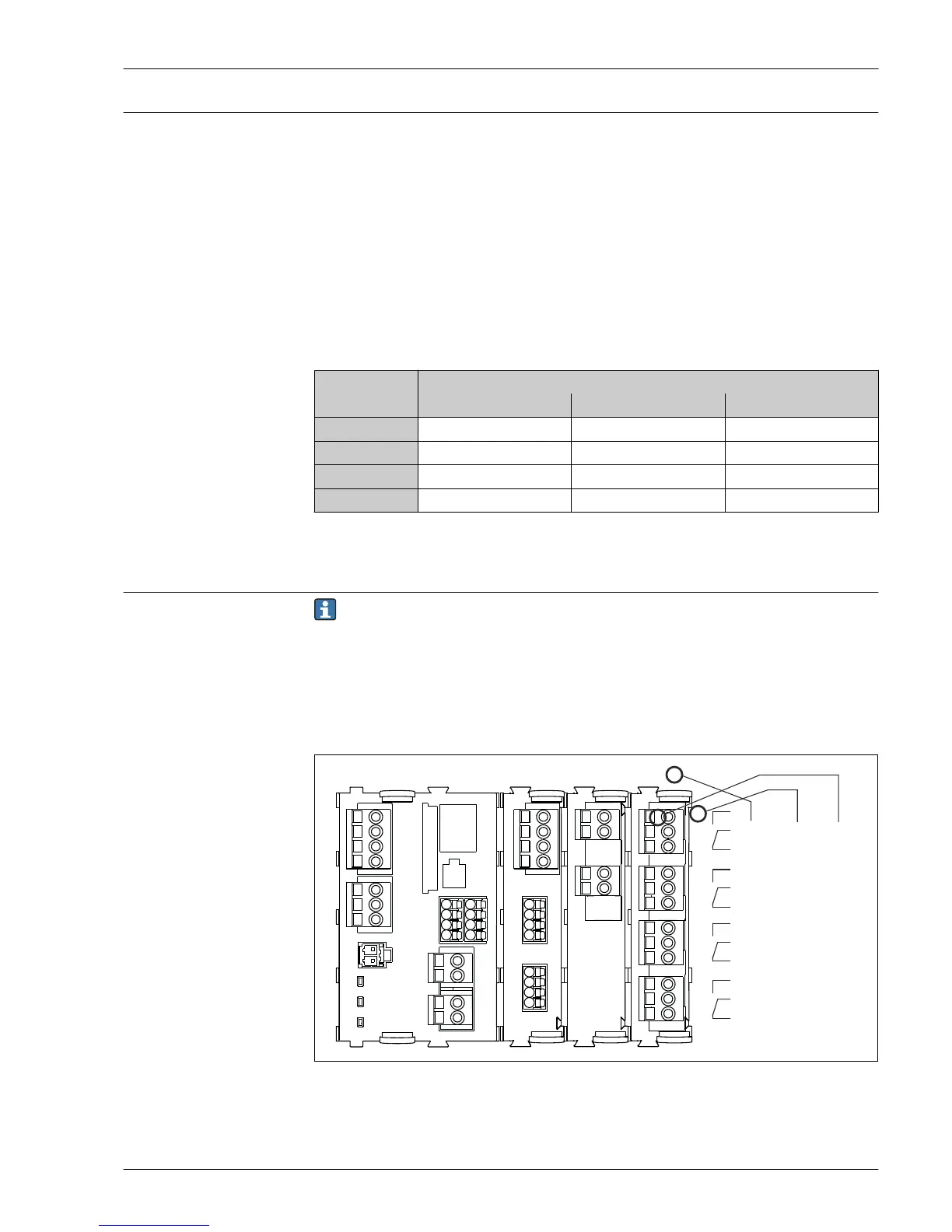
Terminal diagram
The unique terminal name is derived from:
Slot no. : Port no. : Terminal
Example, NO contact of a relay
Device with 4 inputs for digital sensors, 4 current outputs and 4 relays
• Basic module BASE-E (contains 2 sensor inputs, 2 current outputs)
• Module 2DS (2 sensor inputs)
• Module 2AO (2 current outputs)
• Module 4R (4 relays)




 To Next Page