6.4 Calibration
Matrix field V1 / H0 ; level 1 (operation)
General
A fixed cell constant is allocated to each
conductivity measuring range.
(see table in chapter 5.4).
For absolute value measurement, the
measuring range must be calibrated, i.e.
adjusted to the actual cell constant value of
the conductivity measuring cell.
This requires using a measuring solution with
a known conductivity value.
See chapter 9.2 for a table of KCl calibration
solutions.
The conductivity of the calibration solution
must be at least 40 % of the upper measuring
range limit and must not exceed three times
the upper measuring range limit, e.g.
Measuring range: 2000 µS / cm
KCl-calibr. solution: CLY 11-C
Conductivity: 1,406 mS / cm at 25 °C
Procedure
• Temper calibration solution to 25 °C or
measure the temperature and use the
temperature table
• Immerse measuring cell in calibration
solution
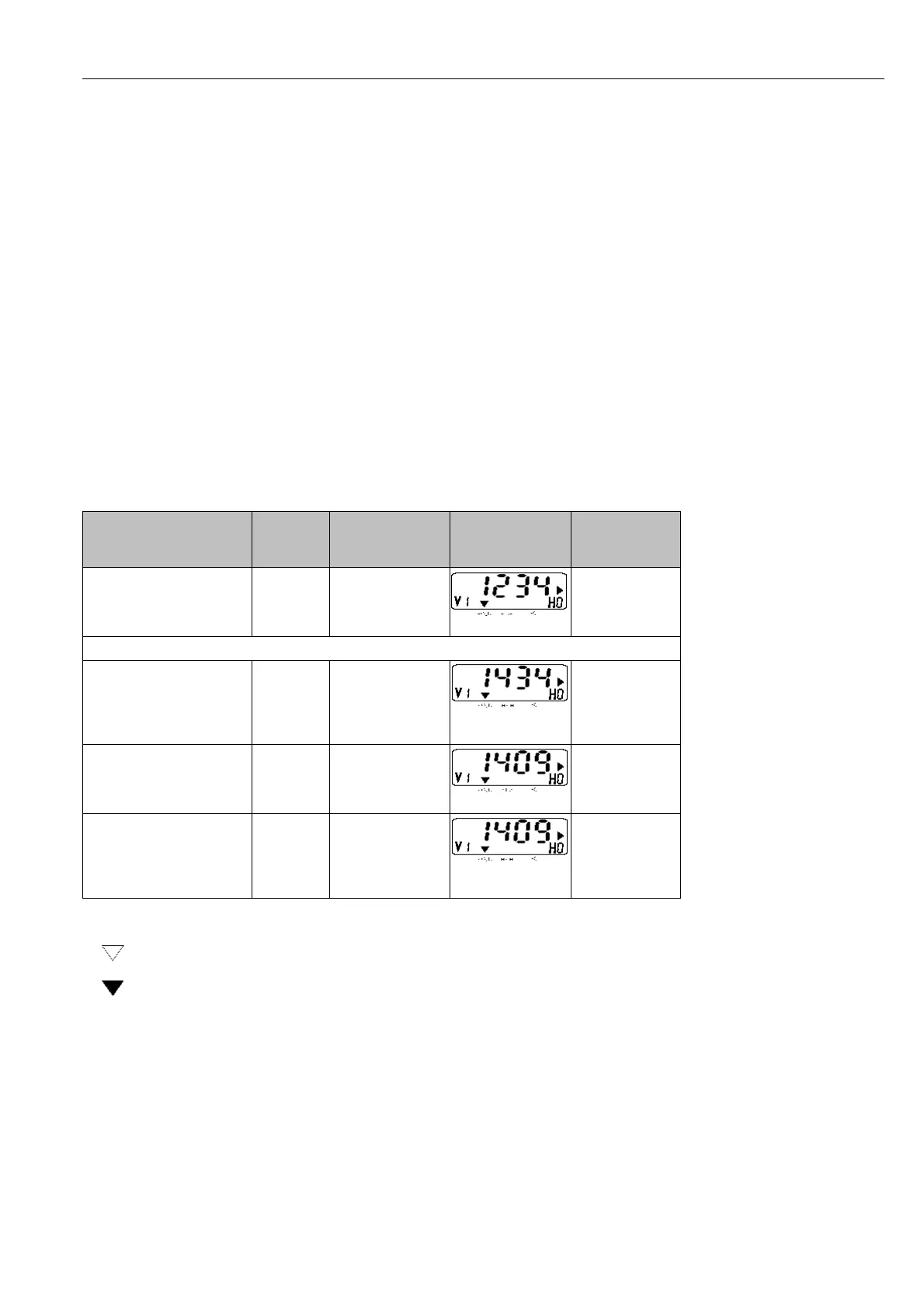
• Proceed according to the following table
Calibration error
1)
– The permissible tolerance range with
regard to factory calibration is
± 20 % for conductivity measurement
± 10 % for resistance measurement.
– Values above or below this tolerance range
results in error message 80 to 82
(see chapter 7.3: error list).
– Entries 80 to 82 in the error list are
retained even after a power failure.
– A calibration error will set the cell constant
value to the minimum or maximum value,
depending on the deviation.
– The values are retained until a successful
calibration is performed.
– When the calibration function is aborted with
the V / H key without pressing the E key,
then the original values are retained.
Function
Matrix
field
command
Display value
Instrument
display
Note
Activate
calibration function
V1 / H0
→
Conductivity
value (not
temperature-
compensated)
Hold function
is activated
Immerse measuring cell in calibration solution!
Start
calibration function
→ Conductivity of
calibration
solution
uncalibrated
Observe temp.
of calibration
solution; wait
until measured
value is stable
Enter calibration value
on the display
via the keyboard
→ , ↑
+
, ↓
–
Conductivity of
calibration
solution
calibrated
Enter correct
conductivity of
calibration
solution
Store
calibration value
or
abort
calibration function
E
V / H
Calibation is
stored,
possible error
message
1)
Note:
Status arrow invisible
Status arrow visible
BE4LM151.CHP
mycom CLM 121/151 - CD/MM
6. Operation
29




 To Next Page