EasyManua.ls Logo

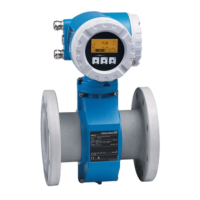
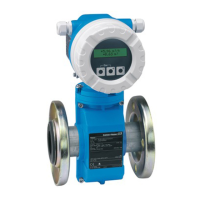
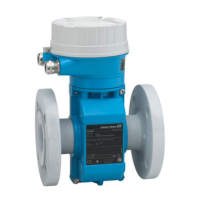
Endress+Hauser Proline t-mass 65I - User Manual

Endress+Hauser Proline t-mass 65I
78 pages
Print Icon
To Next Page IconTo Next Page
Loading...
BA112D/06/en/12.05
71009066
Valid as of version:
V 1.00.XX (device software)
Description of Device Functions
Proline t-mass 65F, 65I
Thermal Mass Flow Measuring System

Other manuals for Endress+Hauser Proline t-mass 65I

Questions and Answers

  • E
    Elizabeth CohenAug 8, 2025
    What to do if Endress+Hauser Measuring Instruments shows 'FLOW LIMIT' error?
    • K
      Kiara Vincent DDSAug 8, 2025
      If the Endress+Hauser Measuring Instruments indicates a 'FLOW LIMIT' error, it means the measured flow has exceeded the maximum limit. To resolve this, either reduce the flow rate or replace the instrument with one that is appropriately sized for your application.
  • C
    Cheryl BaileyAug 18, 2025
    What to do if Endress+Hauser Measuring Instruments displays 'RANGE PULSE' error?
    • L
      Laura Fields PhDAug 18, 2025
      If the Endress+Hauser Measuring Instruments displays a 'RANGE PULSE' error, it indicates that the pulse output frequency is outside the set range. You can resolve this by increasing the pulse value, reducing the flow, or choosing a pulse width value that can be processed by any connected counter.
  • A
    Ashley FryeAug 28, 2025
    Why does my Endress+Hauser Measuring Instruments show 'RANGE CUR.OUT' error, and how to fix it?
    • J
      Jennifer MartinAug 29, 2025
      If the Endress+Hauser Measuring Instruments displays a 'RANGE CUR.OUT' error, it means the actual flow value is outside the set limits. To fix this, change the full-scale value entered or reduce the flow.

Summary

Function Matrix

The Function Matrix: Layout and Use

Explains the two-level structure of groups and functions within the matrix.

Graphical Illustration of the Function Matrix

Provides a visual representation of the function matrix layout and connections.

System Units

Quick Setup

Quick Setup Commission

Initiates the setup menu for device commissioning.

T-DAT Save;Load

Manages saving/loading transmitter parameter settings to/from T-DAT.

Operation

Access Code

Protects system data from inadvertent changes by requiring a code.

Define Private Code

Sets a personal code number to enable programming functions.

Totalizer 1;2

Assign Totalizer

Assigns a measured variable (mass flow, volume) to the totalizer.

Handling Totalizer

Current Output 1;2

Assign Current

Assigns a measured variable to the current output.

Pulse;Frequency Output

Operation Mode

Configures the output as pulse, frequency, or status.

Failsafe Mode

Defines frequency output behavior during faults.

Relay Output 1;2

Assign Relay

Assigns a switching function to the relay output.

Status Input

Assign Status Input

Assigns a switching function to the status input.

Current Input

Current Span

Selects the current range and alarm levels for the input.

Process Parameter

Zero Point Adjust

Performs automatic zero point adjustment for the sensor.

System Parameter

Supervision

Simulation System

Simulation Failsafe Mode

Sets fault response modes for inputs/outputs/totalizers for testing.

Simulation Measurand

Sets flow-response modes for inputs/outputs/totalizers for testing.

Factory Settings

Endress+Hauser Proline t-mass 65I Specifications

General IconGeneral
Measurement PrincipleCoriolis
Power Supply24 V DC
Device TypeMass Flow Meter
Repeatability±0.05% of rate
Process Pressureup to 40 bar
Wetted Materials316L stainless steel
Output Signals4 to 20 mA, pulse output
CommunicationHART
ApprovalsATEX, IECEx
Ingress ProtectionIP66
Process ConnectionFlanged, threaded

Related product manuals