EasyManua.ls Logo

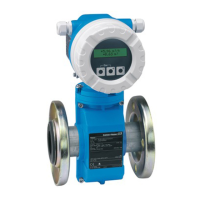
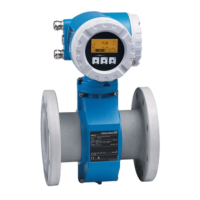
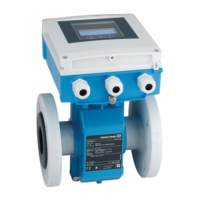
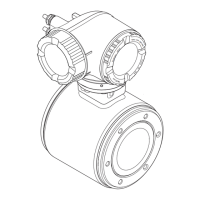
Endress+Hauser Proline Promag L 400 - User Manual

Endress+Hauser Proline Promag L 400
180 pages
Print Icon
To Next Page IconTo Next Page
Loading...
Products Solutions Services
Operating Instructions
Proline Promag L 400
PROFIBUS DP
Electromagnetic flowmeter
BA01233D/06/EN/02.14
71258939
Valid as of version
01.00.zz (Device firmware)

Table of Contents

Other manuals for Endress+Hauser Proline Promag L 400

Questions and Answers

  • Z
    zoliverAug 18, 2025
    What to do if the local display is dark and there are no output signals on my Endress+Hauser Measuring Instruments?
    • T
      twhiteAug 19, 2025
      If the local display is dark and there are no output signals, several factors could be at play. First, verify that the supply voltage matches what's specified on the nameplate and apply the correct voltage if it doesn't. Next, ensure that all connecting cables are properly connected to the terminals. Also, check that the terminals are correctly plugged into the main electronics module. The connector between the main electronics module and display module should also be checked. Additionally, inspect the electrode and coil current cables for proper connection. If all else fails, the main electronics module may be defective and need to be replaced.
  • K
    Karen NorrisAug 21, 2025
    Why is my Endress+Hauser Proline Promag L 400 device measuring incorrectly?
    • S
      Sabrina TurnerAug 21, 2025
      If your device is measuring incorrectly, it could be due to a configuration error or because the device is being operated outside of its intended application. To resolve this, first check and correct the parameter configuration. Also, make sure to observe the limit values specified in the 'Technical Data'.
  • J
    Joshua DoyleAug 23, 2025
    How to fix no write access to parameters on Endress+Hauser Proline Promag L 400?
    • F
      fullersarahAug 23, 2025
      If you have no write access to parameters, it may be because hardware write protection is enabled. To fix this, set the write protection switch on the main electronics module to the OFF position. Alternatively, your current user role may have limited access authorization. In this case, check the user role and enter the correct customer-specific access code if needed.
  • C
    carlospaulAug 26, 2025
    What to do if the local display is dark but the signal output is within the valid range on my Endress+Hauser Proline Promag L 400?
    • T
      Tony MartinAug 26, 2025
      If the local display is dark, but the signal output is within the valid range, the display might be set too bright or too dark. Try adjusting the display by simultaneously pressing the indicated buttons to make it brighter or darker. If this doesn't work, the display module may be defective.
  • A
    angelastanleyAug 28, 2025
    How do I troubleshoot no connection via PROFIBUS DP with Endress+Hauser Measuring Instruments?
    • A
      andreabriggsAug 28, 2025
      If there is no connection via PROFIBUS DP, check the following: 1. Ensure the PROFIBUS DP bus cable is connected correctly, verifying the terminal assignment. 2. Check the pin assignment of the device plug to make sure it is connected correctly. 3. Verify that the PROFIBUS DP cable is correctly terminated, checking the terminating resistor.
  • M
    Mary JonesAug 30, 2025
    Why does my Endress+Hauser Proline Promag L 400 device show the correct value on the local display, but the signal output is incorrect?
    • J
      jamessmithAug 30, 2025
      If your device shows the correct value on the local display, but the signal output is incorrect (though in the valid range), it is likely due to a configuration error. You should check and correct the parameter configuration.
  • K
    Kelly GrahamSep 1, 2025
    What does 'Communication Error' 'Check Electronics' mean on my Endress+Hauser Proline Promag L 400 Measuring Instruments display?
    • T
      thompsonkevinSep 1, 2025
      The message 'Communication Error' 'Check Electronics' indicates that communication between the display module and the electronics has been interrupted. You should check the cable and the connector between the main electronics module and display module.
  • S
    Samuel HarrisSep 3, 2025
    Why am I not connecting to the Web server of my Endress+Hauser Measuring Instruments?
    • P
      Paul WalkerSep 4, 2025
      If you are not connecting to the Web server, it could be due to an incorrect setting for the Ethernet interface of the computer. Check the properties of the Internet protocol (TCP/IP). Also, the Web server might be disabled. Use the 'FieldCare' operating tool to check whether the Web server of the measuring device is enabled and enable it if necessary.
  • E
    Edward TaylorSep 6, 2025
    What to do if Web browser is frozen while using Endress+Hauser Proline Promag L 400 Measuring Instruments?
    • A
      Anna HillSep 6, 2025
      If the web browser is frozen and operation is no longer possible, it could be because data transfer is active. Wait until the data transfer or current action is finished. It could also be due to a lost connection. Check the cable connection and power supply and refresh the Web browser, restarting if necessary.
  • S
    Sarah LopezSep 8, 2025
    Why is the backlighting of the local display red on my Endress+Hauser Measuring Instruments?
    • A
      Amber CurtisSep 8, 2025
      If the backlighting of the local display is red, it means that a diagnostic event with 'Alarm' diagnostic behavior has occurred.

Summary

Basic Safety Instructions

Personnel Requirements

Outlines qualifications and authorizations for personnel performing installation, commissioning, etc.

Designated Use

Specifies intended use, media, and conditions for safe operation to prevent hazards.

Installation

Installation Conditions

Advises on optimal mounting locations and orientation for accuracy and avoiding errors.

Environmental and Process Requirements

Covers ambient temperature, system pressure, and environmental factors affecting operation.

Measuring Device Mounting Procedures

Lists required tools, preparation steps, and sensor mounting for installation.

Post-Installation Check

Checklist for verifying correct installation and connections after mounting.

Electrical Connection

Connection Conditions

Lists required tools and cable specifications for power and signal connections.

Measuring Device Connection

Details connecting the remote version, transmitter, and ensuring potential equalization.

Hardware Settings

Explains how to set the PROFIBUS device address and enable the terminating resistor.

Post-Connection Check

A checklist to verify correct electrical connections and device integrity.

Operation Options

Local Display Operation

Explains operational display, navigation, editing, operating elements, and context menus.

Changing Parameters

Step-by-step guide on how to modify parameter values.

User Roles and Access Authorization

Explains user roles and how access is authorized to parameters.

Disabling Write Protection

How to remove write protection using an access code.

Web Browser Operation

Describes accessing the device via web browser, including connection and logon.

FieldCare Software Usage

Overview of FieldCare software and establishing a connection with it.

System Integration

Device Master File (GSD)

Explains the role of GSD files for PROFIBUS integration and different versions.

Manufacturer-Specific GSD

Details the benefits of using manufacturer-specific GSD for full functionality.

Commissioning

Function Check Requirements

Reminds to perform post-installation and post-connection checks before commissioning.

Measuring Device Configuration

Guides through defining tag name, system units, local display, and communication interface.

Analog Input Configuration

Setting up parameters for analog inputs, including PV filter time and fail safe options.

Low Flow Cut Off Configuration

Guides through setting up the low flow cut off feature.

Empty Pipe Detection Configuration

Guides through setting up the empty pipe detection feature.

Advanced Settings

Covers sensor adjustment, totalizer configuration, display settings, and electrode cleaning.

Setting Protection Mechanisms

How to protect settings using access code and write protection switch.

Operation

Reading Measured Values

Displays current measured values for process variables and totalizers.

Diagnostics and Troubleshooting

General Troubleshooting Guide

Provides common problems and remedies for local display and output signals.

Local Display Diagnostics

How faults are displayed on the local screen with status signals and remedial measures.

Device Reset Procedures

How to reset device configuration to default or factory settings.

Technical Data

Application Scope

Defines the intended use and media compatibility of the measuring device.

Power Supply Details

Information on terminal assignment and supply voltage options for the transmitter.

Performance Characteristics

Covers reference operating conditions, maximum measured error, and accuracy.

Process Data

Details medium temperature range, conductivity, and pressure-temperature ratings.

Endress+Hauser Proline Promag L 400 Specifications

General IconGeneral
BrandEndress+Hauser
ModelProline Promag L 400
CategoryMeasuring Instruments
LanguageEnglish

Related product manuals