4 Configuration
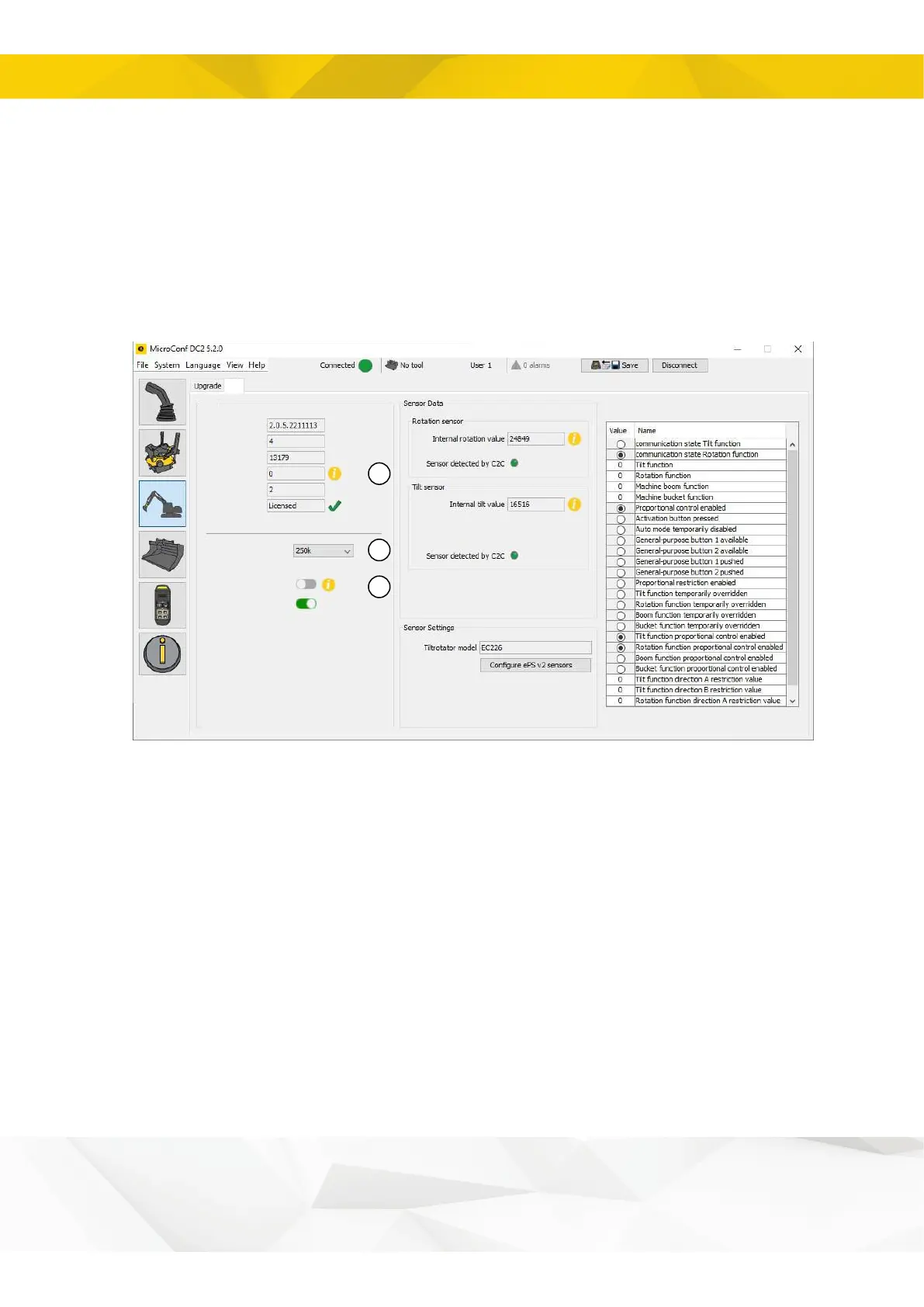
4.4.4. Configuring ePSv2
1. Check that no error code is displayed (Error code 0).
2. Set the X1 communication bit speed to the speed anticipated by the external excavator
guidance system.
3. If the external excavator guidance system supports the ePS v2 protocol, deactivate
Legacy mode.
If the external excavator guidance system does NOT support the ePS v2 protocol,
activate Legacy mode; the C2C module will then use a slimmed-down ePS v1 protocol
that does not support the tilt sensor.
1
2
3
Software version
Hardware revision
Serial Number
Error code
ePS version
ePS v2 license
External Bus Baus rate
Legacy mode
CAN termination
C2C
ePS
18


 To Next Page