4 Configuration
4.4.6. Configure ePS v2 sensors
The ePS v2 sensors are configured from the factory, therefore this configuration is only
done when changing sensors or if a problem has occurred.
1
2
3
4
5
6
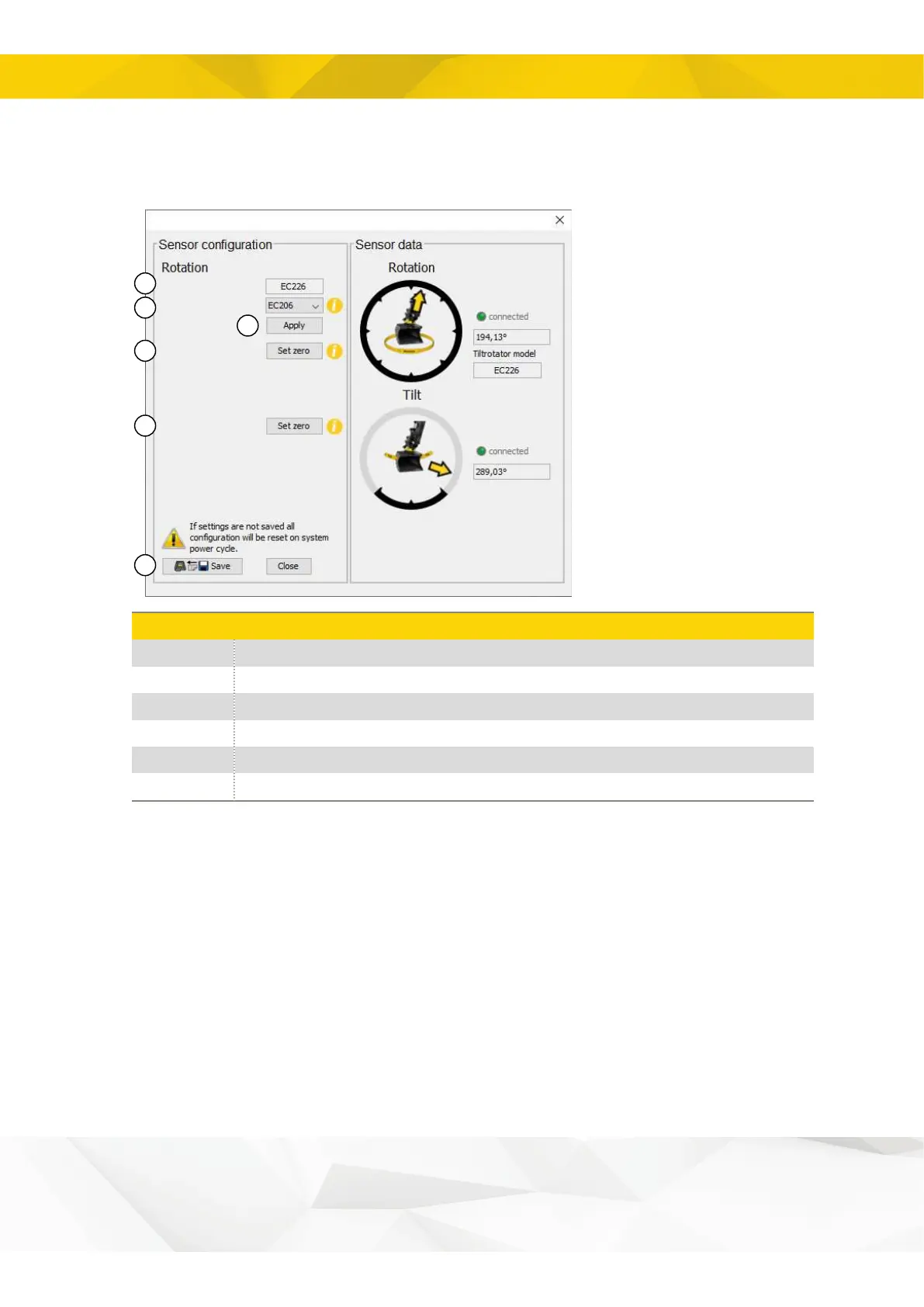
Currently set model
Change tiltrotator model
Zero rotation sensor value
Zero tilt sensor value
Current selected tiltrotator model.
Select tiltrotator model.
Apply selected model of tiltrotator.
Set the rotation position angle to zero degrees.
Set the angle of the tilt position to zero degrees.
20


 To Next Page