4 Configuration
4.4.5. Select buttons on the grip
A. Open the MicroConf software.
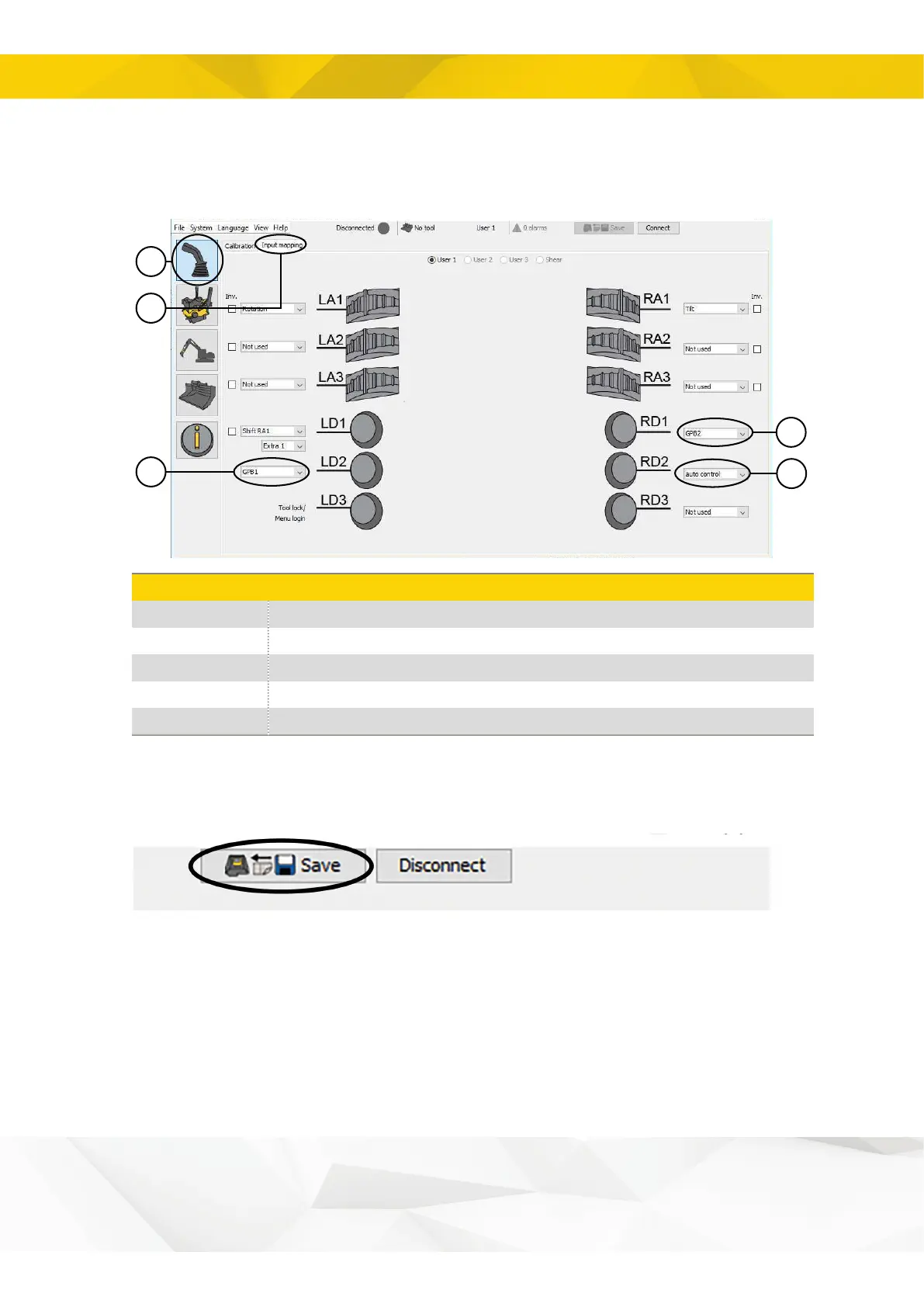
B. Select activation buttons by following the steps illustrated below.
Click on the “Input mapping” tab
Select function Auto control*
Select function GPB2 on any free button**
Select function GPB1 on any free button**
**If the external excavator guidance system supports General Purpose buttons, you can
map it to any free button. See position 4-5 the in picture.
D. Remember to save your settings.
19


 To Next Page