26
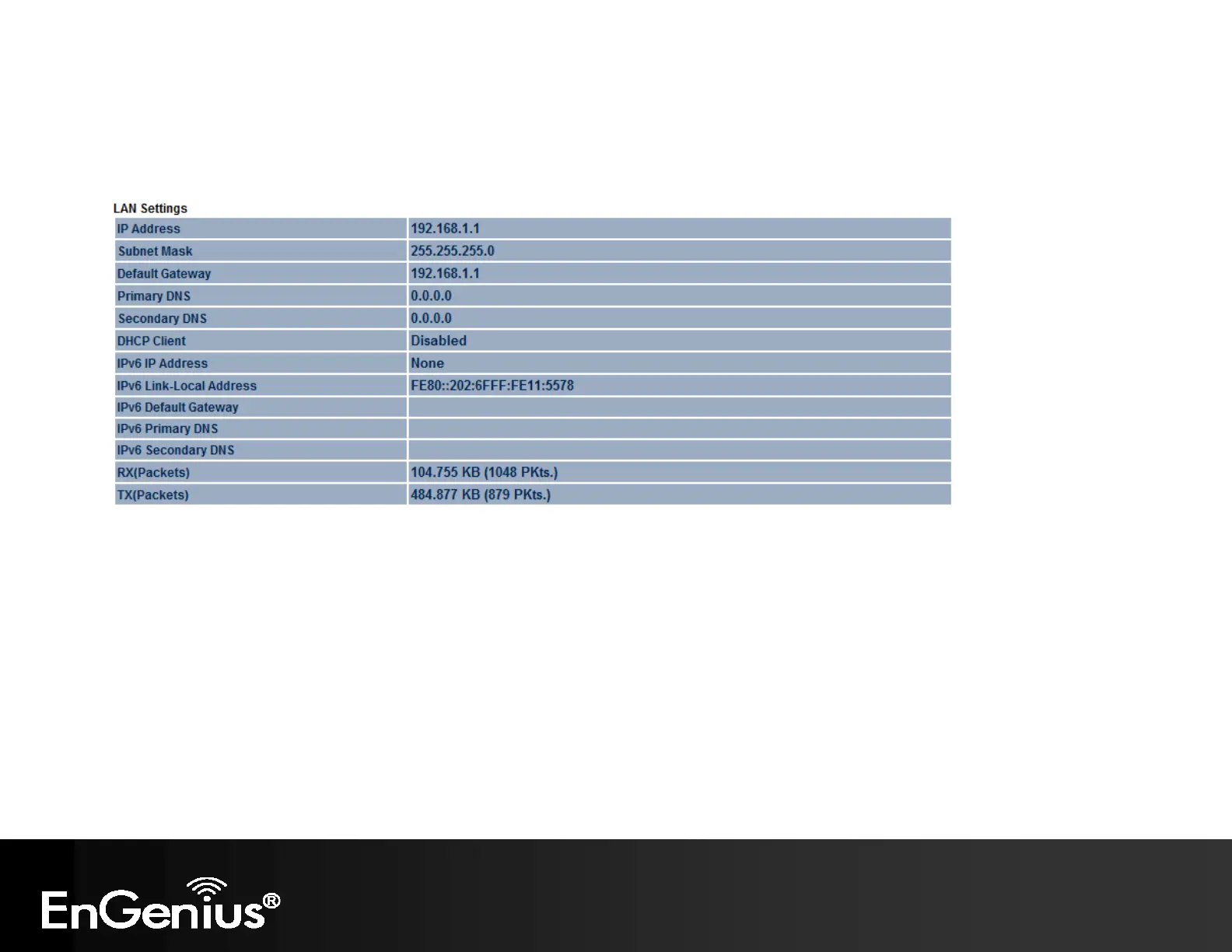
- The LAN Settings section shows the Local Area Network settings such as the LAN IP Address, Subnet Mask, DNS
Address.
- The Current Wireless Settings section shows wireless information such as Operating Mode, Frequency, Channel,
Distance, RX and TX. Since the EAP300 supports multiple-SSIDs, information about each SSID, the ESSID and security
settings, are displayed (Note: Profile Settings is only applicable in Access Point / WDS AP mode).



 To Next Page