16
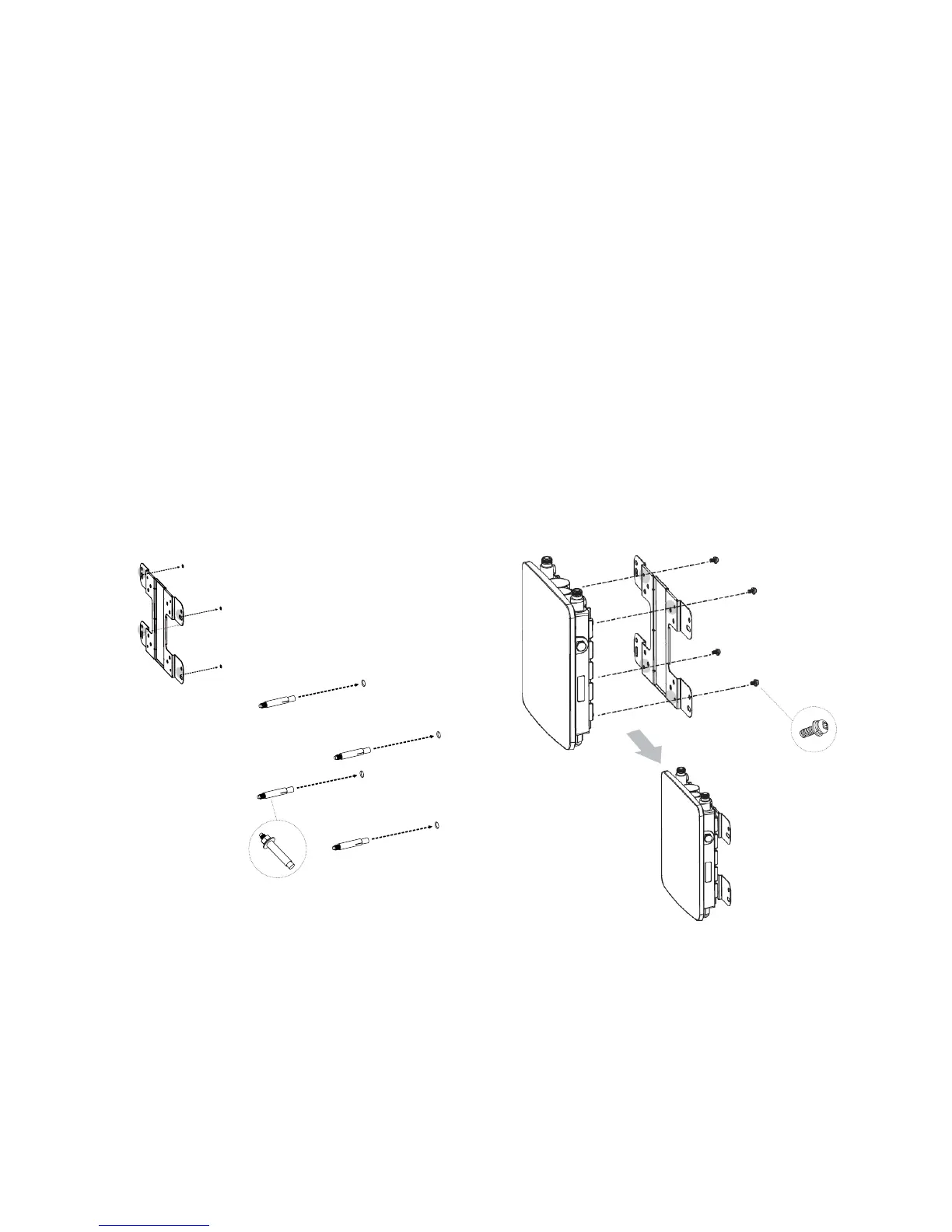
To attach the ENH220EXT to a wall using wall
mounting kit.
1. Mark the four locations of the mounting holes on the
atmountingsurface.
2. Drilla37mmdeep8mmholeinthemarkingsand
hammer the bolts into the openings.
3. Placethelockandatwashersonthefourhexcapscrews
and drive the screws to attach the bracket to the back of
the Access Point.
4. Tighten the at washers to secure the bracket to the
mounting surface.
2.
3.
4.
1.



 To Next Page