17
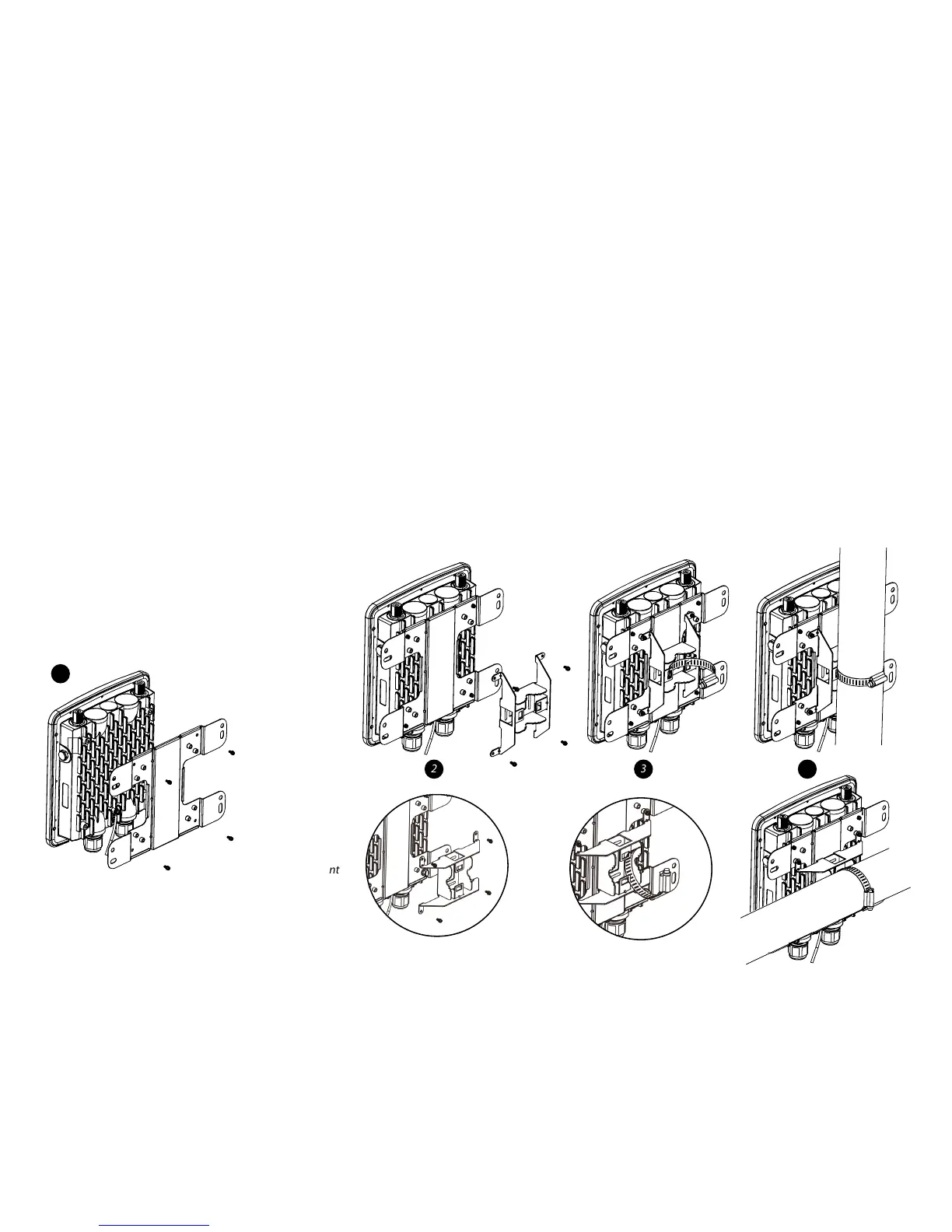
To attach the ENH220EXT to a pole using the
provided pole mounting kit:
1. Placethelockandatwashersonthefourhexcapscrews
and drive the screws to attach the bracket to the back of
the Access Point.
2. Drive the four round head screws to attach the Pole
Mount Bracket to the bracket.
3. Thread the open end of the Pole Strap through the two
tabs on the Pole Mount Bracket .
4. Lock and tighten the Pole Strap to secure the Pole Mount
Bracket to the pole.
Note: See diagram below for vertical and horizonal
placements.
vertical placement
horizontal placement
1
2 43



 To Next Page