INSTALLATION INSTALLING THE DEVICE
2-5
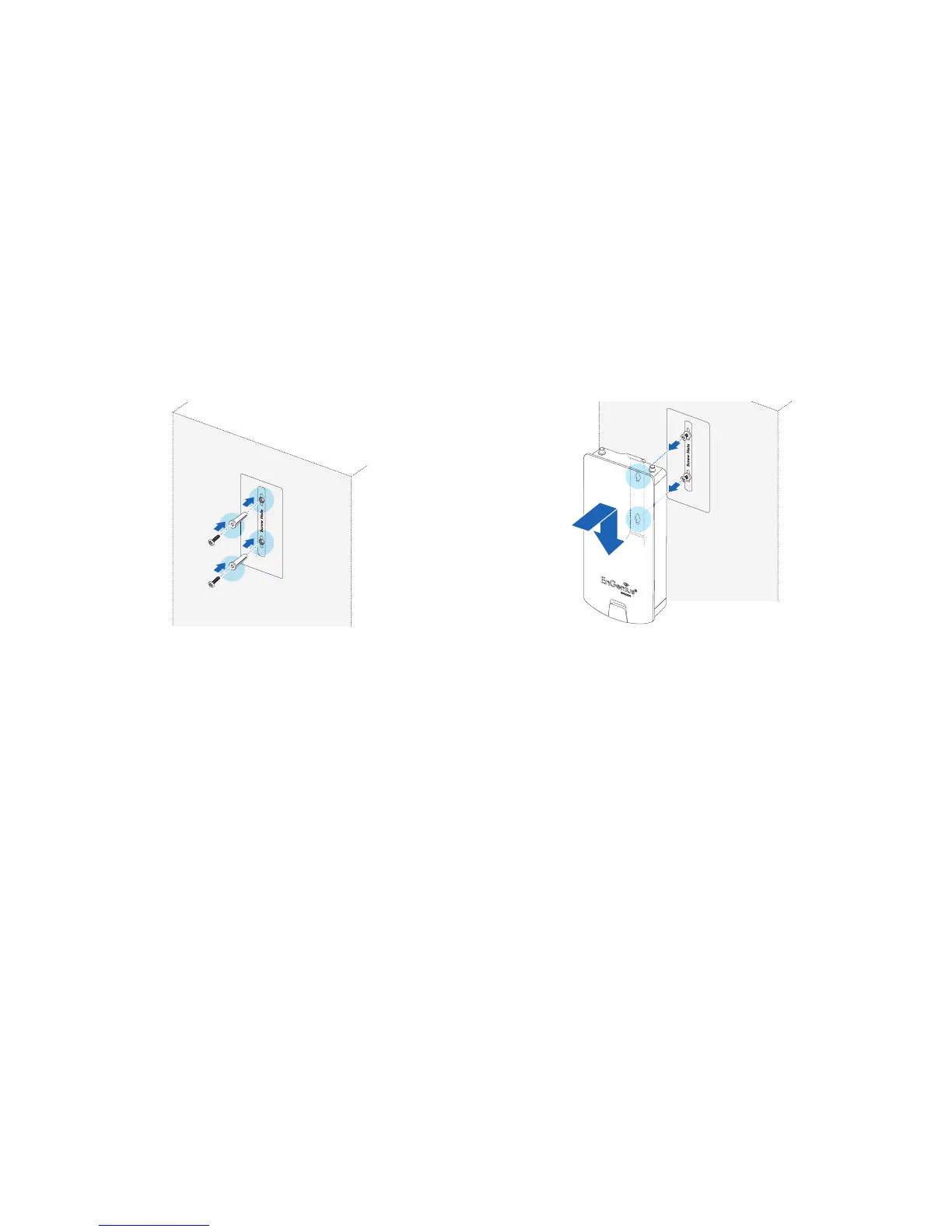
2. Follow the plotting sticker, drill two holes, and secure the
plastic anchors.
Figure 2-5: Wall Mount (1 of 2)
3. Install two screws into the plastic anchors, leaving
enough of the screw protruding out to hang the
ENS202EXT on.
4. Align the screw holes on the mounting bracket with the
screws and then install the device on the wall.
Figure 2-6: Wall Mount (2 of 2)













 To Next Page