BASIC NETWORK SETTINGS CONFIGURING SYSTEM TIME
4-47
4.5.6 Configuring System Time
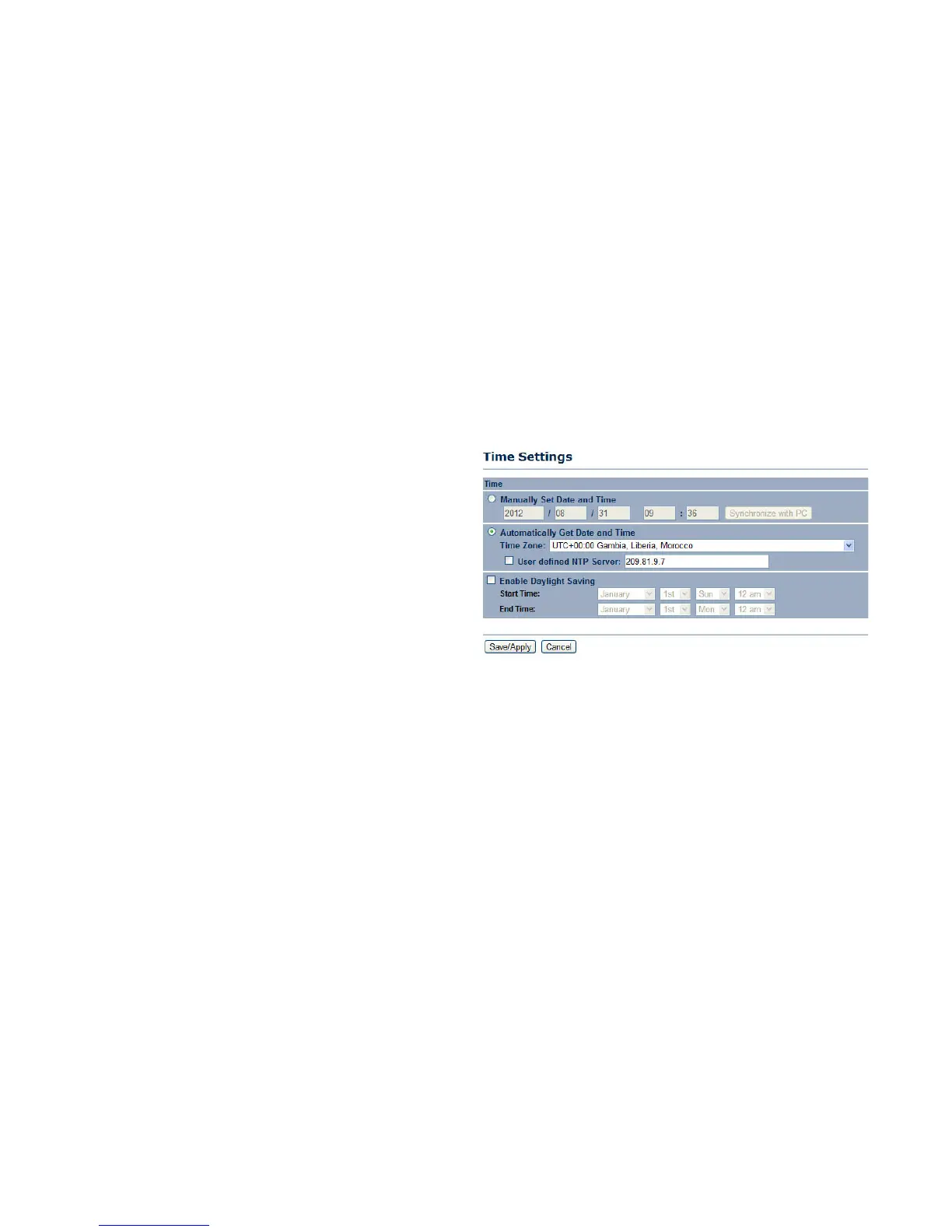
Change the system time of the ENS202EXT by manually entering the information, synchronizing the device with a PC, or setup auto-
matic updates through a network time (NTP) protocol server.
Manually Set Date and Time Enter the date and time values in
the date and time fields or click the Synchronize with PC
button to get the date and time values from the administrator’s
PC.
Automatically Get Date and Time Select a time zone from the
drop-down list and check whether you want to enter the IP
address of an NTP server or use the default NTP server.
Enable Daylight Saving Click to enable or disable daylight
savings time. Select the start and stop times from the Start
Time and Stop Time dropdown lists.
Click Save/Apply to apply the changes or Cancel to return
previous settings.













 To Next Page