BASIC NETWORK SETTINGS CONFIGURING PORT FORWARDING
4-19
4.3.4 Configuring Port Forwarding
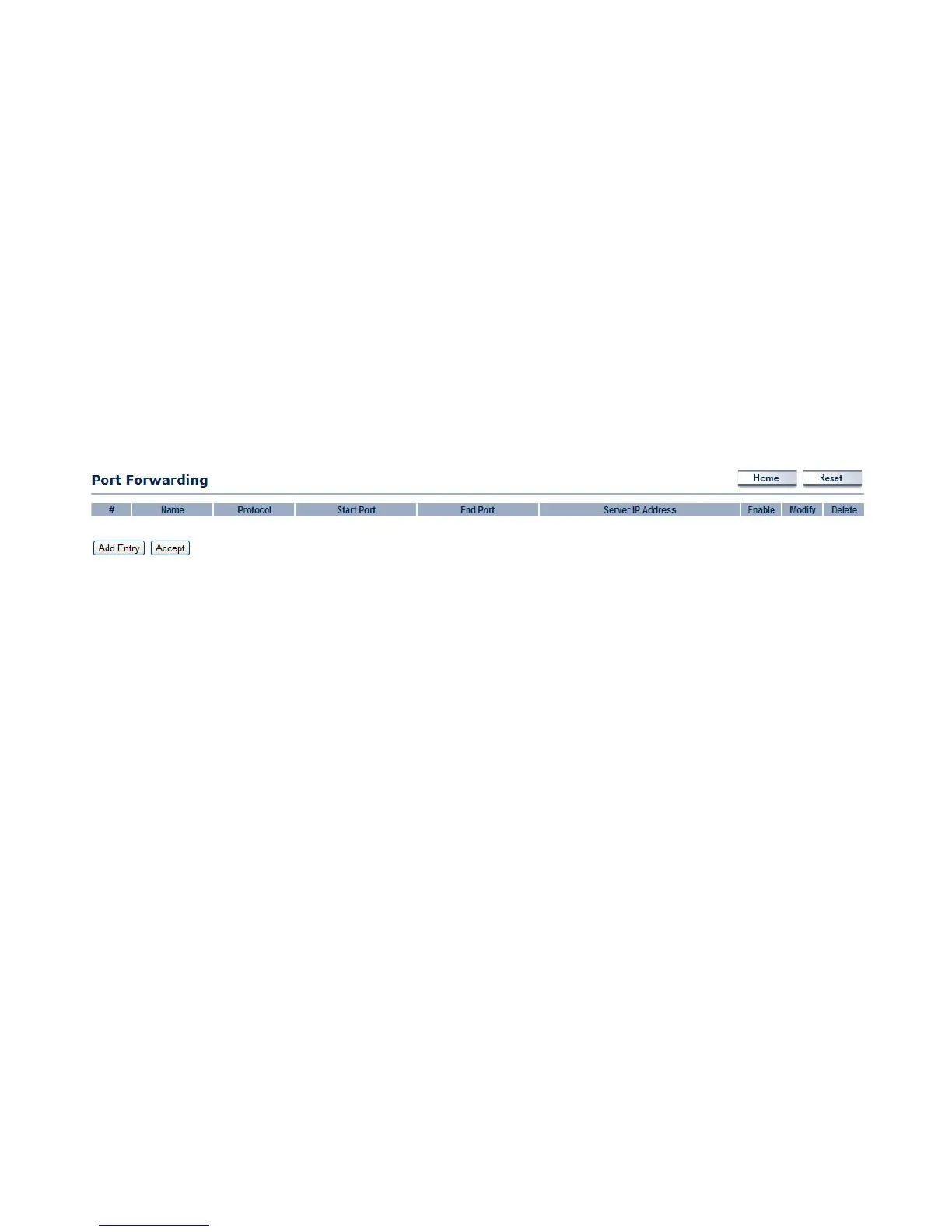
Port forwarding enables multiple server applications on a LAN to serve clients on a WAN over a single WAN IP address. The router
accepts incoming client packets, filters them based on the destination WAN, or public, port and protocol and forwards the packets to
the appropriate LAN, or local, port. Unlike the DMZ feature, port forwarding protects LAN devices behind the firewall.
NO. Displays the sequence number of the forwarded port.
Name Displays the name of the forwarded port.
Protocol Displays the protocol to use for mapping from the following: TCP, UDP or Both.
Start Port Displays the LAN port number that WAN client packets will be forward to.
End Port Displays the port number that the WAN client packets are received.
Server IP Displays the IP address of the server for the forwarded port.
Enable Click to enable or disable the forwarded port profile.
Modify Click to modify the forwarded port profile.
Delete Click to delete the forwarded port profile.
Click Add Entry to add port forwarding rules.
Click Accept to confirm the changes.













 To Next Page