INSTALLATION INSTALLING THE DEVICE
2-6
Pole mount:
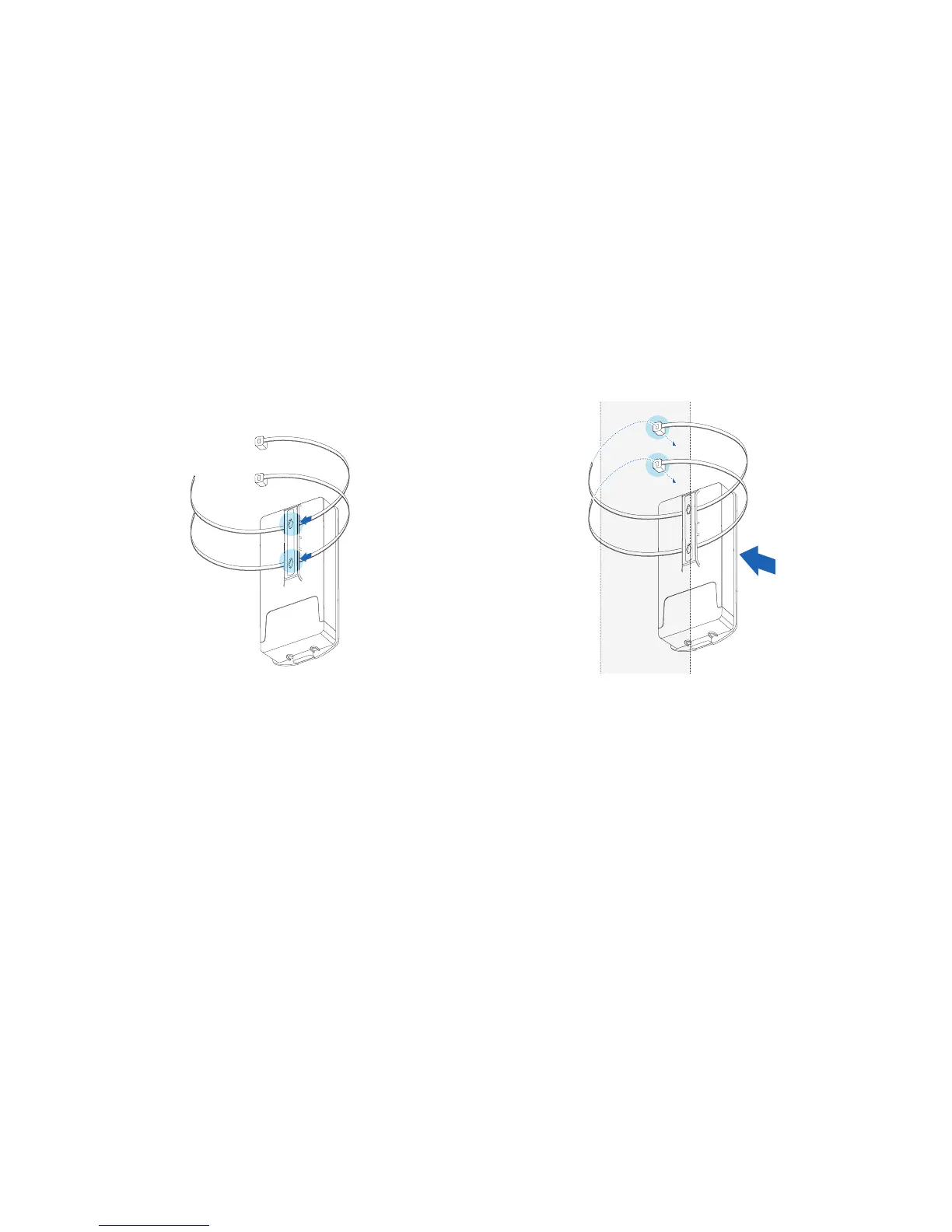
1. Thread two cable ties through the mounting bracket on
the back of the ENS202EXT.
Figure 2-7: Pole Mount (1 of 2)
2. Position the ENS202EXT on a pole and secure both
cable ties.
Figure 2-8: Pole Mount (2 of 2)
This completes the installation procedure.













 To Next Page