3-CCS 3000 MENU STRUCTURE
There are 5 headings in CCS 3000 menu. These are:
• P1 - ALARM MENU
• P2 –CHANGING & MAINTENANCE REMANING TIMES
• P3 – USER SETTINGS
• P4 – SERVICE SETTINGS
• P5 – FACTORY SETTINGS
There are 3 parameters levels in CCS 3000. These are: User, Service and Factory levels. Each parameter level is protected by
a password. By user password, one may get access to user level only. By service password, one my get access to user and
service levels. By factory password, one may get access to all user, service and factory levels. There is no password
protection in Alarm menu and Changing & Maintenance menu. For these menus, when no button is pressed within 3
minutes, the screen is automatically changed to status screen.
3.a Alarm Menu (P1)
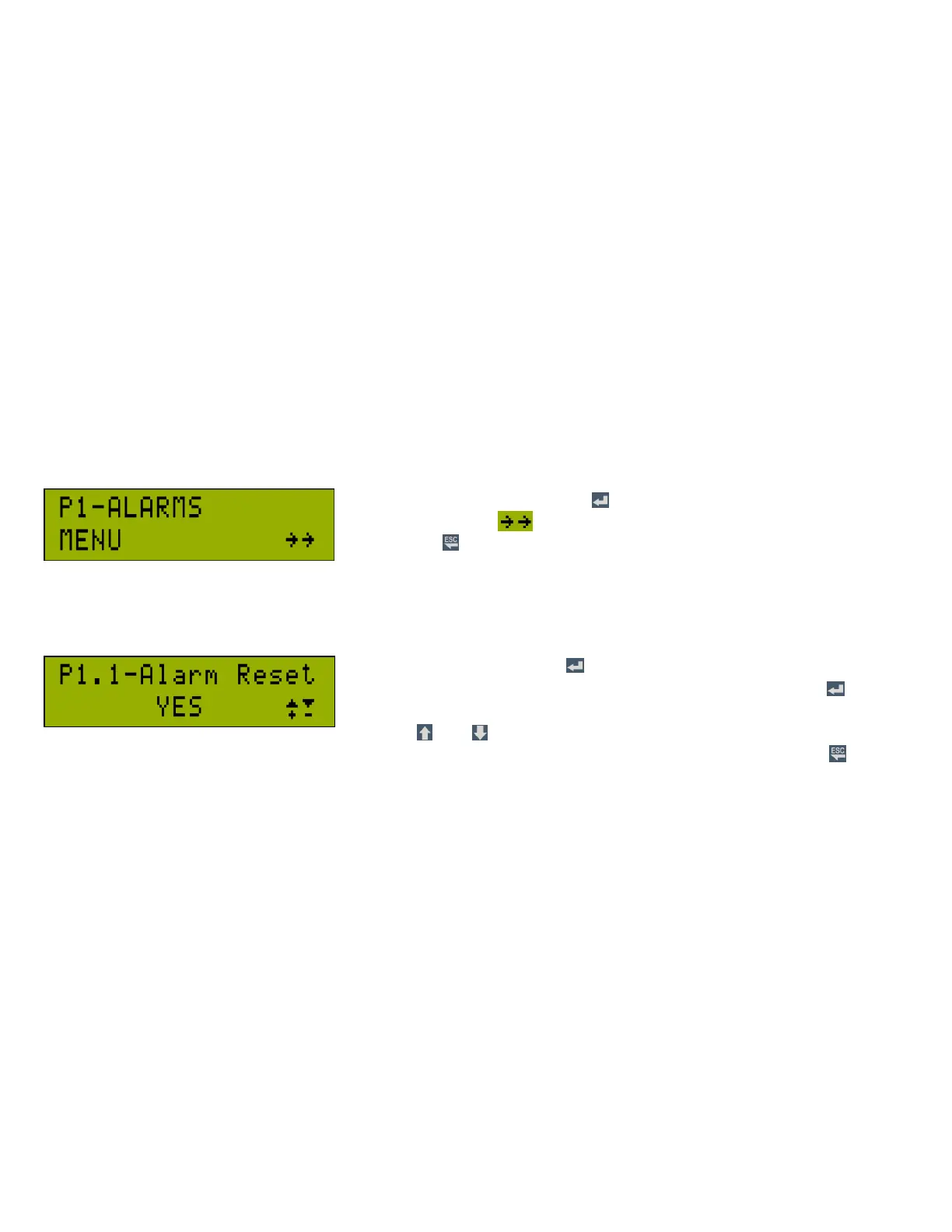
While in the main screen, press to enter menu . First heading of the menu
is “P1 Alarm Menu”. icon indicates that there are sub-headings under the
header. Press button to return to status screen.
3.a.1 Resetting Alarm
While in Alarm menu, when button is pressed, “P1.1-Alarm
Reset” heading is displayed first. While in this heading, press button,
a blinking cursor appears on the screen; to reset the alarm, select “YES”
by using and buttons. Alarm reset clears all warning and trip
alarms and the alarm warning is removed in the system. An alternative way to reset the alarm is to press button
for 2 seconds while in status display.



 To Next Page