is set as 9.0bar and the parameter ““P3.4 Pressure Load” is set to 8.0bar, the maximum value for the “P3.2
Pressure Unload” is 8.8bar and the minimum value is 8.2bar.
3.e.3 Wait On Unload (P3.3) (seconds):
The compressor idles if the air pressure reaches the value set by “P3.2 Pressure Unload”. After the “P3.3 Wait
Unload” timer expires, the compressor changes its status to autowaiting mode.
3.e.4 Pressure Load (P3.4) (Bar/PSI):
If the compressor is idling and the air pressure falls below this parameter value, the compressor load solenoid is energized.
The maximum value of this parameter is 0,4 bar below the parameter “P4.1.2 Alarm Pressure” and also 0,2 bar
below the parameter “P3.2 Pressure Unload”. For example, if “P3.2 Pressure Unload” is 8.0 bar, “P3.4
Pressure Load” can not be set above 7.8 bar. The minimum value for this parameter under any circumstance can not be
below 3.5bar.
3.e.5 To Stop Delay (P3.5) (seconds):
This specifies the delay between the time (stop) button is pressed and the compressor is stopped. While the timer is
running after button is pressed, if (start) button is pressed again, the compressor keeps running and the timer is reset.
3.e.6 Pressure Unit (P3.6):
All the pressure values can be converted into and displayed in Bar or PSI. The unit of the pressure values entered from the
panel should be same as the selected pressure unit.
3.e.7 Temperature Unit (P3.7)
All the temperature readings are displayed in and the values may be converted into Celsius or Fahrenheit
3.e.8 To Start Delay (P3.8) (seconds):
This parameter sets the delay between the time the start button is pressed and the compressor is started. If Stop button is
pressed while the timer runs, the compressor is stopped and the timer is reset.
3.e.9 Dryer Time (P3.9):
This parameter determines the how much later the dryer will be stopped after the compressor stops if the “P5.2
Functional Relay” parameter is set as Dryer. At the end of this timer, the output will be de-activated. Once the
compressor motor re-starts the output will be re-activated.
3.e.10 User Password (P3.10):
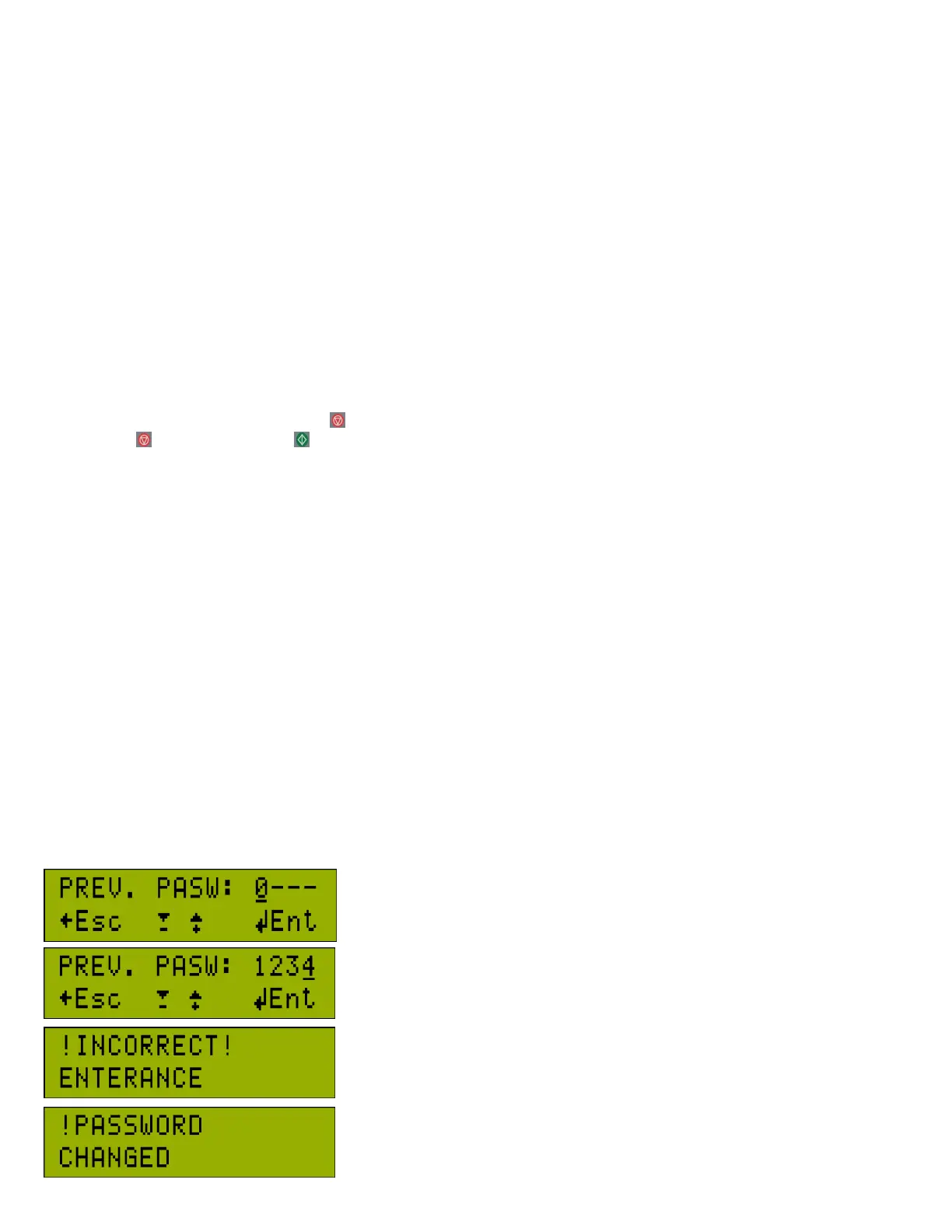
This password is for access to the user settings. There are 3 steps to change the
password. The old password is entered first.
After that, the new password is entered 2 times.
When there is wrong entry, “!Incorrect Enterance!” message is displayed for 3
seconds and settings screen is exited.
When the entry is correct, “Password Changed” is displayed for 3 seconds.



 To Next Page