EasyManua.ls Logo

Enko CCS 3000 - Boot Screen (P5.7); Factory Password (P5.8)

Default Icon
26 pages
Print Icon
To Next Page IconTo Next Page
To Previous Page IconTo Previous Page
Loading...
22
P4.5.6
Stop Bit
1
1
2
P4.5.7
Parity Bit
Even
Odd
Even
P4.5.8
Timeout Duration
3.0 sec.
0.1 sec.
10.0 sec.
Calibration Parameters
P4.6.1
Pressure Offset
0.0 Bar
-1.0 Bar
+ 1.0 Bar
P4.6.2
Temperature Offset
0 Cel
-10 Cel
+ 10 Cel
P4.6.3
Screw Offset
0.0 Bar
-1.0 Bar
+1.0 Bar
Preheating Parameters
P4.7.1
Working Load
10 seconds
0 seconds
60 seconds
P4.7.2
Working Unload
15 seconds
0 seconds
120 seconds
Fan Settings
P4.8.1
Run Temperature
75 Cel
50 Cel
100 Cel
P4.8.2
Stop Temperature
65 Cel
50 Cel
90 Cel
P4.8.3
Minimum Work Time
180 seconds
0 seconds
1200 seconds
Service Password
P4.9
Service Password
1245
0000
9999
Language
P4.10
Language Selection
Turkish
Turkish
English
Factory Settings
P5.1
Input Contact Type
IN1-IN5: NC
IN6: NO
IN1-IN6: NC
IN1-IN6: NO
P5.2
Functional Relay
Dryer
Not Selected
Dryer
P5.4
Pressure Sensor
16 Bar
0 Bar
16 Bar
P5.8
Factory Password
5489
0000
9999
P5.12
Temperature Sensor Type
NTC
NTC
KTY
P5.13
Screw Pressure Active
No
No
Yes
P5.14
Screw Sensor Value
16 Bar
0 Bar
16 Bar
P5.15
IN5 Function
0
0
3
0: Fan Thermic
1: Remote Load
2: Screw Pressure Switch
3: Line Pressure Switch
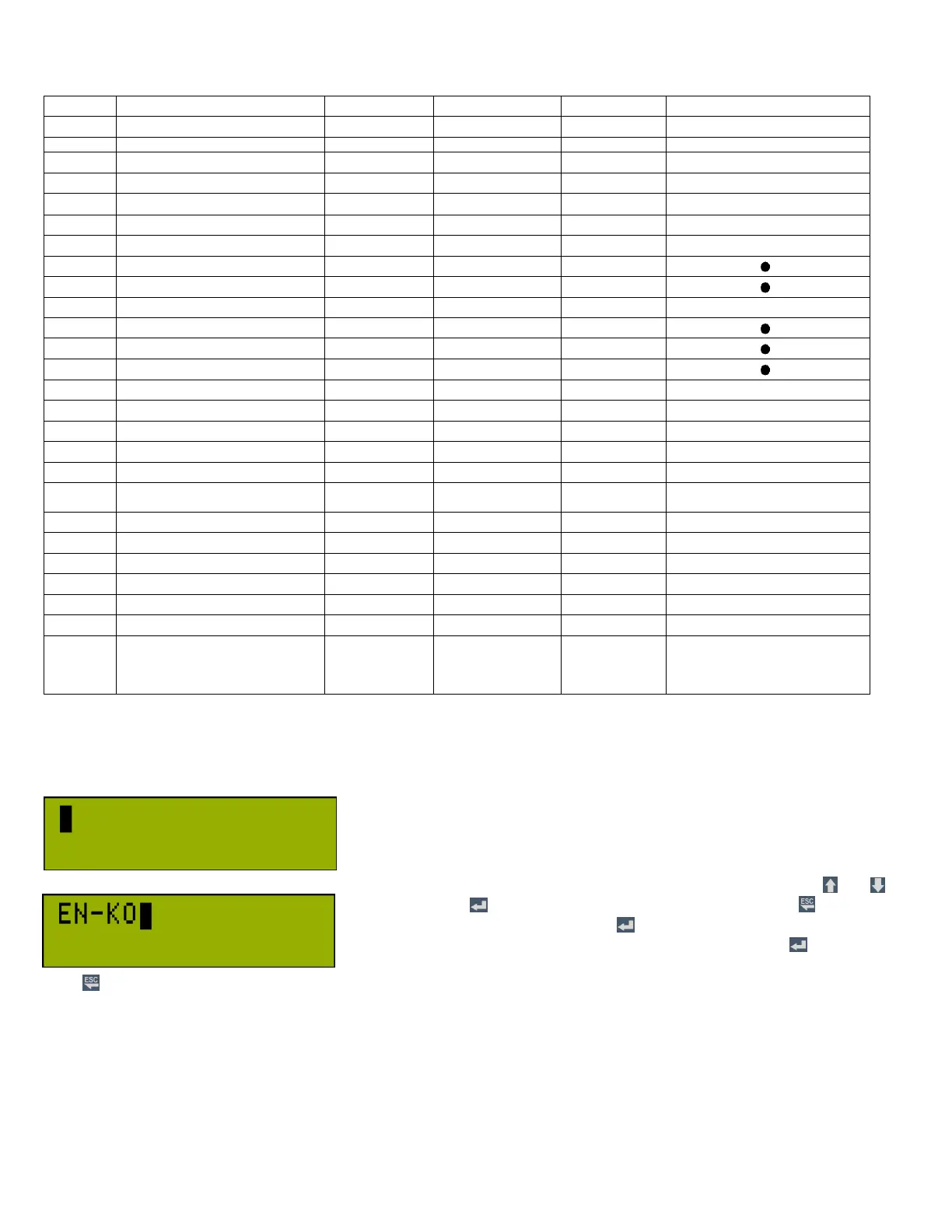
3.g.7 Boot Screen (P5.7)
In this menu, any information (like company, and so on) which is displayed at
power on screen is set. Information length can be 16 characters on each of 2
rows. Previous information may be changed. The information is displayed for 5
seconds at power on. When this menu is entered into, the cursor on the left of
the upper row blinks. If no characters have been entered before, the screen is
blank as on the left. The alphanumeric characters can be selected by and
buttons. Pressing button shifts the cursor to the right. Pressing button
shifts he cursor to the left. By pressing button repeatedly until the cursor is
on the rightmost character on the bottom right row, pressing the button once
more will save the entered text and exit. To exit this screen without recording,
press button for 2 seconds.
3.g.8 Factory Password (P5.8)
This password is for getting access to factory parameters. Setting procedure is same as “P3.9 User Password.

Table of Contents