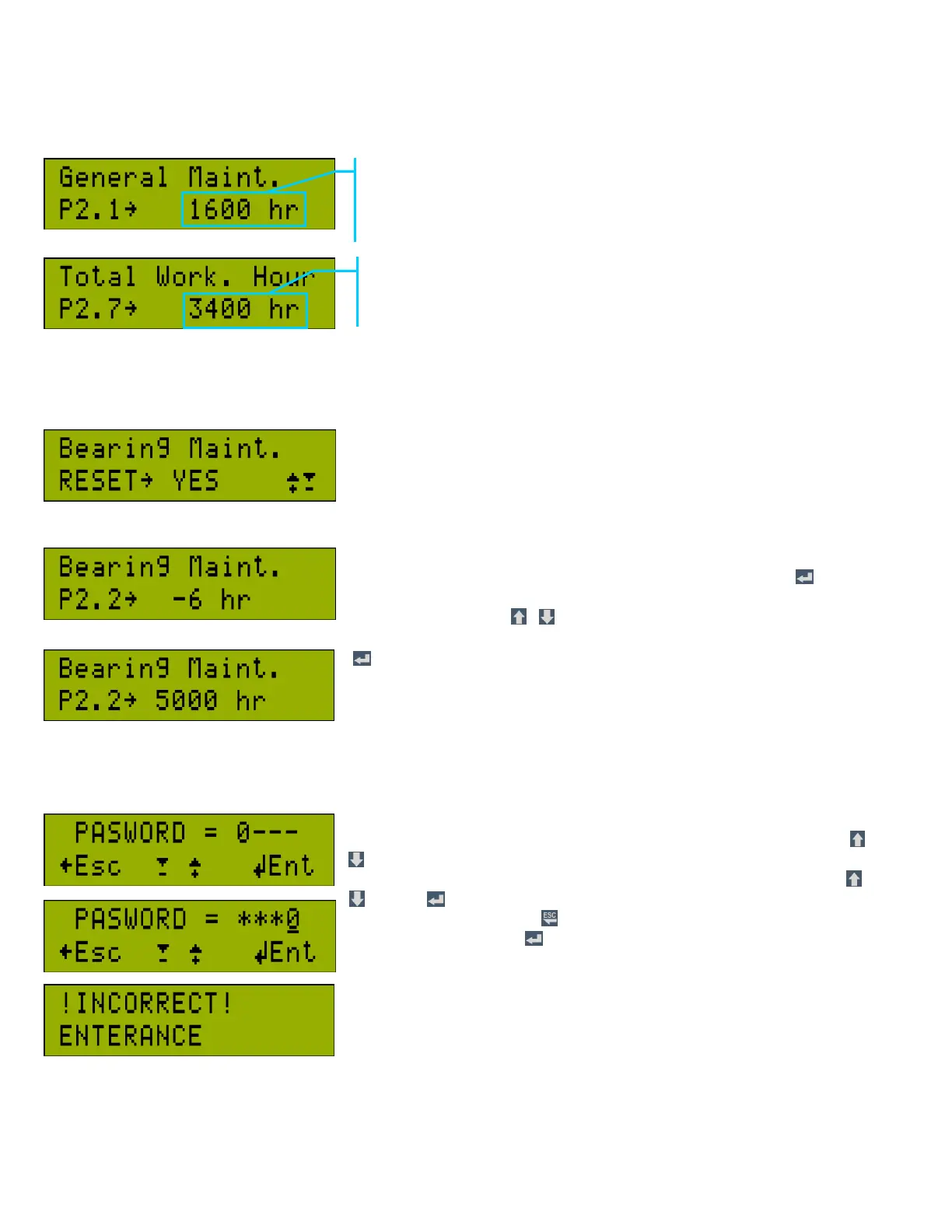
3.b.1 Changing & Maintenance Remaining times screen
3.b.2 Changing & Maintenance Remaining Time Reset
The Changing & Maintenance Remaining times can be reset only in Service and
Factory modes. Total working hours and total loaded hours can not be reset.
On this example screen, it is indicated that bearing maintenance is over due by 6
hours. While in service or factory mode and in this screen, when button is
pressed in this screen, a warning text on the lower row is displayed. When
“YES” is selected with , , bearing maintenance time can be set to the value
in parameter “P4.4.2 Bearing Maintenance Hours “.
button has no effect when the service mode or factory mode is not reached
from password entry screen
3.c Password Entry Screen
Access to CCS 3000 operator, service and factory parameters is protected by
passwords. Password length is 4 characters. While in status screen, press and
buttons together for 3 seconds to enter password entry screen. On entry, the
cursor becomes active. One can enter the value in each digit by pressing and
buttons. button shifts the cursor to the right digit. and the previous digit
value turns to “*”. Pressing button exits out of password entry screen. To
enter the password, press button. The password will be checked. If it is
wrong, “!INCORRECT ENTERANCE” warning is displayed, and the Screen
exits to status screen after 3 seconds. If the password matches any of the 3
passwords, the screen jumps to the related heading.
Example. It counts down from the value set in parameter: “P4.4.1
General Maintenance Hours”. Maintenance should be made when
this value is “0” or negative. (Refer to section 2.c.2 Changing &
Maintenance Time warning display)



 To Next Page