OPERATION
Combinat ion Blan ke t/F luid W a rmer ▪ Operato r’s Man ual ▪ M N-399 40 ▪ Rev 3 ▪ 8/ 20
36
Continued from previous page
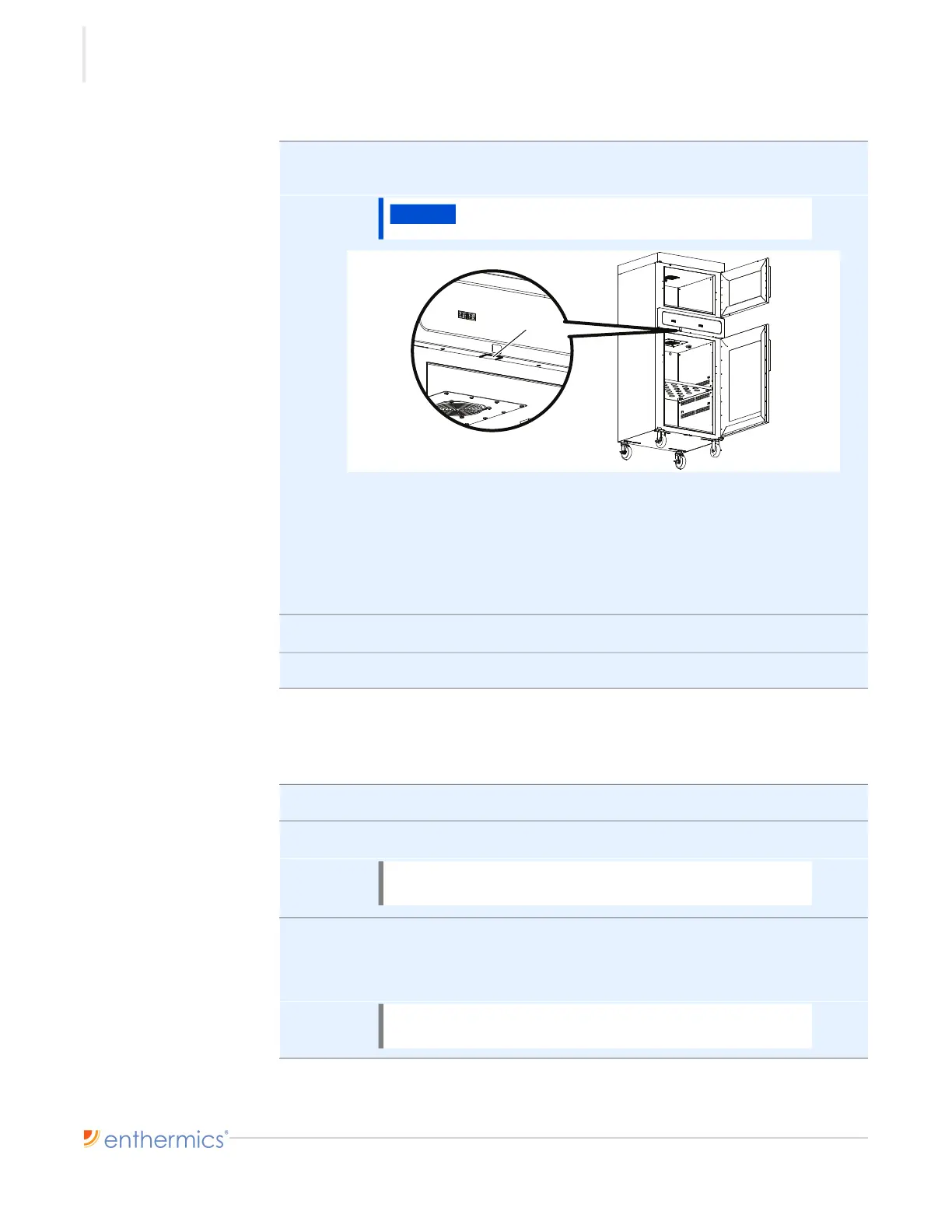
2. Plug the USB drive into the port a. The warmer downloads the temperature
data.
The warmer goes through the download process:
▪ The LED screen located above the USB port flashes for a few seconds to
show a data transfer is in progress.
▪ The LED screen stops flashing.
▪ The download is complete.
3. Remove the USB drive from the port.
4. Close the blanket warmer door.
Result The data has now been downloaded.
Viewing the
temperature data
To view the temperature data, do the following.
5. Plug the USB drive into a computer.
6. Double-click on the file.
7. Sort the data as necessary.
Temperature data will be recorded in the same temperature units that are
displayed on the LED screen.
Continued on next page
NOTICE
Do not remove the USB drive during the download
process.
NOTE: Data is stored on the USB drive in a file named,
datalog_MMDDYY_HHMMSS.csv.
NOTE: Errors recorded by the warmer are intended for
use by service technicians only.


 To Next Page