17
ENTR® Dead Bolt User Manual
Notes:
• To add more remote control units repeat this procedure.
• Aremotecontrolunitcanbepairedwithonlyonesingledoorunit.
• It is possible to add up to 20 remote control units.
• Only authorized dealer can reset a paired remote.
[OK]indicaonblinksonce,
2shortbeepsemied.
Remote control unit added.
[OK]indicaonblinksfor15seconds,
Nobeepsemied.
Start the process from stage 1.
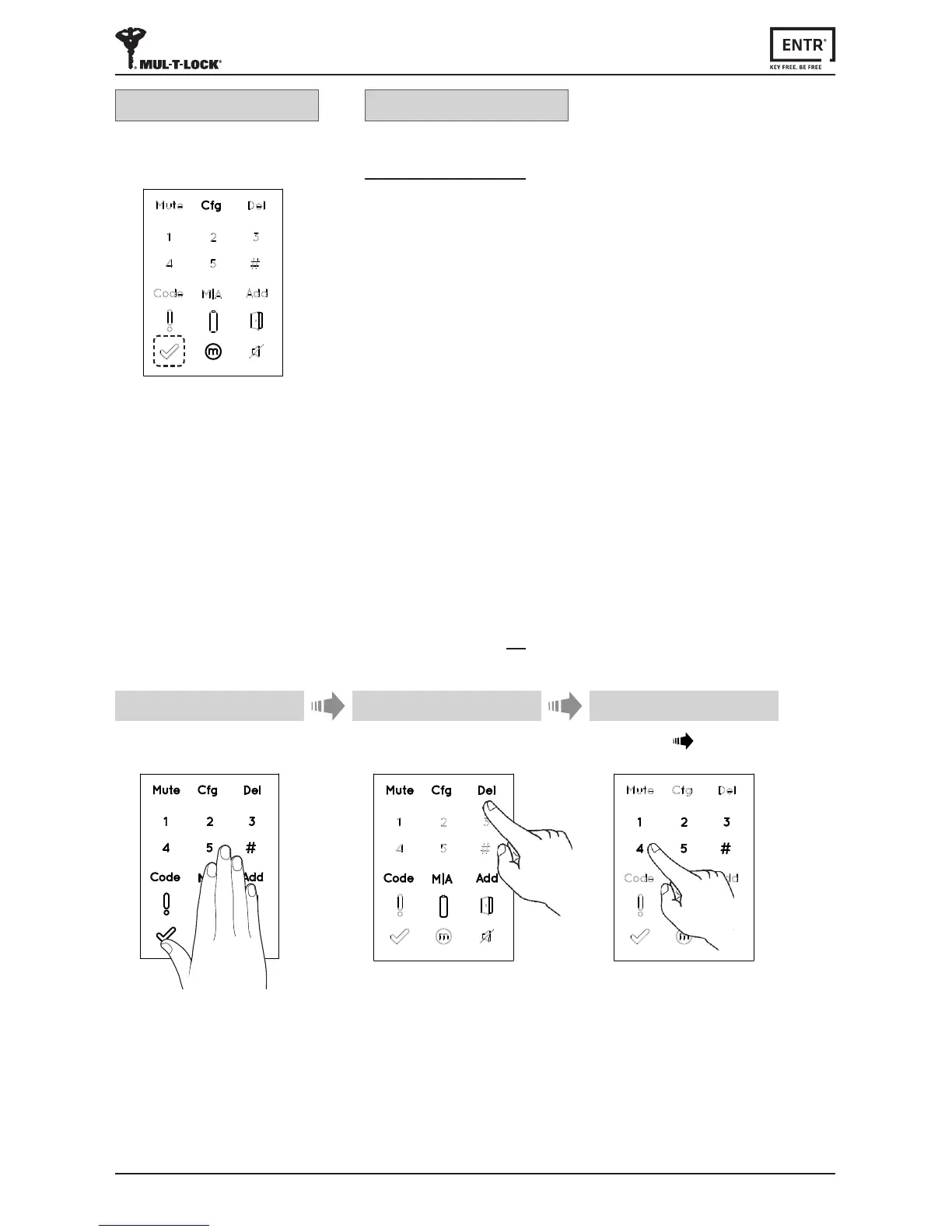
3.4 Deleng Remote Control
Thedelengremotecontrolprocess'willdeleteallremotecontrolunitsincluding
TouchpadandFingerprintreadersdenedwithinthesystem.
1 2
Touchscreenwithpalmorngersfor
3secondstoacve.
Press [Del]
Numericbuonsilluminated.
Type [PIN code] [#]
1longbeepemied.
3
Pairing OK Pairing failed



 To Next Page