EasyManua.ls Logo

ENTR Dead Bolt - 6.12 Delete All Users; 6.13 Add Time Schedule

Default Icon
46 pages
Print Icon
To Next Page IconTo Next Page
To Previous Page IconTo Previous Page
Loading...
35
ENTR® Dead Bolt User Manual
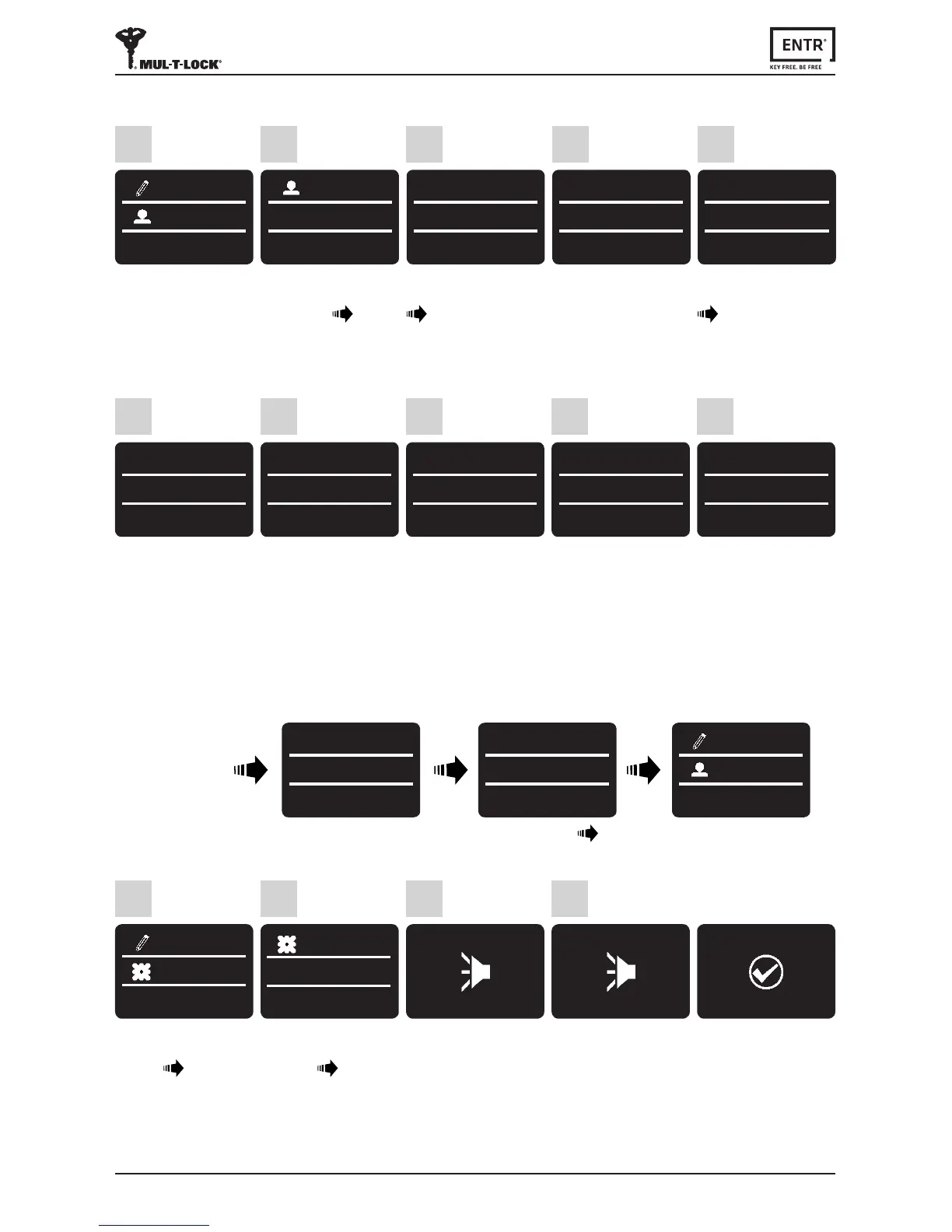
6.14 Edit Time Schedule
1
SETTING
USERS
Press [OK]
2
USERS
EDIT SCHED
Use [8
] or [2
] to
select:
[EDIT SCHED] [OK]
5
FRIDAY
DAY
12:00-13:00
Use [8
] or [2
] to
changescheduleday
[OK]
3
EDIT SCHED
SARAH
Use [8
] or [2
] to
togglebetweenusers
[OK]
FRIDAY
--:mm
-
HH:MM
11:00-13:00
Use [8
] or [2
] to
changetheSTART hour
setting.Use[6 ] to move
to START minutes.
6
FRIDAY
HH:--
-
HH:mm
12:15-13:00
Use [8
] or [2
] to
changeSTART minutes
setting.Use[6 ] to move
to the END hour.
7
FRIDAY
HH:mm
-
--:mm
12:15-17:00
Use [8
] or [2
] to
changeENDhoursetting.
Use [6 ] to move to the
END minutes.
8
FRIDAY
HH:mm
-
HH:--
12:15-17:45
Use [8
] or [2
] to
changeEND minutes
setting.
9
FRIDAY
12:15-17:45
*-NO OK-Yes
Press [OK] for YES or [
*
]
for NO.
10
4
SUNDAY
12:00-13:00
*-Back OK-Yes
Use [8
] or [2
] to
choose the desired
schedule to be edited.
Pressingon[4] for
3 seconds shall delete
thespecicschedule.
6.15 Volume Control
Press [OK]
4
Use [8
] or [2
] to
select:
[DEVICE] [OK]
1
SETTING
DEVICE
Use [8
]
or [2
] to
select:
[VOLUME] [OK]
2
DEVICE
VOLUME
3
VOLUME
HIGH
Twobeepsemied.
GreenLEDilluminates.
SUCCESS
SET VOLUME
Touch screen
USER CODE
23:49 03/01
MASTER CODE
******
23:49 03/01
SETTING
USERS
Press [
*
]
Enter [Master PIN Code] [OK] or
swipengeroverngerprintscanner.
Use [8
]
or [2
] to
togglebetweenHIGH,
MEDIUM or LOW.
VOLUME
LOW

Table of Contents