40
ENTR® Dead Bolt User Manual
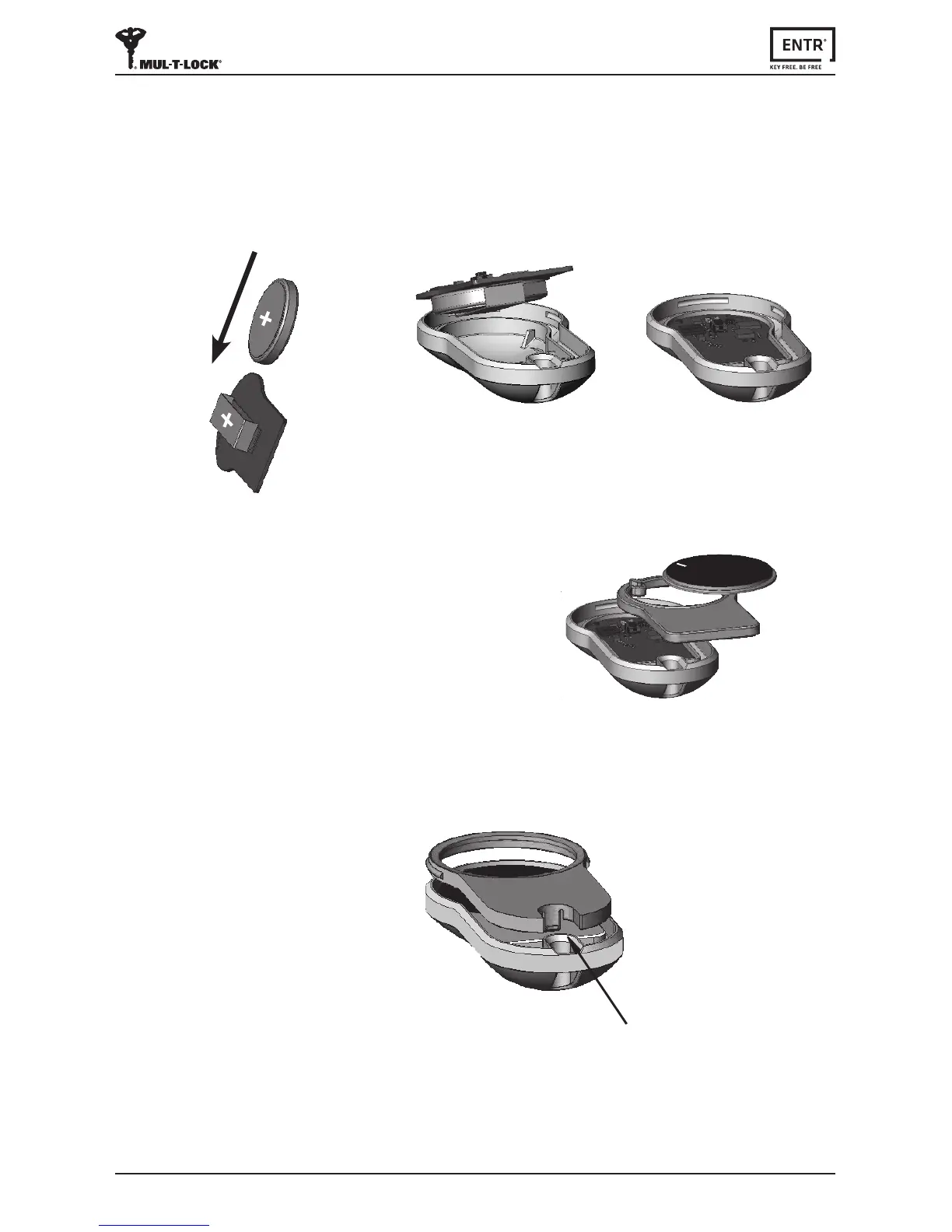
c. Reassemble the intermediate part and the
pushbuonandplaceovertheelectronic
board.
a. Insertnewbaery(CR2032)intotheelectronicboardaccording
tothe"+""-"signs(1).
b. Inserttheelectronicboardintotheremotecontrol’shousing(2).
8.2 Baery Inseron
d. Placethelidandpressunltheclaspclicksintoplace.
Clasp
1
2



 To Next Page