EasyManua.ls Logo

Entrematic Ditec E1A - User Manual

Entrematic Ditec E1A
20 pages
Print Icon
To Next Page IconTo Next Page
Loading...
Ditec E1A
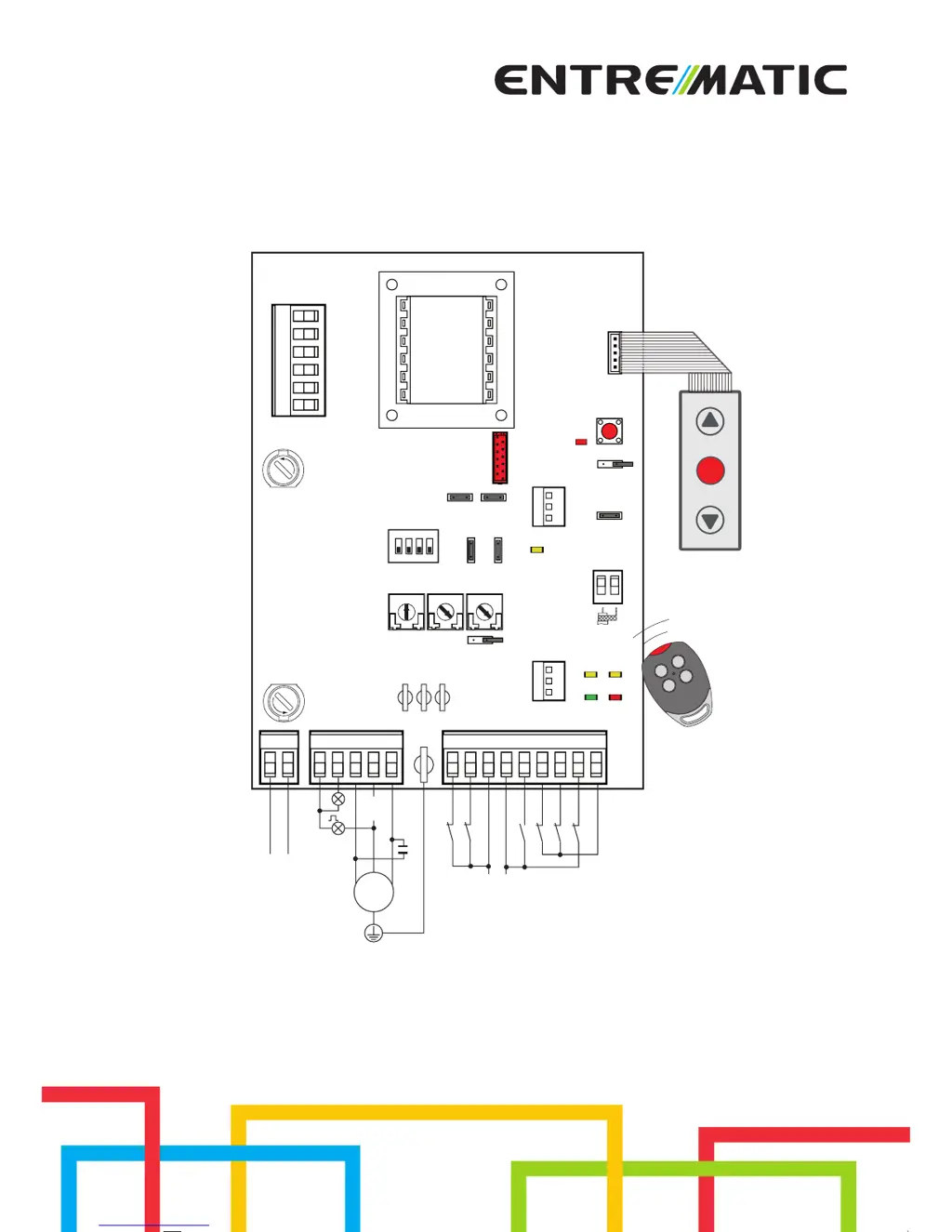
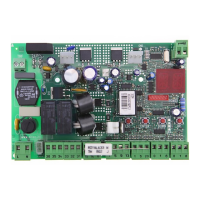
Control panel installation manual for one motor automation with built-in radio.
IP2045EN
Technical manual
www.ditecentrematic.com
POWER
SA
11
IN
J12
com
Limit switch
Limit switch
Accessories output
M1
1~
12
R1
AUX
A
N
T
C
O
M
F1
TC TM
JR6
12
12 011
11 0 1568941
NCUWVLN
SO 6>4
NIO
PRG
JR4
JR10
JR3
1
ON
234
F
U
S
E
E1A
SIG
LN
Power supply
Step by step
Stop safety device
Safety reopening
Stop
Safety test
Flashing light
Lamp
PT3
GOL4
RF
CT
1
2
3
4
5
F2
F
U
S
E

Other manuals for Entrematic Ditec E1A

Questions and Answers

  • M
    Mrs. Michelle LeeAug 9, 2025
    Why Entrematic Control Panel automation opens but does not close?
    • D
      David KelleyAug 9, 2025
      If your Entrematic Control Panel automation opens but doesn't close, consider these potential causes. The safety contacts may be open (SA led on), so check that they are closed correctly. Alternatively, the safety contacts may not be correctly connected, or the self-controlled safety edge SOFA1-SOFA2 may not be functioning correctly (SA led flashing); in this case, check connections to terminals 6-8 on the control panel and the connections to the safety edge. Also, check that the photocells are clean and operating correctly, as they may be activated (SA led on). Finally, the automatic closing may not be working because the TC trimmer is not set at the maximum.
  • A
    Amy ThompsonAug 15, 2025
    How to extend remote control range for Entrematic Control Panel?
    • E
      ehansonAug 15, 2025
      If your Entrematic Control Panel's remote control has limited range or doesn't work when the automation is moving, it could be due to the radio transmission being impeded by metal structures and reinforced concrete walls. Try installing the antenna outside and substitute the transmitter batteries.
  • S
    samuel60Aug 21, 2025
    What to do if external safety devices aren't activating on Entrematic Control Panel?
    • J
      James TuckerAug 21, 2025
      If the external safety devices are not activating on your Entrematic Control Panel, the issue may be incorrect connections between the photocells and the control panel. Connect NC safety devices together in series and remove any bridges on the control panel terminal board.
  • J
    jrodriguezAug 27, 2025
    Why is Entrematic Control Panel automation very weak?
    • R
      Robin RamosAug 27, 2025
      If your Entrematic Control Panel automation is very weak and doesn't invert the movement, the motor’s condenser may have an incorrect capacity value. Replace the motor’s condenser.
  • G
    gwoodsNov 2, 2025
    What to do if Entrematic Control Panel automation does not open or close?
    • J
      jacksonalexanderNov 2, 2025
      If your Entrematic Control Panel automation isn't opening or closing, several factors could be the cause. First, check that the control panel is correctly powered. If the POWER led is off, it could be due to no power, short-circuited accessories (disconnect all accessories from terminals 0-1 and reconnect one at a time), or a blown line fuse (replace the fuse). If the SA led is on, the safety contacts may be open (check that the safety contacts are closed correctly). If the SA led is flashing, safety contacts may not be correctly connected. If the 11 and 12 led is on, the release microswitch may be open (check that the hatch is closed correctly and the microswitch makes contact). Also, the motor thermal overload switch may be open (check for continuity between the phases U-V-W of the motor...

Summary

General Safety Precautions

Installation Warning

Provides critical warnings and instructions for secure installation and cable management.

EC Declaration of Conformity

Technical Data

Applications

Illustrates the types of automations the control panel is suitable for.

Commands

Self-Controlled Safety Edge SOFA1-SOFA2 or GOPAVRS

Details the connection and function of specific safety edge devices.

Output and Accessories

Adjustments

Trimmer

Explains the function and settings of various trimmers for operation adjustment.

Dip-switch

Describes the configuration options available through DIP switch settings.

Jumper

Details the functionality controlled by different jumper configurations.

Signals

Lists and explains the status indicated by the control panel's LEDs.

Radio

Starting

Troubleshooting

Example Applications for Sliding Door and Gates

Example of Automation in Parallel

Application Example for Barriers

Application Example for Rolling Shutters

Application Example for Sectional Overhead Doors

Entrematic Ditec E1A Specifications

General IconGeneral
BrandEntrematic
ModelDitec E1A
CategoryControl Panel
LanguageEnglish

Related product manuals