Pulse oximeter MySign
®
S
9 PC software
The integrated USB port can be used for exchanging data between a computer and MySign
®
monitor. The steps
for connecting the relevant cables for exchanging data and for charging the battery from the computer port are
identical (see section “Commissioning”).
It is only possible to transfer data to a computer once the software has been installed.
The software can be used for:
• Reading and displaying measurement data • Personalizing the data records
• Saving and uploading measurement data • Configuring the MySign
®
monitor
• Updating the unit firmware • Personalizing the MySign
®
monitor
The MySign
®
PC software is intended for reading, documenting and managing the data stored in the
MySign
®
monitor as well as for personalizing and configuring the MySign
®
monitor by connecting it
to the PC via a USB connection. The PC s
oftware is not intended for diagnosis and analysis
purposes. No measuring is possible while the MySign
®
monitor is connected to a PC.
No fundamentally essential or safety-relevant functions of the MySign
®
monitor can be changed in
the MySign
®
monitor configuration.
Please refer to the “Help” section of the PC software for more information on operation and the
functions of the PC software.
Connecting the MySign
®
monitor to the PC software
• Start up the software application
• Connect the PC to the MySign
®
monitor with a USB cable
• Switch on the monitor
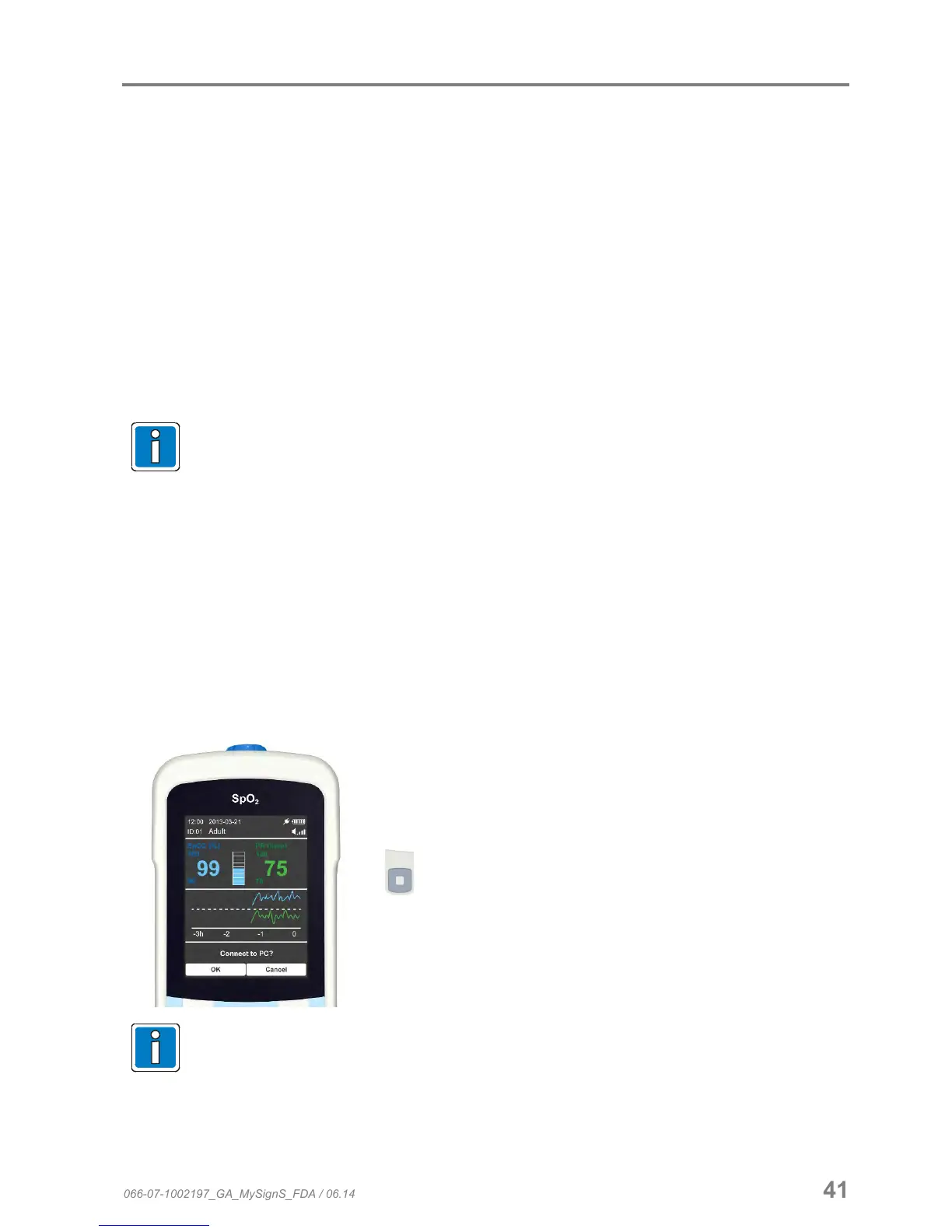
Press “OK” to connect the monitor to the PC software.
If the prompt “Connect to PC” does not appear on the unit, please disconnect the USB plug for at
least 3 seconds and then re-connect it.
Connecting the monitor to the PC software will interrupt the current measurement!
It is not possible to conduct any measurements while connected to the PC.
066-07-1002197_GA_MySignS_FDA / 06.14 41


 To Next Page