EasyManua.ls Logo

Epever DR3210N-DDS - Duoracer Display Standard (DDS)

Epever DR3210N-DDS
44 pages
Print Icon
To Next Page IconTo Next Page
To Previous Page IconTo Previous Page
Loading...
19
Step3: Wait for 5 seconds until the setting indicator turns off. The battery type is set
successfully.
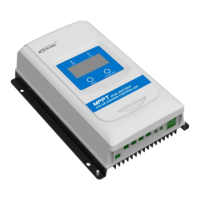
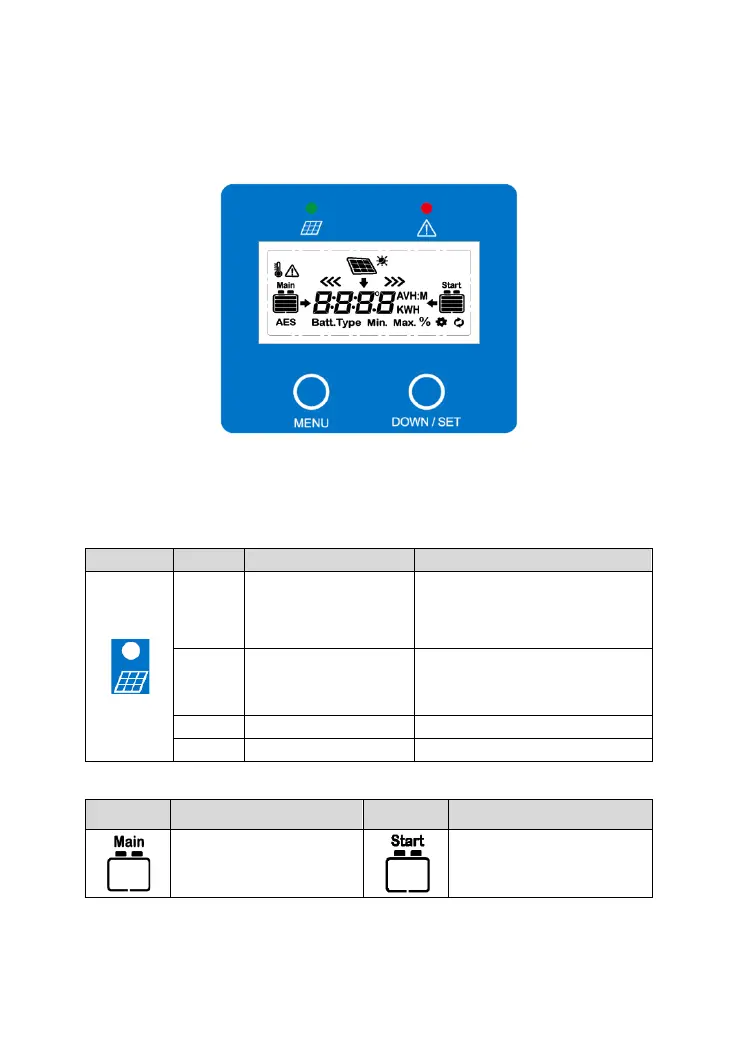
3.2 DuoRacer Display Standard (DDS)
Note: The display screen can be viewed clearly when the angle between the
end-users horizontal sight and the display screen is within 90°. If the angle
exceeds 90°, the information on the display screen cannot be viewed clearly.
Charging indicator

Indicator
Color
Status
Instruction
Green
On solid
PV charges the battery with a
low current
Green
OFF
1. No sunlight
2. Connection error
3. Low PV voltage
Green
Slowly flashing(1Hz)
Normal charging
Green
Fast flashing(4Hz)
PV overvoltage
Operation interface
Icon
Instruction
Icon
Instruction
BATT1 battery capacity
0~12%
BATT2 battery capacity
0~12%

Related product manuals