EasyManua.ls Logo

Epever SolarV AN Series - User Manual

Epever SolarV AN Series
38 pages
Print Icon
To Next Page IconTo Next Page
Loading...
Copyright
©
2020 SolarV GmbH All rights reserved
www.solarv.de
USER MANUAL
Model:
1210AN
2210AN
3210AN
4210AN
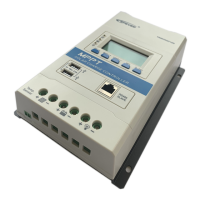
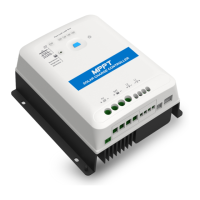
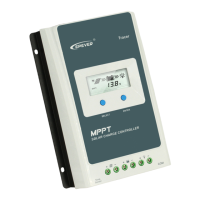
TRACER AN SERIES - MPPT SOLAR CHARGER CONTROLLER

Questions and Answers

  • K
    Karen HillAug 3, 2025
    What to do if the Epever SolarV AN Controller battery level shows full, the battery frame blinks, and the fault icon blinks?
    • K
      Kurt RodriguezAug 3, 2025
      If the battery level shows full, the battery frame blinks, and the fault icon blinks on your Epever Controller, it indicates a battery over voltage issue. Check if the battery voltage is higher than the OVD (over voltage disconnect voltage), and disconnect the PV.
  • L
    Lauren FrancoAug 8, 2025
    What to do if the Epever SolarV AN load is not outputting and the load and fault icons blink?
    • B
      Blake OlsonAug 8, 2025
      If the load has no output and the load and fault icons blink on the Epever Controller, it means the load is overloaded. Reduce the number of connected electric equipments. You can also try restarting the controller or waiting for one night-day cycle (night time>3 hours).
  • R
    Rebecca NicholsAug 13, 2025
    What to do if the Epever Controller battery level shows empty, the battery frame blinks, and the fault icon blinks?
    • B
      Brianna CrosbyAug 13, 2025
      If the battery level is empty, the battery frame blinks, and the fault icon blinks on your Epever Controller, it signifies that the battery is over discharged. When the battery voltage is restored to or above LVR (low voltage reconnect voltage), the load will recover.
  • K
    Kathleen LewisAug 18, 2025
    Why is the Epever SolarV AN Controller not working even though the wire connection is correct?
    • D
      David DavisAug 18, 2025
      If the Epever Controller is not working despite correct wiring, the battery voltage may be too low. Check the battery voltage; it needs to be at least 8V to activate the controller.
  • L
    lance36Aug 23, 2025
    What to do if the Epever SolarV AN battery level shows empty, battery frame blinks, and fault icon blinks?
    • W
      wrhodesAug 23, 2025
      If the battery level shows empty, the battery frame blinks and the fault icon blinks on the Epever Controller, it indicates battery overheating. The controller will automatically turn the system off. It will resume operation once the temperature declines below 55 ºC.
  • M
    Matthew CuevasAug 28, 2025
    How to troubleshoot LCD display issues on the Epever Controller during daytime when sunshine falls on PV modules properly?
    • A
      aaronnelsonAug 29, 2025
      If you are experiencing LCD display issues on your Epever Controller during the daytime with proper sunshine on the PV modules, it might be due to PV array disconnection. Confirm that all PV wire connections are correct and tight.

Summary

Important Safety Instructions

General Safety Information

General safety guidelines and precautions for controller installation and operation.

General Information

Product Overview

Introduction to the Tracer AN series MPPT solar charge controller and its features.

Controller Characteristics

Details the physical and functional characteristics of the controller and its ports.

Controller Model Naming Rules

Explains the naming convention used for the Tracer AN series controller models.

MPPT Technology Explained

Explanation of the MPPT technology used to optimize solar energy harvesting.

Battery Charging Stages

Describes the three-stage charging algorithm (Bulk, Constant, Float) for battery management.

Installation Instructions

General Installation Notes

Provides essential guidelines and precautions for safe and proper controller installation.

PV Array Requirements

Specifies requirements for PV array configuration, including series connection and power limits.

Recommended Wire Sizes

Details recommended wire sizes for PV input, battery, and load connections.

Mounting Instructions

Instructions and safety warnings for mounting the controller in a suitable location.

Wiring and Grounding Procedures

Illustrates the wiring diagram and details grounding procedures for system setup.

Connecting Accessories and Powering On

Guide for connecting optional accessories and the procedure for powering on the controller.

Controller Operation

Button Functions

Describes the functions of the SELECT and ENTER buttons for navigating and controlling the unit.

Interface Status Indicators

Explains the meaning of various icons and indicators displayed on the controller's LCD screen.

Fault Indication and Diagnosis

Details fault codes, icons, and descriptions for diagnosing controller issues.

Interface Browsing

Illustrates how to navigate through different display screens and data points.

Setting Parameters

Instructions on how to clear generated energy and switch battery temperature units.

Battery Type Selection

Guide to selecting the correct battery type (Sealed, Gel, Flooded, User) for optimal charging.

Battery Voltage Control Parameters

Defines voltage parameters for different battery types in 12V and 24V systems.

User Settings and Communication Options

Covers PC/APP software settings and rules for setting control voltage values.

Local Load Mode Settings

Details various load working modes and timer settings for controlling the load output.

Load Modes and MT50 Configuration

Explains load working modes and configuration for the MT50 remote meter.

Optional Accessories

Protections, Troubleshooting, and Maintenance

Protection Features

Details the various protection mechanisms built into the controller against electrical faults.

Troubleshooting Common Issues

Identifies common issues, faults, and their corresponding solutions for the controller.

Recommended Maintenance Tasks

Recommends regular inspections and maintenance tasks for optimal controller performance.

Technical Specifications

Electrical Parameters

Lists key electrical specifications, including voltage, current, power, and interface details.

Mechanical Parameters

Provides physical dimensions, mounting details, terminal information, and weight of the controller.

Annex I: Conversion Efficiency Curves

Tracer1210 AN Efficiency Curves

Conversion efficiency curves for the Tracer1210AN model.

Tracer2210 AN Efficiency Curves

Conversion efficiency curves for the Tracer2210AN model.

Tracer3210 AN Efficiency Curves

Conversion efficiency curves for the Tracer3210AN model.

Tracer4210 AN Efficiency Curves

Conversion efficiency curves for the Tracer4210AN model.

Annex II: Mechanical Dimension Diagram

Tracer1210 AN Dimension Diagram

Mechanical dimensions for Tracer1210AN.

Tracer2210 AN Dimension Diagram

Mechanical dimensions for Tracer2210AN.

Tracer3210 AN Dimension Diagram

Mechanical dimensions for Tracer3210AN.

Tracer4210 AN Dimension Diagram

Mechanical dimensions for Tracer4210AN.

Epever SolarV AN Series Specifications

General IconGeneral
Efficiency≤98%
Temperature Compensation-3mV/°C/2V (Default)
TypeMPPT Solar Charge Controller
CommunicationRS485
Battery TypeSealed, Gel, Flooded, User
GroundingNegative
CoolingNatural Cooling

Related product manuals