22
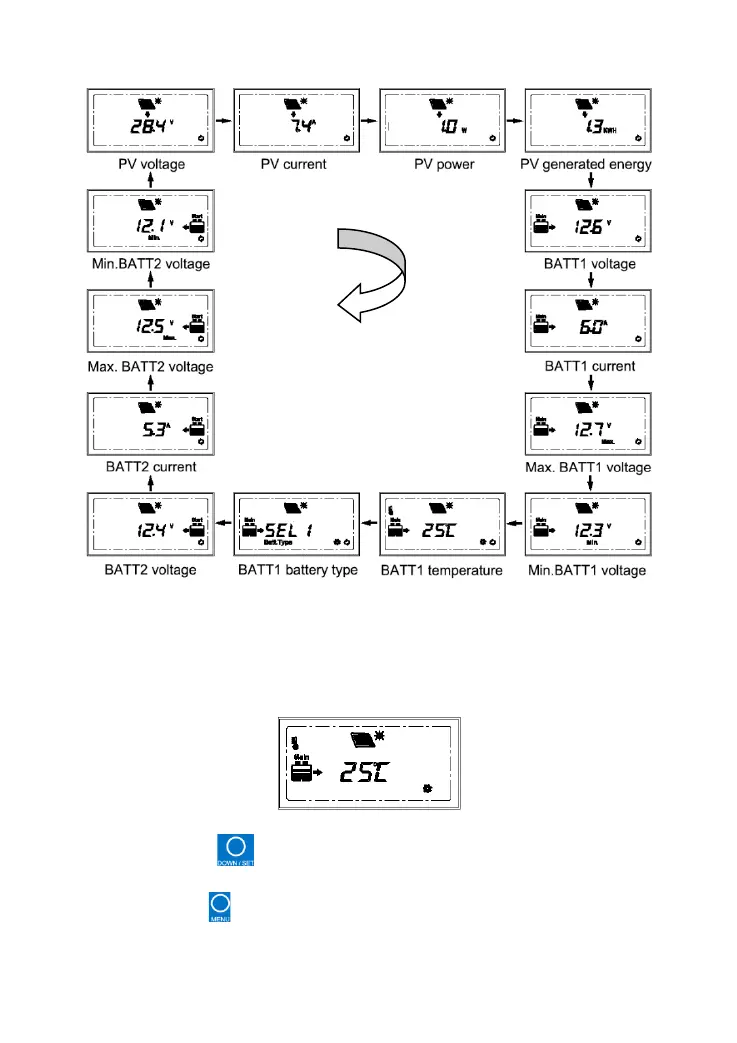
Loop display: PV voltage PV current PV power PV generated energy
BATT1 voltage BATT1 current Max. BATT1 voltage Min.BATT1 voltage
BATT1 temperature BATT1 battery type BATT2 voltage BATT2 current
Max. BATT2 voltage Min.BATT2 voltage PV voltage ……
(2) Change Temperature units
Operation:
Step1: Press the button under the battery temperature interface until the
symbol flashes.
Step2: Press the button to select the temperature unit.



 To Next Page