19
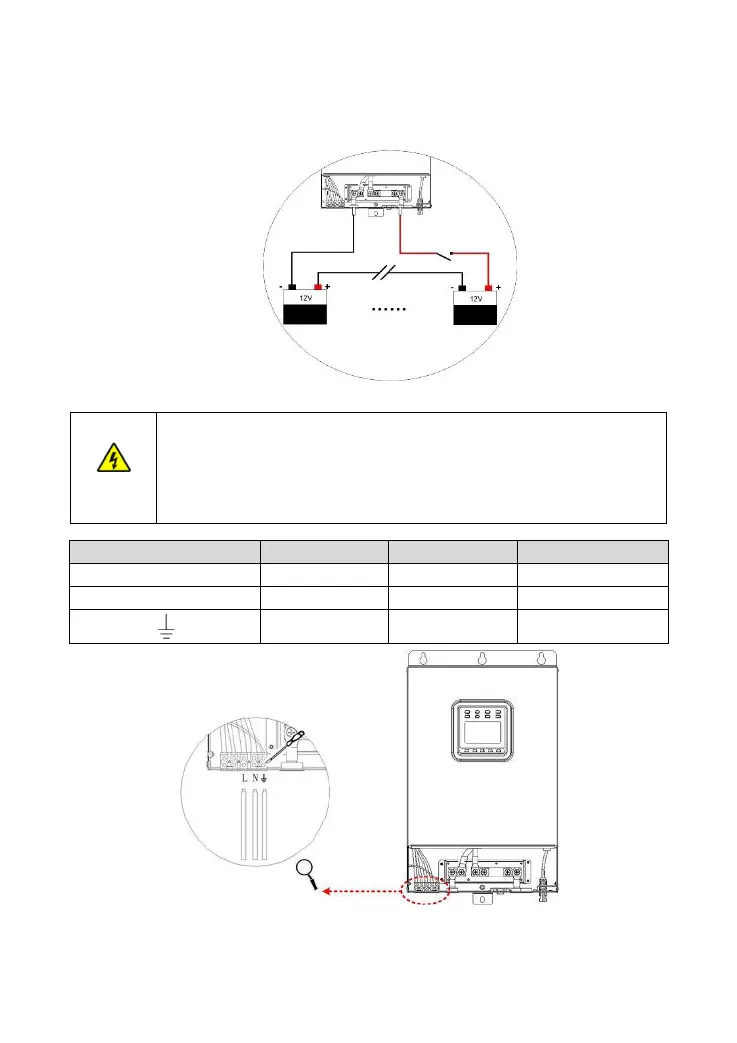
Step2: Connect the ring terminal of the battery connection wire to the inverter/charger's positive terminal.
Step3: Install the screw and secure it with the sleeve.
Step4: Connect and secure the negative terminal of the inverter/charger following the step1~step3.
4) Connect the AC load
Risk of electric shock! When wiring the AC load, please disconnect the circuit
breaker and ensure that the poles leads are connected correctly.
If utility input exists, the inverter/charger must be connected to the ground terminal.
We do not assume any responsibility for the unnecessary danger when the ground
terminal is not connected correctly.




 To Next Page