16
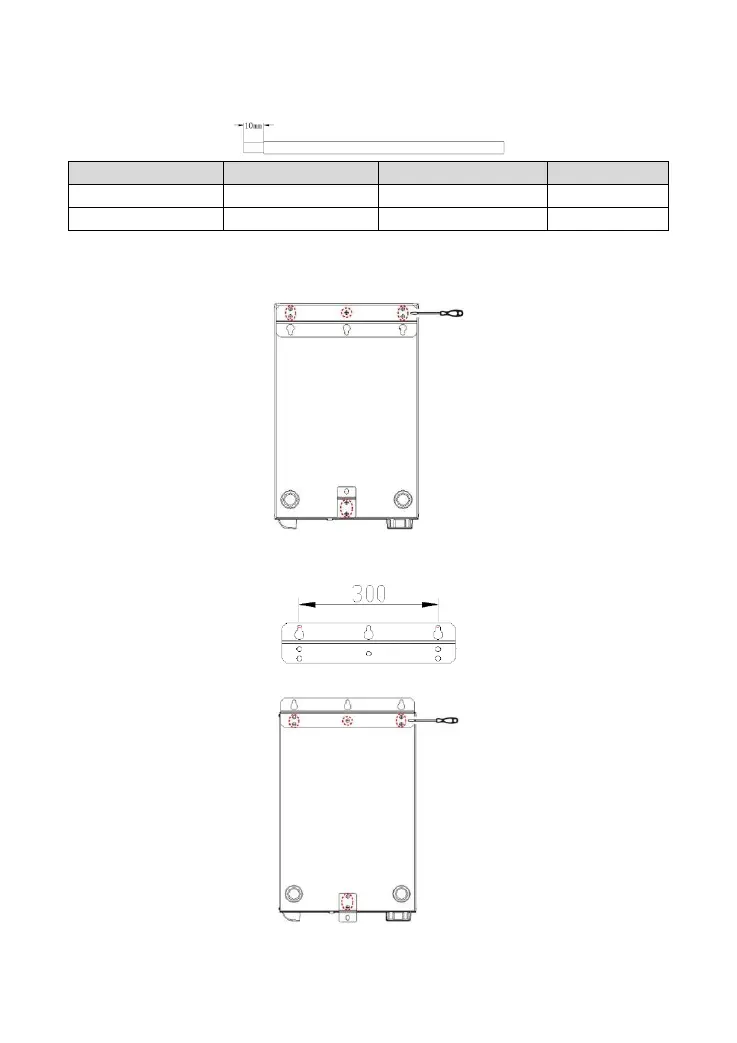
Making the connection cable of the utility input:
Strip two connection wires of the utility input for about 10 mm.
2.3 Determine the installation position
Step1: Remove mounting plate 1 and mounting plate 2 behind the inverter/charger with a screwdriver.
Step2: Mark the installation position with the mounting plate 1. The distance between the two mounting
holes is 300mm.
Step3: Rotate the direction of mounting plate 1 and plate 2, install them again.




 To Next Page