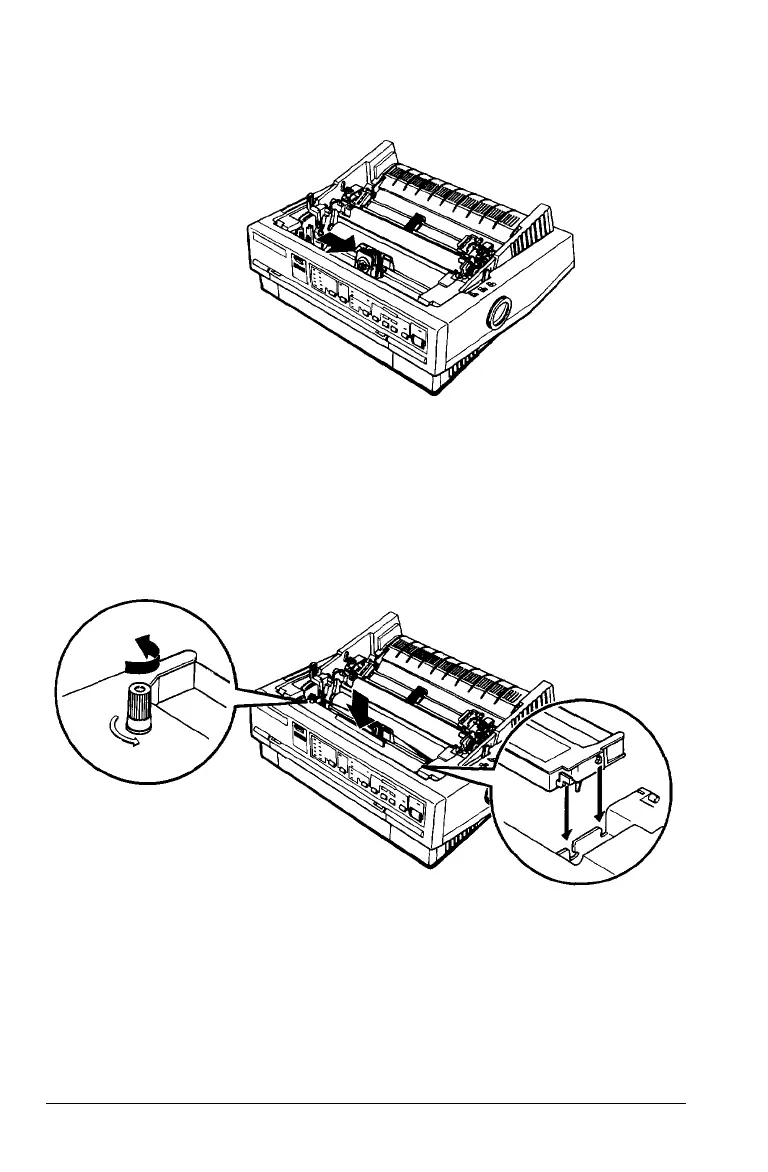
2. Slide the print head to the middle of the printer.
3.
Turn the ribbon-tightening knob in the direction of the
arrow. This removes any slack in the ribbon and makes it
easier to install. Next, hold the ribbon cartridge by its
handle and push it firmly down into position; then press
on both ends of the cartridge to make sure the plastic
hooks fit into the slots.
1-6 Setting Up the Printer



 To Next Page