4.
5.
6.
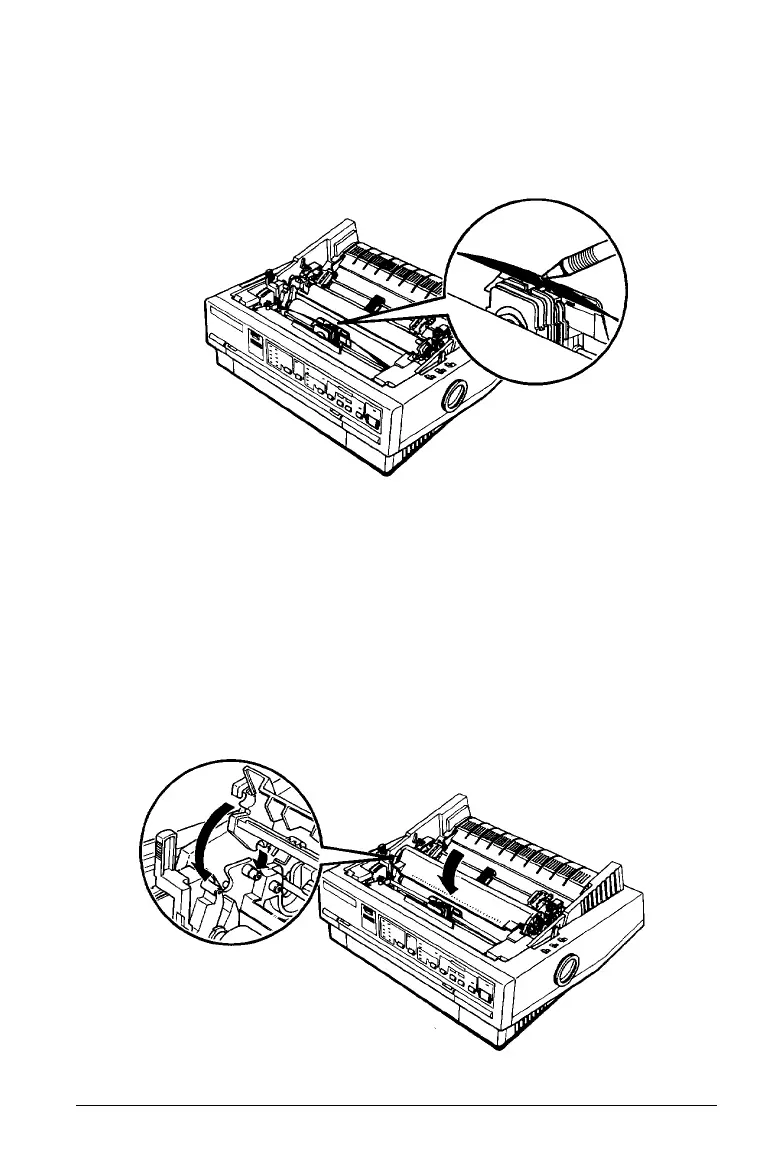
Use a pointed object, such as a ball point pen, to guide the
ribbon between the print head and ribbon guide. Turn the
ribbon-tightening knob to help feed the ribbon into place.
Slide the print head from side to side to make sure it moves
smoothly. Also check that the ribbon is not twisted or
creased.
Replace the paper-tension unit by placing it on the printer’s
mounting pegs; then lower the front of the unit into place.
Press on the front of both sides of the paper-tension unit
until you feel it click into place.
Setting Up the Printer 1-7



 To Next Page