A
Security slot Inserts a security lock for theft prevention.
B
USB port Connects a USB cable.
C
DC inlet Connects the AC adapter.
Inside
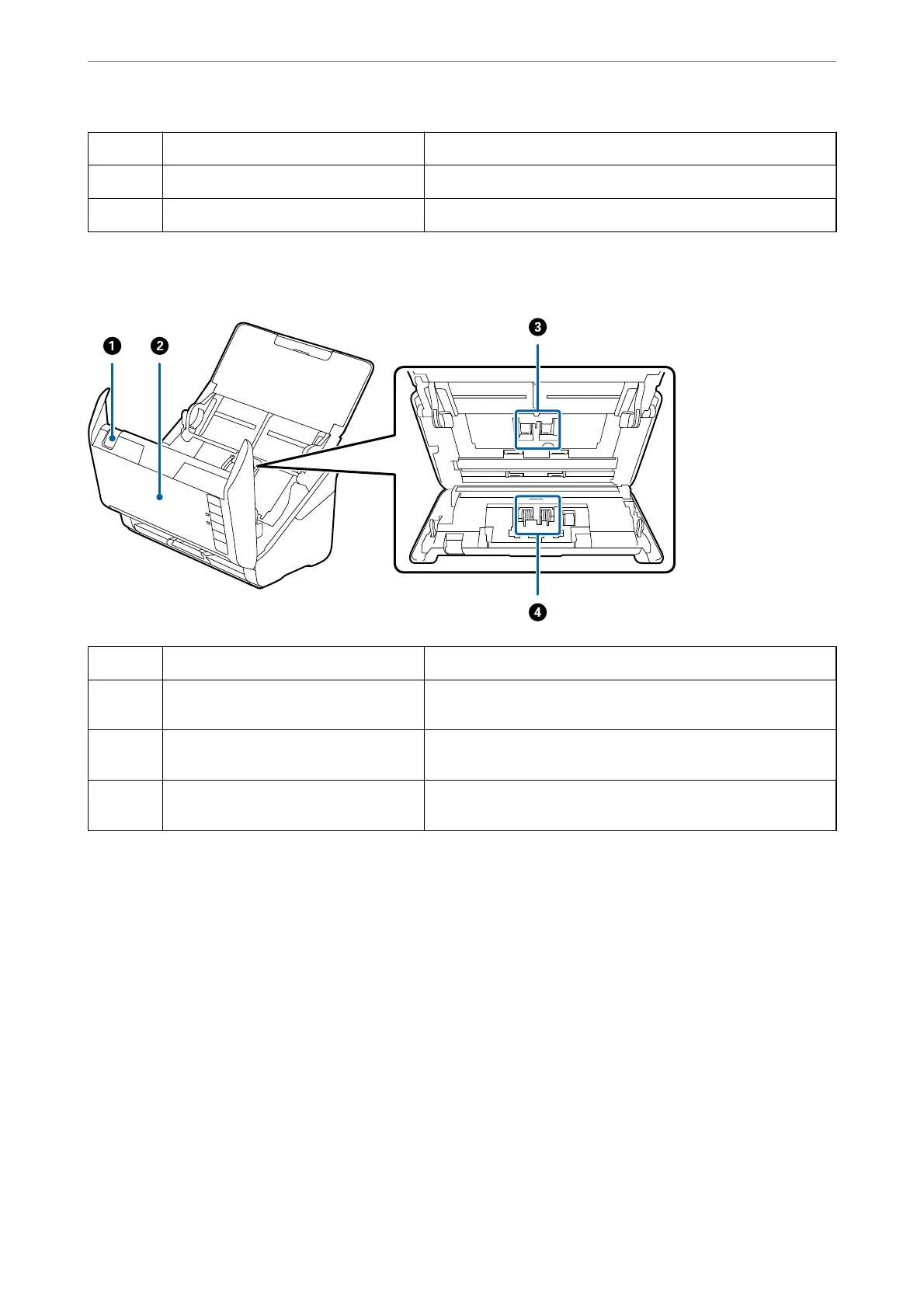
A
Cover open lever Pull the cover open lever and open the scanner cover.
B
Scanner cover Pull the cover open lever and open the scanner cover when
cleaning inside of the scanner and removing jammed paper.
C
Pickup roller Feeds originals. This needs to be replaced when the number of
scans exceeds the service number of papers.
D
Separation roller Feeds originals separately one by one. This needs to be replaced
when the number of scans exceeds the service number of papers.
Related Information
& “Cleaning Inside the Scanner” on page 148
& “Replacing the Roller Assembly Kit” on page 154
Scanner Basics
>
Part Names and Functions
19


 To Next Page
 Loading...