12
Connecting the Interface Unit and External Devices
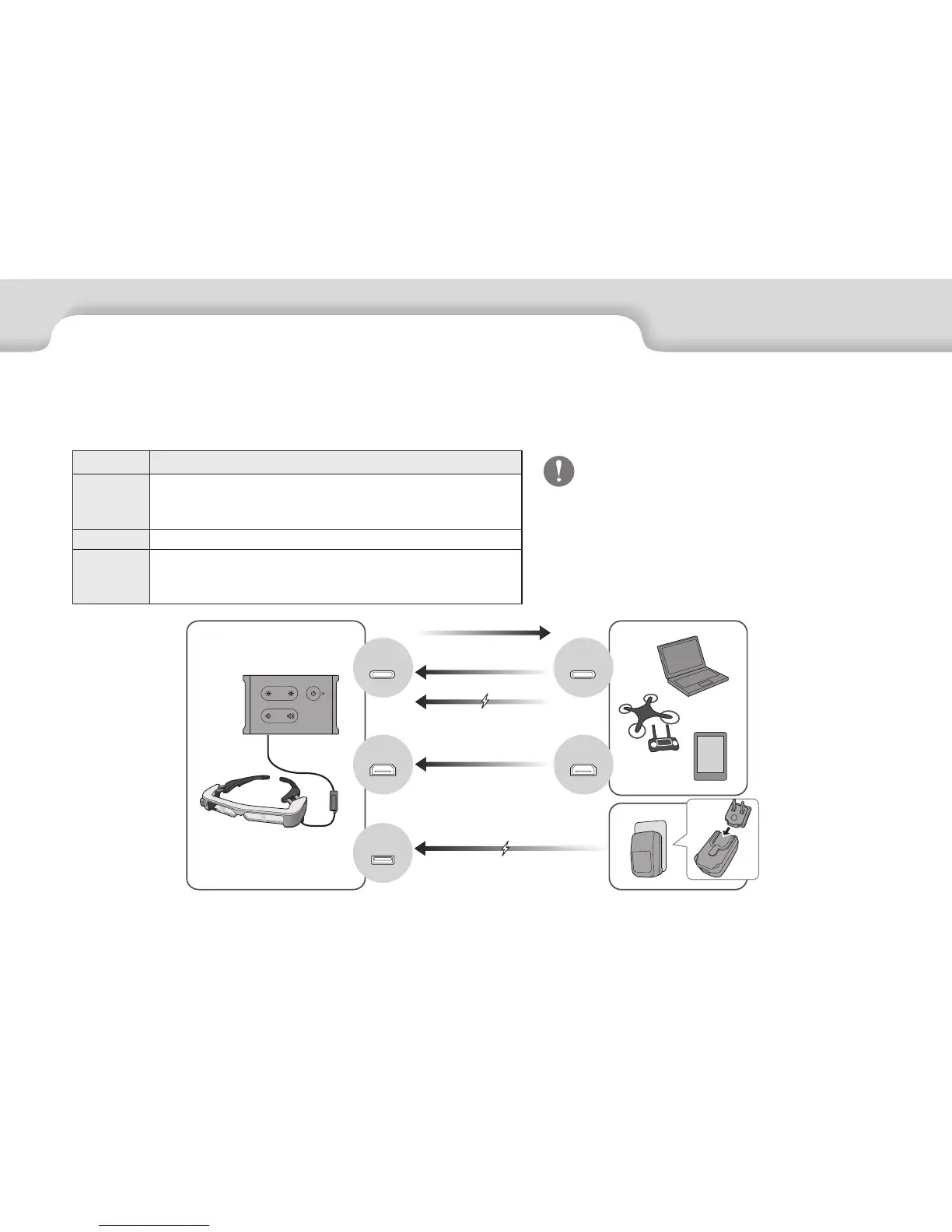
Inputs and Outputs
The interface unit and external devices input/output the following data and power supply.
Port Name Input/Output
USB-C
• Outputs camera or sensor data.
• Inputs video signals.
• Supplies power.
HDMI Inputs video signals.
Micro-B
Only supplies power.
(Connects the AC adapter with the dedicated micro-USB power supply
cable.)
Camera/Sensor
Video signals
Video signals
Power
Power
USB Type-C cables and HDMI cables are not
supplied with this product. You need to obtain
your own in advance.
USB-C
HDMI
HDMI
Micro-B
USB Type-C


 To Next Page