Turning On/Displaying Images
17
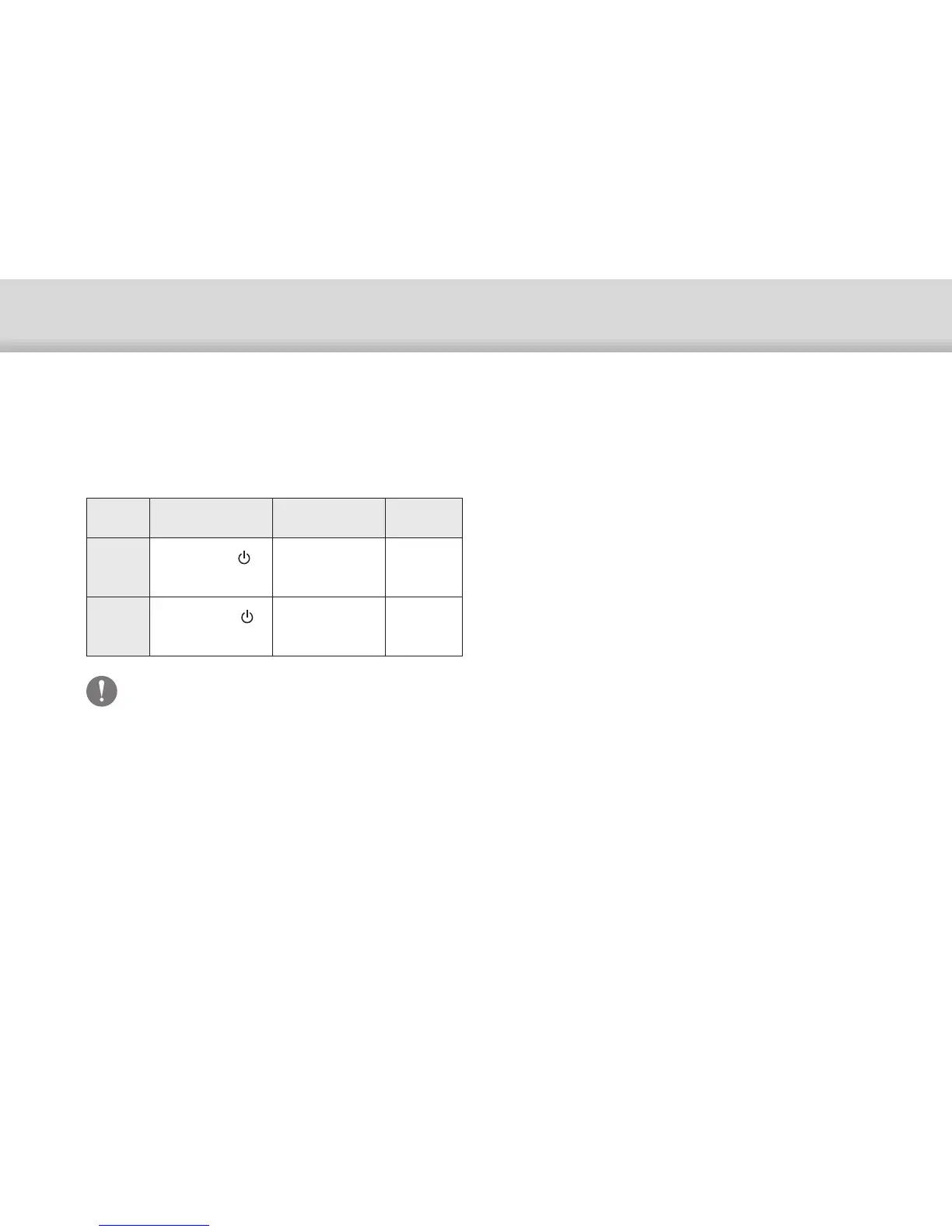
Standby Mode and AV Mute
Although standby mode and AV mute will hide the im-
ages and mute the audio, there are a few differences.
Select the appropriate mode to suit your needs.
Setting
Time to Display
Images
Power
Consumed
Standby
mode
Hold down the [ ]
button
Long
(approx. 8 secs.)
Low power
consumption
AV mute
Briefly press the [ ]
button
Short
More than
in standby
mode
This product automatically switches to standby
mode (in Mode 1 only) after 20 minutes of inactivity
or after 20 minutes if AV mute is enabled.
➡"Extended Features" p.18


 To Next Page