Extended Features
19
Changing the mode setting
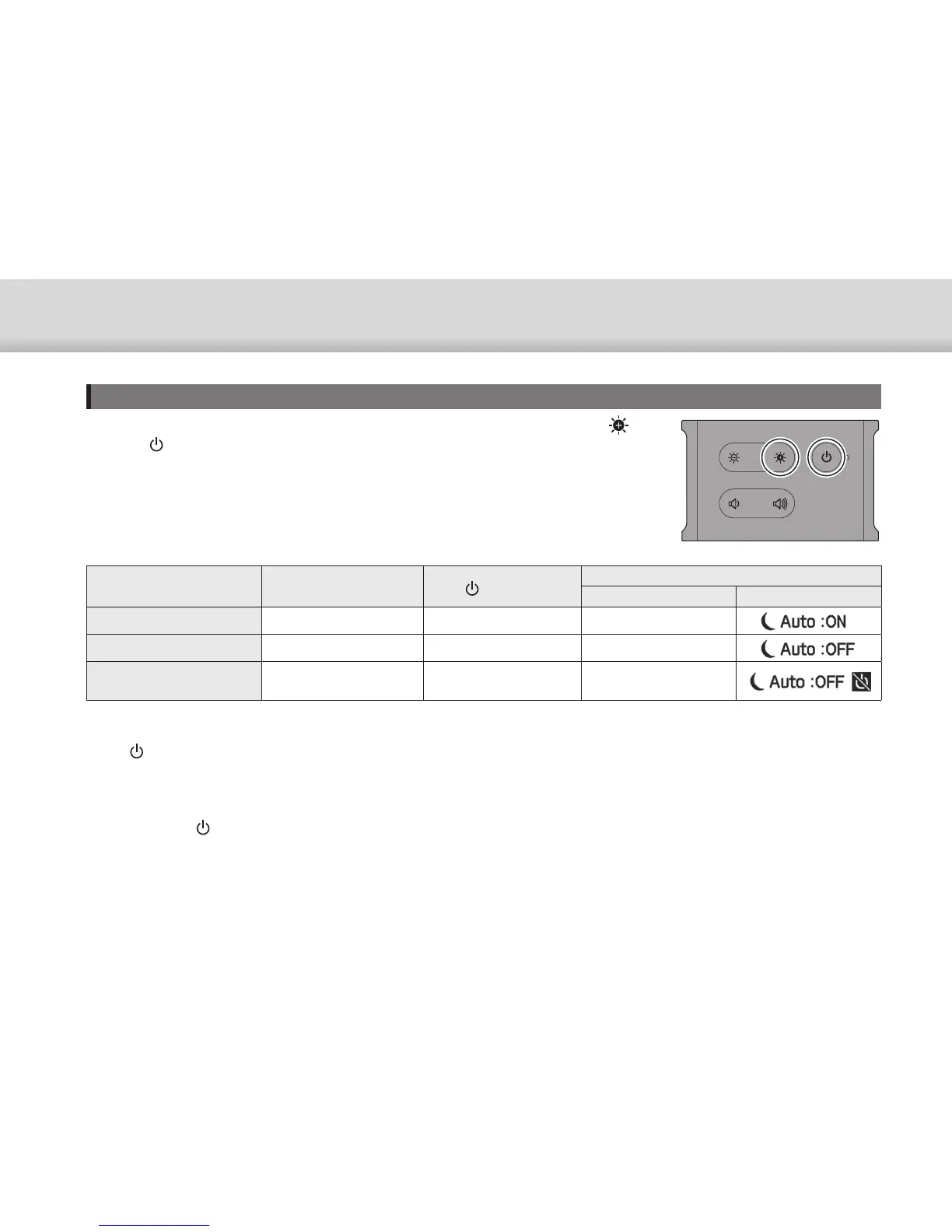
The following three modes are available. To switch the mode, hold down the [ ] key
and the [ ] button at the same time.
Power saving feature
*1
[ ] button
*2
When switching mode
LED indicator
*3
Display
Mode 1 (Default setting) Enabled Operations available Flashes white once
Mode 2 Disabled Operations available Flashes white twice
Mode 3 Disabled Operations unavailable
Flashes white three
times
*1 This feature automatically switches to standby mode after 20 minutes of inactivity when no image is being input, or after 20 minutes when AV mute is
enabled.
*2 The [ ] button shows/hides images. Hold down to switch to standby mode.
➡ "Standby Mode and AV Mute" p.17
*3 You can check the mode by the number of times the LED flashes white immediately after making settings.
In Mode 3, the [ ] button is disabled which helps to avoid operation mistakes when you want to show the display at
all times.


 To Next Page