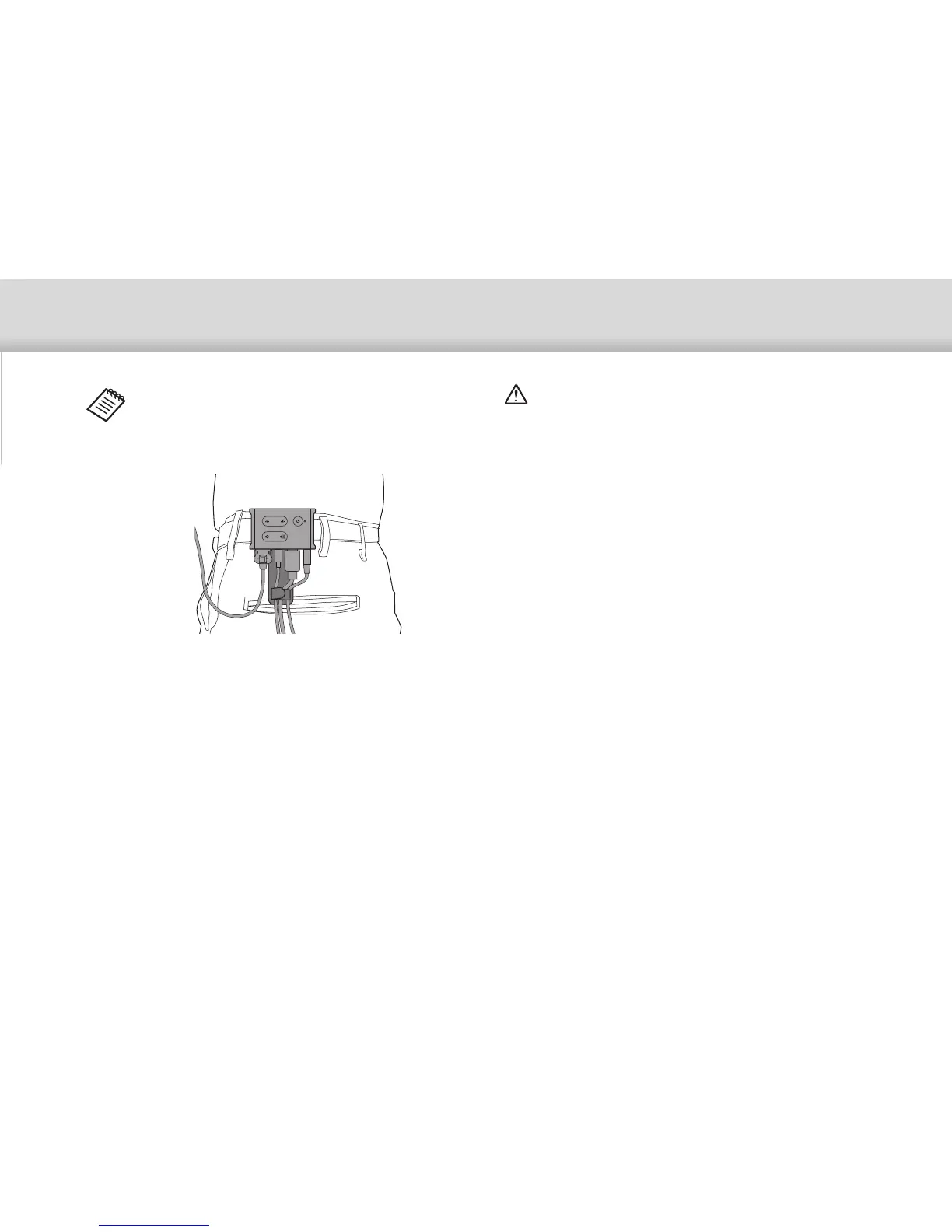
Using the Belt Clip/Cable Retainer
23
Use the same procedure to attach the cable retainer
to the belt. You can secure other cables using com-
mercially available bands and so on so that they do
not catch on anything in the surrounding area.
Caution
• Keep the cables as close to your body as possible. Sag-
ging cables may cause accidents or injuries if they be-
come caught or trapped by surrounding objects.
• Do not pull the headset's cable. If the headset comes off,
it may result in accident or injury.
• Since the belt clip/cable retainer are designed to grip the
belt securely, they could scratch the surface of the belt
during attachment or removal. Avoid attaching them to
leather or shiny belts, or protect the belt by placing a thin
cloth over the section they come in contact with.


 To Next Page