Direct Printing 43
Chapter 5
Direct Printing
You can print your photos directly on any of the following
Epson printers without connecting a computer:
❍ Epson Stylus
Photo R300 and R300M
❍ Epson Stylus Photo R320
❍ Epson Stylus Photo RX600
❍ PictureMate
More printers may be supported; check the Epson web site
to get the latest information:
http://support.epson.com.
You can use the following sizes and types of paper.
Note:
For details about paper, see your printer documentation.
PictureMate prints on 4 × 6-inch paper only.
Connecting the P-2000 to a Printer
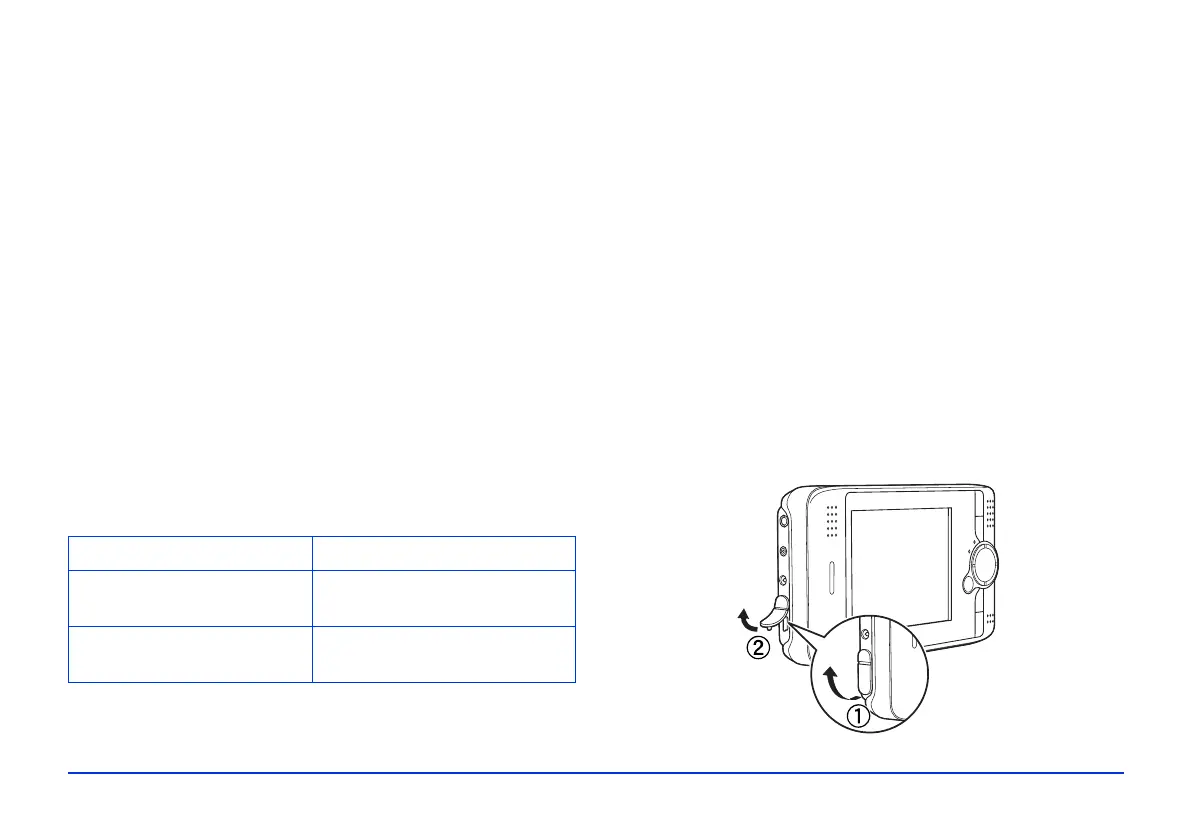
Follow these steps to connect the P-2000 to your printer:
1 Make sure the P-2000 and the printer are turned off.
2 Open the USB connector cover:
Paper Size
Premium Glossy Photo
Paper
4 × 6 in., 5 × 7 in., Letter, A4
Premium Semigloss Photo
Paper
Letter



 To Next Page