EasyManua.ls Logo

Epson PictureMate - Save Your Photos to a Computer or an External Device; Saving Photos to a Computer; Saving Photos to an External Device

Epson PictureMate
79 pages
Print Icon
To Next Page IconTo Next Page
To Previous Page IconTo Previous Page
Loading...
25
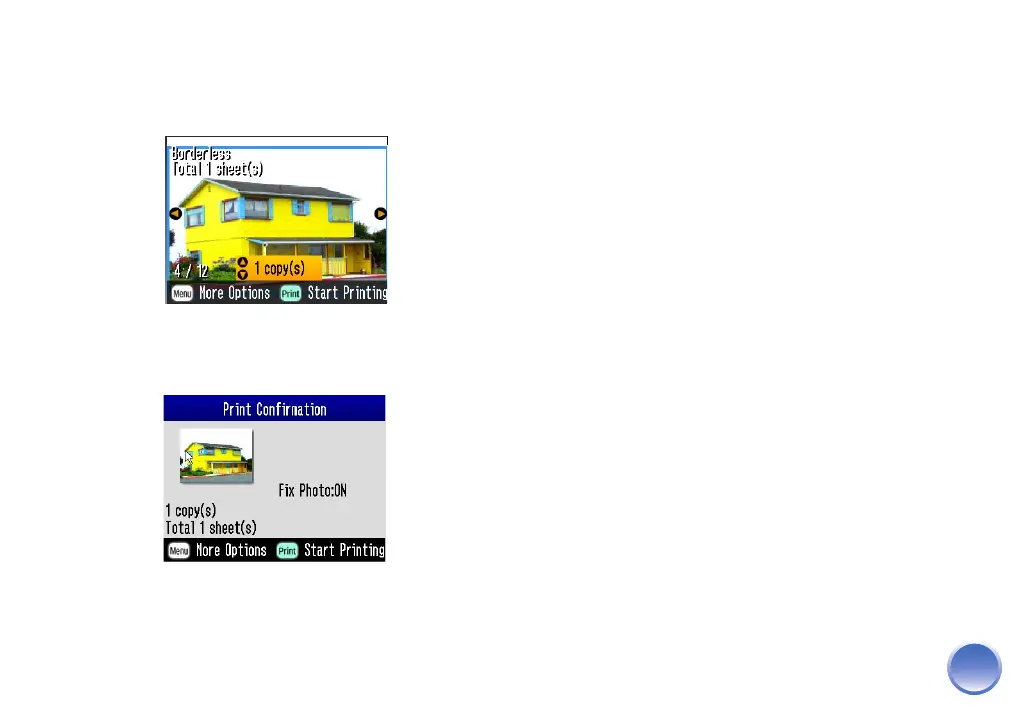
6 Repeat steps 3 and 4 for the other settings if
necessary. Press OK again to close the menu. You
see your photo with your chosen settings applied.
7 Press the Print button. You see the Print
Confirmation:
8 Make sure you have enough paper loaded, then
press Print again to start printing.

Other manuals for Epson PictureMate

Related product manuals