Pro 7900 and 9900 Field Repair Guide 10/6/10
AID Issue Troubleshooting Printer Component, Software Item, LCD Display, Printer Button Page 220.
3.4 Press the OK button to begin the test.
4. If Mode1 has 1 or more NG’s instead of OK’s:
4.1 Clean the AID Grid, or replace the Cleaning Unit (the AID Grid is on the Cleaning Unit).
4.1.1 Retest.
4.2 Replace the AID Board.
4.2.1 Retest.
5. IF ADMN, ADMX, or VOUT has a NG instead of an OK:
5.1 Replace the Main Board, the AID Cable (runs from the Main Board to the AID Board) and the AID Board
at once. Do not replace the Boards separately, the issue can be passed from one board to the other.
The Cable can be replaced separately.
5.1.1 Retest.
5.2 Replace the Print Head (even if the nozzle check looks good), and retest.
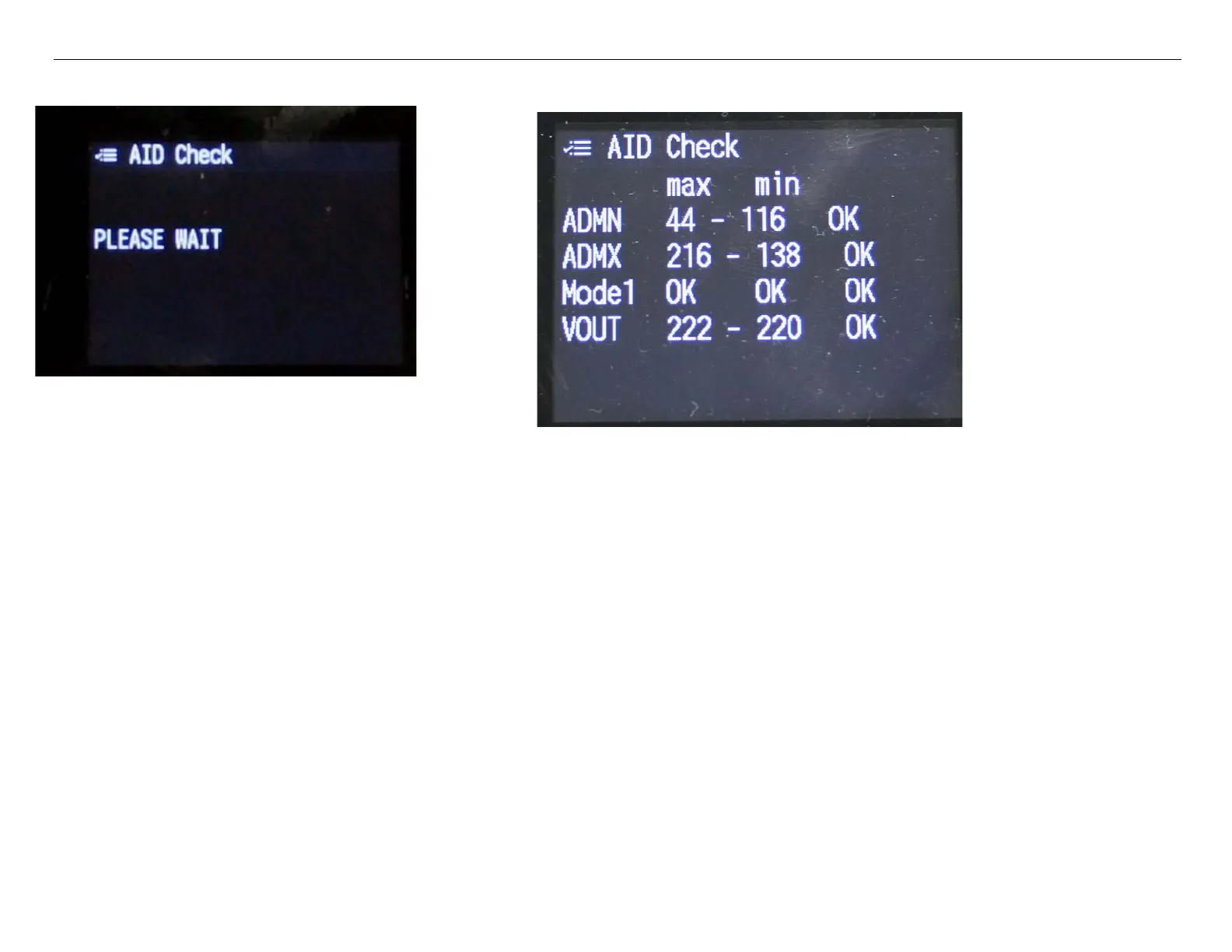
1. The Printer will display Please Wait.
2. The Printer will display 6 OK’s if the AID Circuitry passes the test.



 To Next Page
 Loading...









