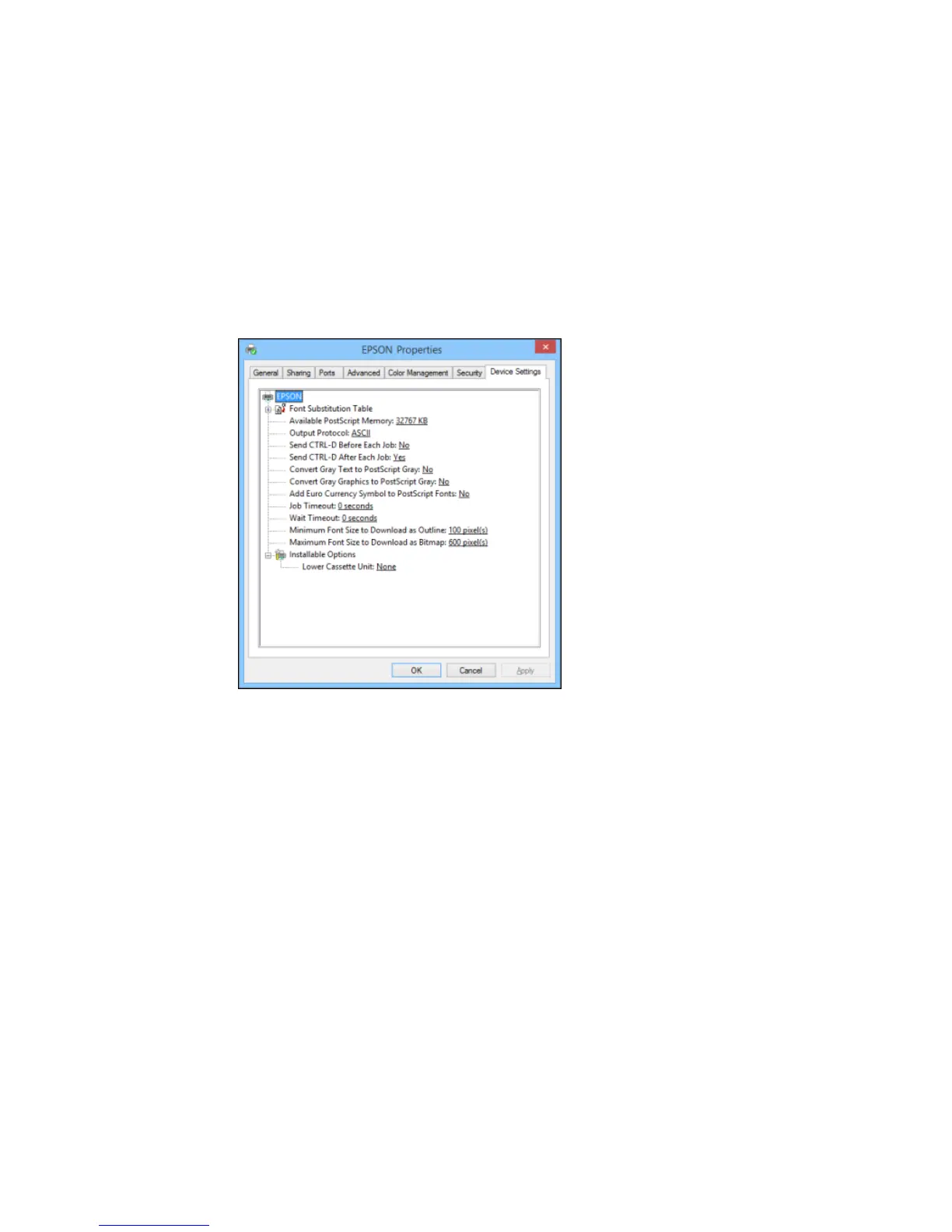
You see a window like this:
3. Select the number of optional cassettes installed as the Lower Cassette Unit setting.
4. Click OK.
The optional paper cassettes are now enabled.
Parent topic: Printing with the PostScript (PS3) Printer Software - Windows
Related tasks
Enabling the Optional Paper Cassettes - Windows
Synchronizing Printer Settings - Epson Universal Print Driver - Windows
139


 To Next Page