B
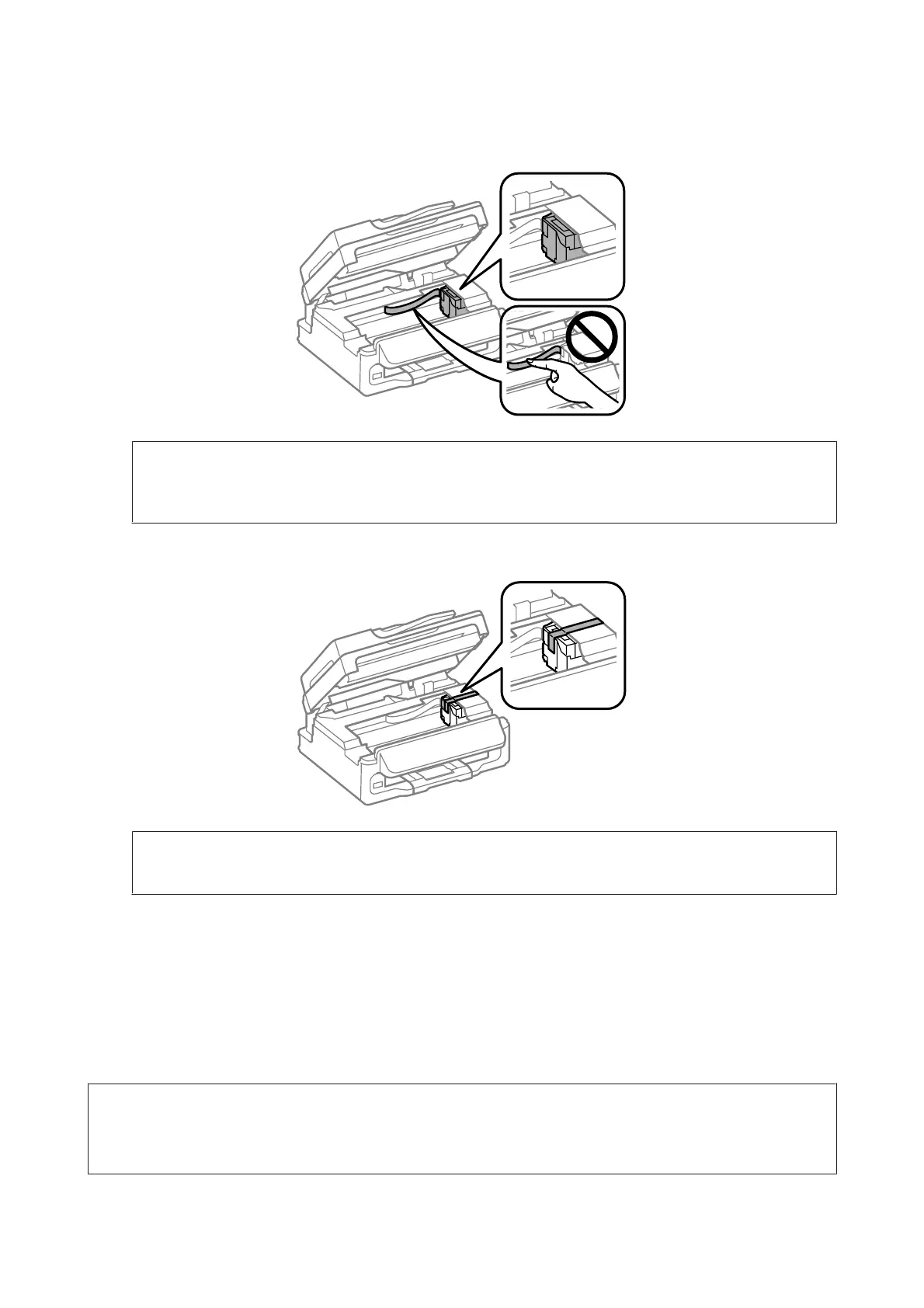
Open the scanner unit and make sure the ink cartridge holder is in the home position on the right.
Note:
If the ink cartridge holder is not in the home position on the right, turn on the product and wait until the ink cartridge
holder locks in the far right position. Then turn off the product.
C
Secure the ink cartridge holder to the case with tape as shown, then close the scanner unit.
Note:
Do not place tape on the white flat cable inside the product.
D
Unplug the power cord from the outlet, then disconnect all cables from the product.
E
Close the paper support and the output tray.
F
Repack the product in the box, using the protective materials that came with it.
Note:
❏ Keep the product level during transport.
❏ Be sure to remove the protective materials from the product before using it again.
User’s Guide
Maintaining Your Product and Software
112








 To Next Page