Note:
The availability of special media varies by location. For the latest information on media available in your area, contact
Epson support.
& “Technical Support Web Site” on page 157
Loading Paper and Envelopes
Follow these steps to load paper:
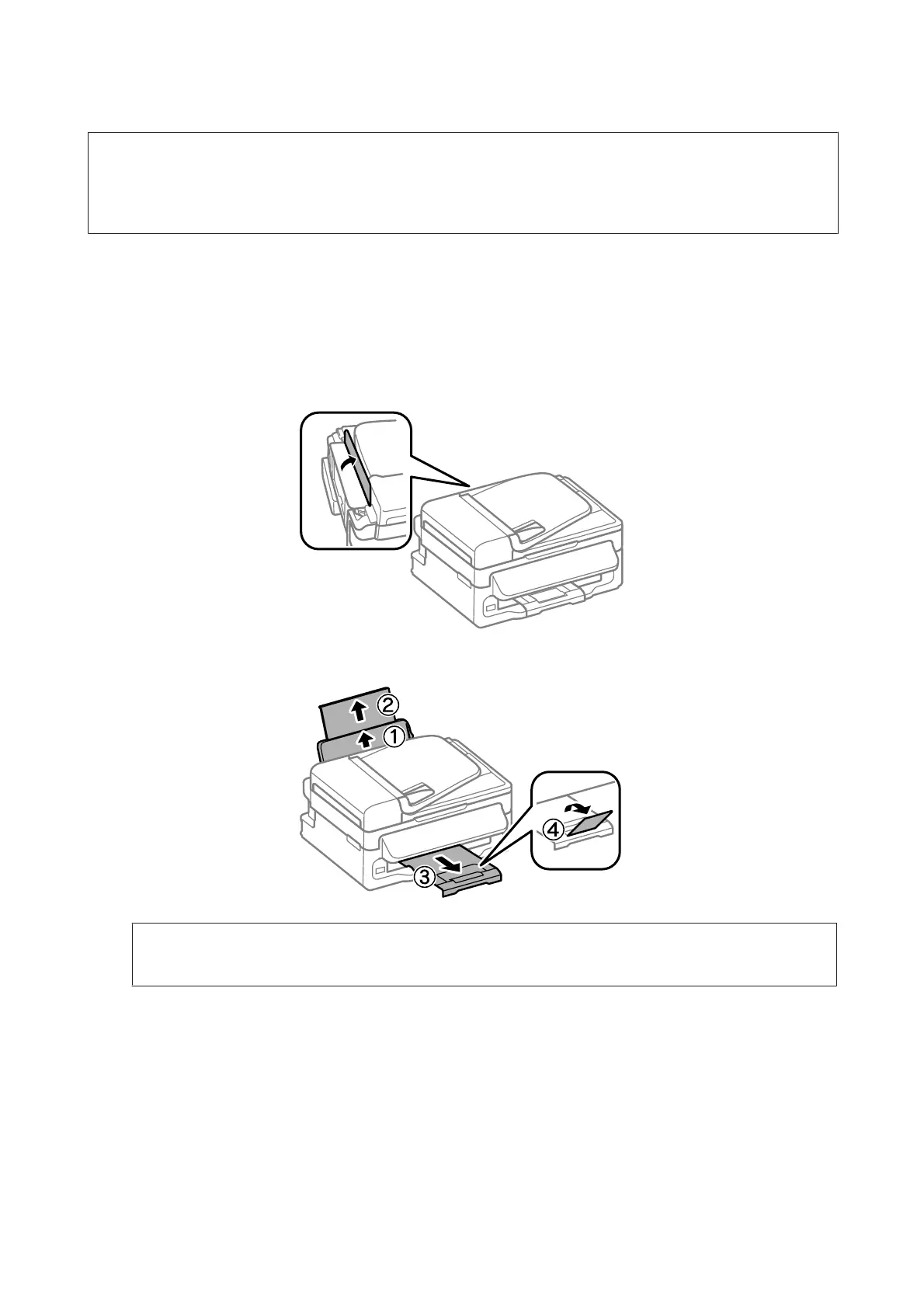
A
Flip the feeder guard forward.
B
Slide out the paper support and the output tray and then raise the stopper.
Note:
Leave enough space in front of the product for the paper to be fully ejected.
C
Slide the edge guide to the left.
User’s Guide
Paper and Media Handling
22








 To Next Page