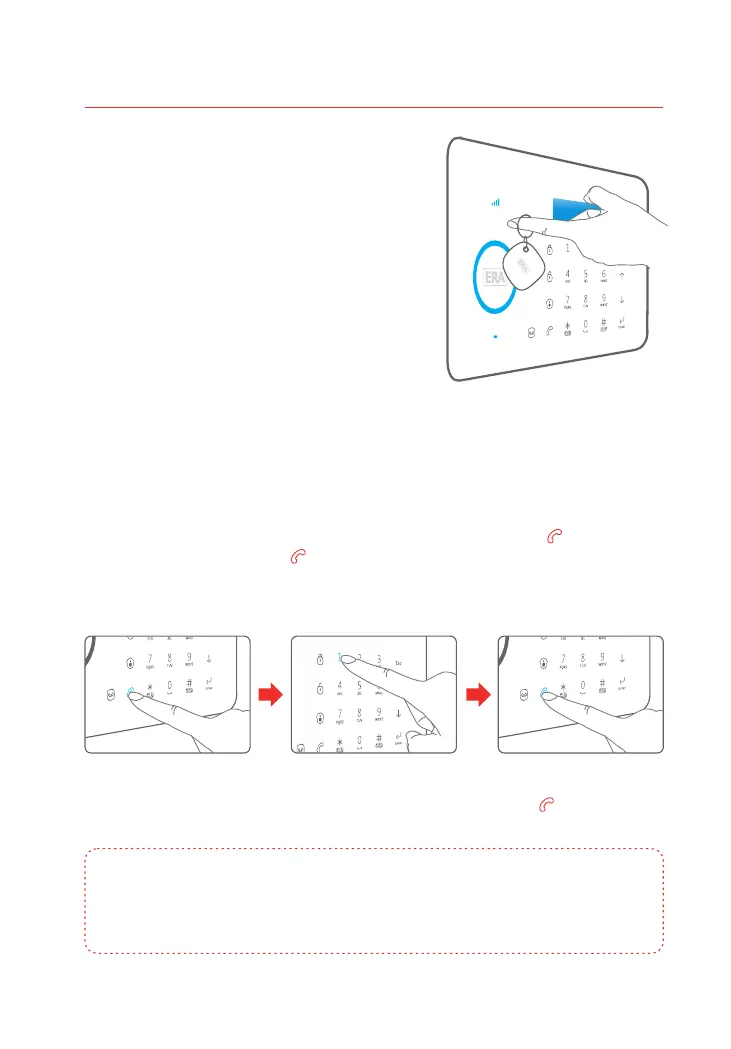
The Control Panel’s RFID Reader enables quick
system disarming by RFID Contactless Tag. RFID
Tag disarming also unlocks an electronic door
strike if fitted (not supplied).
Pass the RFID Tag across the RFID Reader, the
blue LED indicator will flash once and the
system will disarm.
Access Control
Making Phone Calls
When the Control Panel is in Disarm or Home Mode state, press , input the [Call ]
phone number and press again, the panel will start dialling out to the [Call ]
telephone number.
The Control Panel has a built-in communication module. If the PSTN landline is
connected or a SIM card is in use (with sufficient credit), the Control Panel can be used
to make outbound telephone calls. The panel will firstly attempt dialling out via the
landline, if unavailable it will automatically switch to dialling out via the GSM network.
If a number is entered incorrectly press to clear the call down and enter the [Esc]
correct number. Press to cancel an unanswered call. Press to end a [Esc] [Call ]
conversation.
Note: If the Control Panel is connected to an extension line (not the main line), 0# or 9# will
need to be added as a pre-fix to the telephone number being dialled. If the landline is
unavailable and the system switches over to the GSM network, calls can be made without
pre-fixing the number.
07
Control Panel Operation



 To Next Page