43
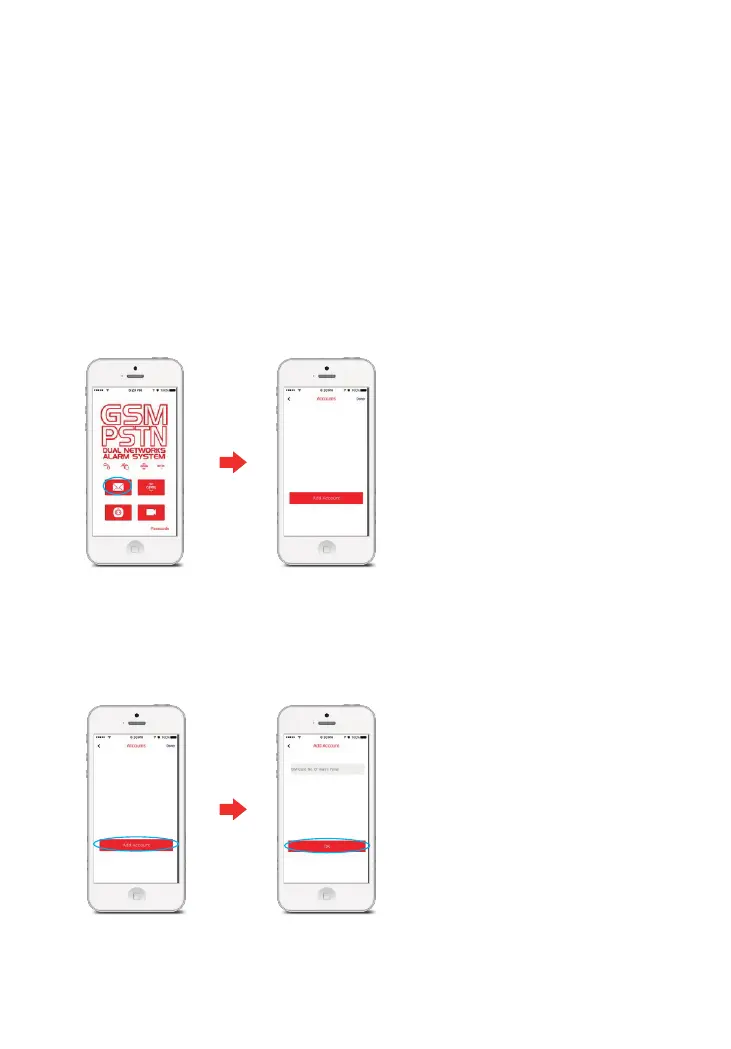
① Enter [Accounts]
Tap the E11 APP, choose , and then enter the account management interface.[SMS]
Control through SMS
1. Add accounts
Adding accounts enables you to link the alarm system to your smartphone. You can
control additional E11 systems from one phone by the addition of further accounts.
② Add Account
Tap , input the telephone (SIM Card) number of the Control Panel and [ Add Account ]
[OK]then tap .
Any telephone number can operate the system through APP by default.
We recommend you store your alarm phone numbers on the Control Panel when
setting up the system so that only the commands from these numbers are recognised.



 To Next Page