59 / 70
7 • Maintenance and servicing
80116-941_V24392
2023-03
3. In the "Further settings" screen, scroll to the <Protected settings>
option.
4. Call up <Protected settings>.
5. Enter the password Level2 and confirm with <Entry>. The unit shows
all password-protected settings.
6. The following settings are relevant:
– Use of AUTO START: Must be permitted for the test.
– Delay AUTO START bipolar: Note the value.
7. Exit <Further settings>.
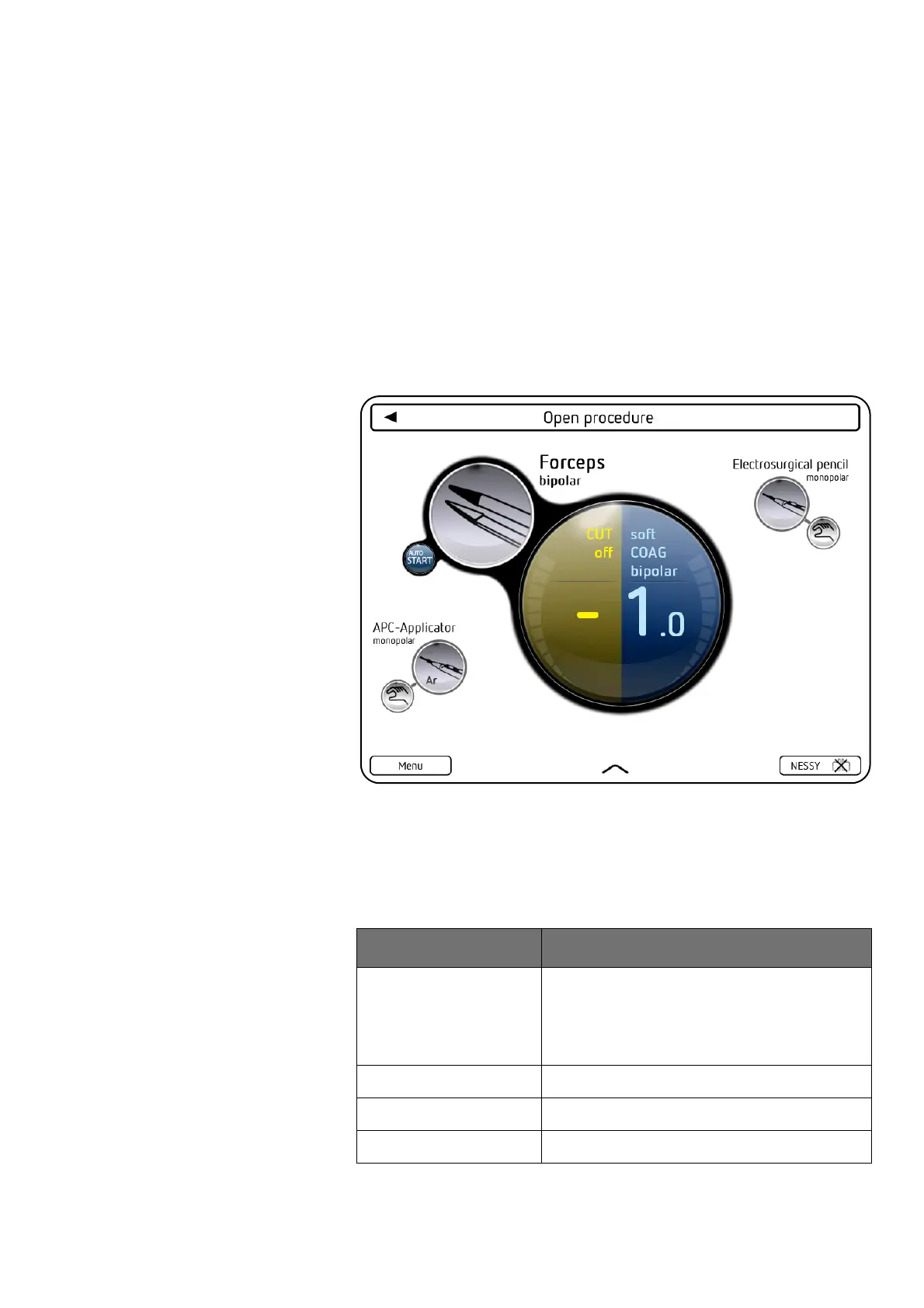
8. Set the test specimen to:
Forceps, bipolar – softCOAG, bipolar – Effect 1 –AUTO START
9. Hold down the S1 button on the VIO test box until the test specimen
is activated. Activation must begin after the test delay that has been
set.
10. Press the S2 button. The test specimen must terminate the activation.
HF output power,
COAG, bipolar
Testing and measuring equipment
Erbe Art. No. Description
20196-045 Bipolar cable
or
20196-053 Bipolar cable, international 2Pin 22
20100-034 Adapter cable bipolar
– HF power meter
20189-350 Dual-pedal footswitch with ReMode



 To Next Page